
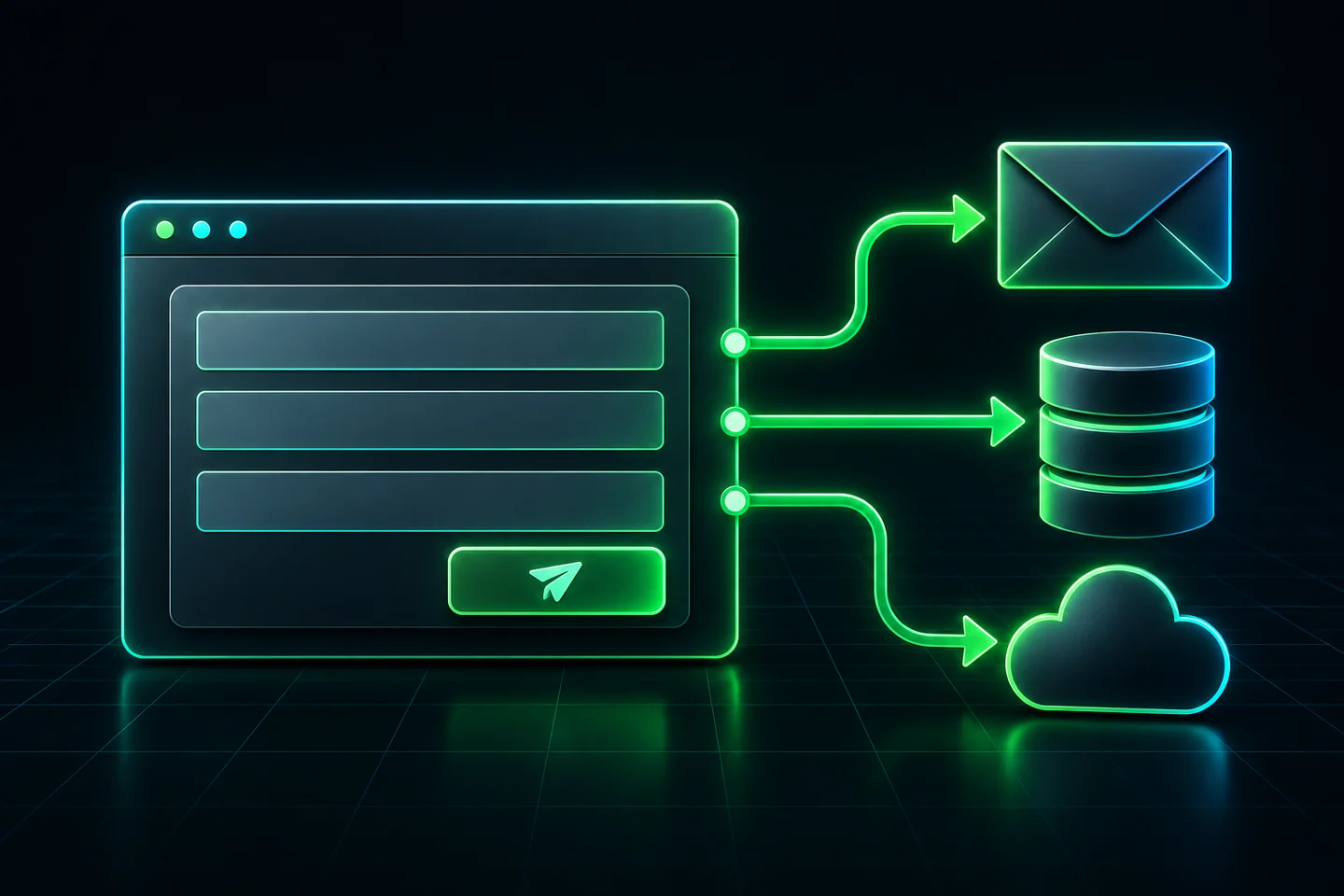
A WordPress form submission may go to more places than your inbox. Depending on the active configuration, it can leave a saved entry, pass through a mail provider, reach a CRM or automation service, and appear in logs or backups. The useful question is not simply which form plugin you installed. It is which destinations this particular form uses.
Start with a read-only inventory. Do not disable spam protection, turn on extra logging or delete old entries to find out where messages go. First identify the form, its enabled actions and the people who control the connected accounts.
Where WordPress form data can go
Use the following map to review one important form, such as your quotation or contact form. A destination belongs in your record only when the configuration or an authorised test supports it. Record anything you cannot verify as unknown.
| Possible destination | What to inspect | Owner question |
|---|---|---|
| WordPress entries | Submission-storage action, selected fields and retention settings. | Which fields are saved, and who can view or export them? |
| Notification recipients, message fields, attachments and the site’s mail provider. | Which mailboxes receive a copy, including conditional notifications? | |
| Spam or verification service | Enabled integrations and their current vendor documentation. | What data is checked, and when does that connection run? |
| CRM or automation | Active integration, field mapping, destination account and routing conditions. | Does this form create a lead, subscribe a contact or start another workflow? |
| Logs, exports and backups | Existing logging options, scheduled exports and backup coverage. | Which copies remain after an entry is removed? |
A single plugin can support several of these routes. Conversely, an installed integration may be disabled for the form you are checking. Keep installation, configuration and observed transfer separate.
Find the form that the public page actually uses
Record the public page address and the form’s name or identifier in the editor. Check reusable templates, popups and mobile variants when the site has more than one contact route. Two forms that look identical can have different recipients or integrations.
Ask the site maintainer to match the public form with its current settings, not an old export or a staging copy. Then list enabled actions, notification rules and connected services. A read-only screenshot can be useful, but redact keys, tokens, private addresses and real submissions before sharing it.
Do not export the customer database as a shortcut. For this inventory you usually need field names, destination names and settings, not the contents of previous enquiries.
Check entry storage separately from email
Contact Form 7’s storage documentation says it does not retain submitted messages by itself. Flamingo is a separate storage option, and storage can be suppressed for an individual form. Therefore, finding no entries does not establish that the form sent nothing elsewhere.
Ninja Forms documents a Record Submission action that must be enabled to record entries. Its settings can select saved fields and expire submissions. The expiration setting also affects older submissions for that form, so changing it is a data-deletion decision, not a harmless inspection step.
For your own plugin, read the documentation for the version and features you use. Note the storage action, selected fields, retention setting and access permissions. Do not assume another plugin’s defaults apply.
Next inspect email independently. List internal notifications, visitor confirmations, conditional recipients and any attachments. Ask the mailbox owner about forwarding or shared-mailbox access. An entry can be absent in WordPress while a notification copy exists in email.
The WordPress mail reference also distinguishes a successfully processed sending request from confirmed receipt. If your immediate problem is a missing notification, use the separate contact form email-delivery guide. This inventory is about destinations and copies, not diagnosing SMTP.
Review external services and field mappings
Contact Form 7’s plugin privacy notices distinguish its default behaviour from activated features. They identify Akismet, Brevo, reCAPTCHA, Stripe and Turnstile as features that may send personal data, including an IP address, to a provider. Add-ons need their own review. That is a reason to inspect the actual setup, not a claim that every Contact Form 7 site uses those services.
For a CRM connection, review the destination account and the mapping from each form field to each destination field. Include hidden fields, uploaded files and conditional actions. Ask whether a successful transfer starts follow-up email, creates a task or sends the information onward through another automation.
A webhook is another possible route: it sends information to a configured endpoint. Record the receiving service and responsible person, but keep the full endpoint private if it contains a secret. If nobody recognises the destination, ask the developer to establish ownership before sending a test.
Also ask the analytics owner to confirm that event tracking does not copy form values into analytics events or page URLs. A submission count and the visitor’s message are different data. Our WordPress analytics guide covers measurement checks; a working analytics event does not document the form’s other destinations.
A worked example: one quotation form, several copies
Imagine a quotation form with a name, reply address, service choice and project description. Its setup saves an entry in WordPress, emails the sales inbox and creates a lead in a CRM. This is a hypothetical example, not a finding about your website.
Write the route in plain language: quotation page → form → saved entry, sales email and CRM lead. Then check each branch. The email might include the full message while the CRM receives only the name, address and service choice. A spam-check service may receive a separate request, and backups may contain the stored entry. Listing the CRM alone would miss those other copies.
If the sales team asks to stop receiving notification emails, disabling that notification changes only one branch. It does not, by itself, stop entry storage, disconnect the CRM or remove older messages. Review the other enabled actions before describing the result as a change to the whole form.
Where to start in the form editor
- Contact Form 7: open the form’s Mail settings to review notification recipients and included mail-tags. Check additional mail and add-ons separately; a mail template is not a complete integration inventory.
- Ninja Forms: inspect the form’s Emails & Actions area. Review which actions are enabled and the saved fields in Record Submission. Read the settings without switching actions on or changing retention.
- Any CRM or webhook: match the action to the receiving account and field mapping. Check conditional rules, because one service choice may follow a different route.
The useful result is a short route record that another person can understand. If a destination cannot be identified from the current configuration, mark that branch unresolved before testing it.
Verify one route without using customer information
Once the site owner and destination owners approve the test, use clearly labelled synthetic details and an address controlled by the tester. Agree who may receive the notification and which downstream actions could run. A quotation form may create a sales task; a subscription form may start a mailing sequence.
Do not submit test payments, real customer records, passwords or sensitive documents. Where a connected workflow cannot be isolated safely, inspect its settings with the responsible person and leave the live-transfer result unverified.
| Verification step | Record | Limit |
|---|---|---|
| Before the test | Form, route, approved destinations, responsible people and expected actions. | Approval for one route does not cover every conditional branch. |
| Submit once | Test marker, time, selected options and visible result. | A success message is not a complete destination list. |
| Check each destination | Whether the matching entry, notification or CRM record arrived and which fields it contains. | A missing record is inconclusive if logging or retention is unavailable. |
| Close the test | Owner-confirmed cleanup, remaining copies and any unresolved destination. | Deleting one record does not demonstrate deletion everywhere. |
Compare the actual fields with the intended mapping. If an unexpected destination receives the test or unnecessary fields are included, stop further submissions and ask the integration owner to review it. Preserve the configuration before changing anything.
Account for retained copies before changing settings
Ask where backups, mail logs, exports and downstream records are kept, who can access them, and which retention rules apply. Removing a live form entry should not be recorded as complete deletion unless the other relevant copies have been assessed.
Do not shorten retention, clear logs or delete backups during this review without the responsible owner’s approval. Those changes can remove useful enquiries or recovery evidence. Similarly, disabling a CRM action may stop new leads from reaching the sales team without removing records already sent.
For an approved configuration change, preserve the exact previous settings and agree the rollback. Recheck the affected route afterwards. If the test fails, restore the previous configuration where safe and investigate before enabling more changes. A controlled staging workflow can help, but staging must not silently send test data into production services.
What to ask your developer for
Request a short destination record for each business-critical form: public page, form identifier, enabled actions, fields sent, receiving account owner, retention references and last verified test. Include unresolved questions explicitly. This is a technical handoff, not a substitute for a privacy-policy or legal review.
If you cannot identify an integration, if custom code changes the submitted data, or if the form handles sensitive information, stop making live guesses. Webless’s WordPress development services are the relevant starting point for discussing the form and integration work. Share the page and the unknown route first, not credentials or customer submissions.