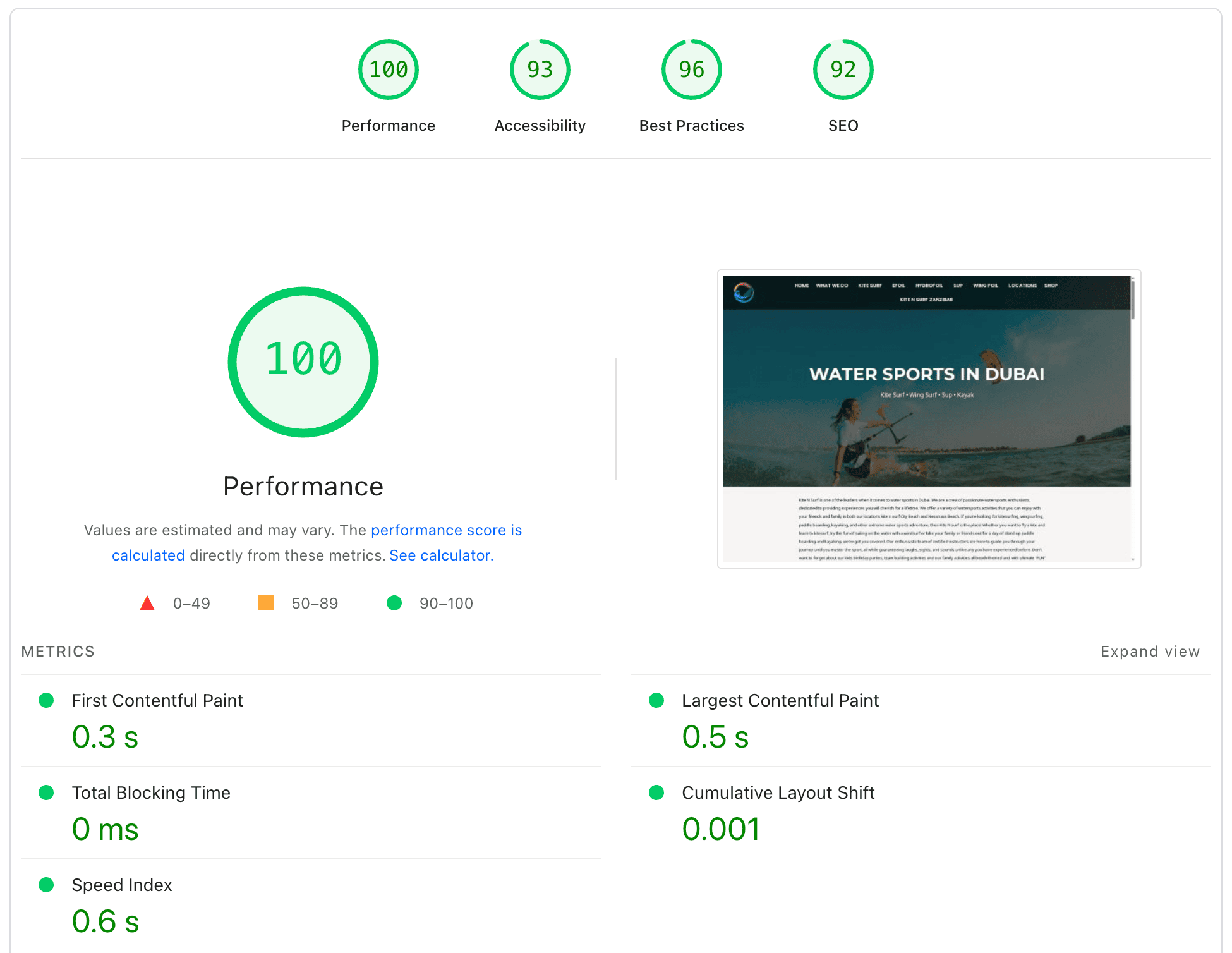
Performance
Accessibility
Best Practices
SEO

WORDPRESS SPEED OPTIMIZATION SERVICE

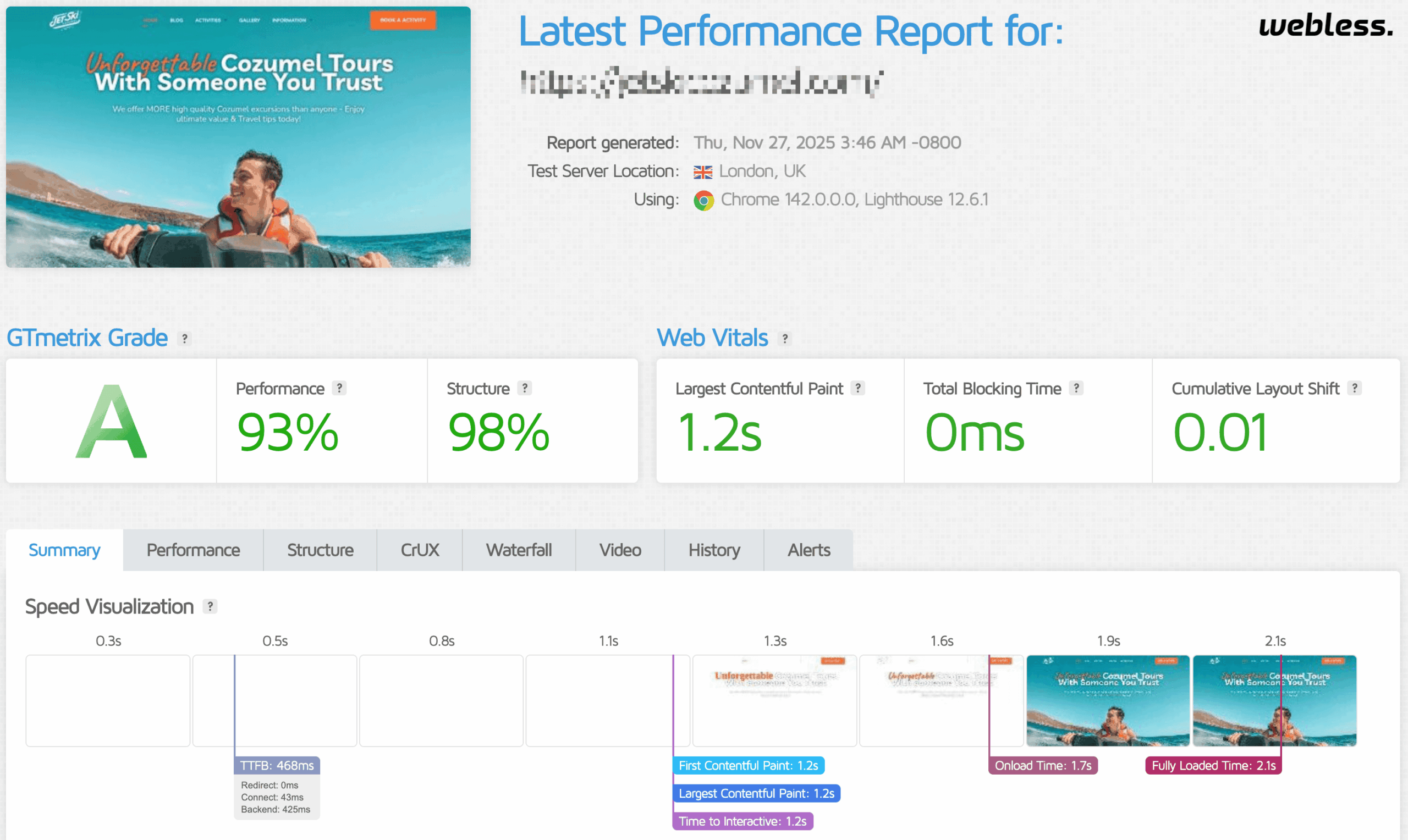
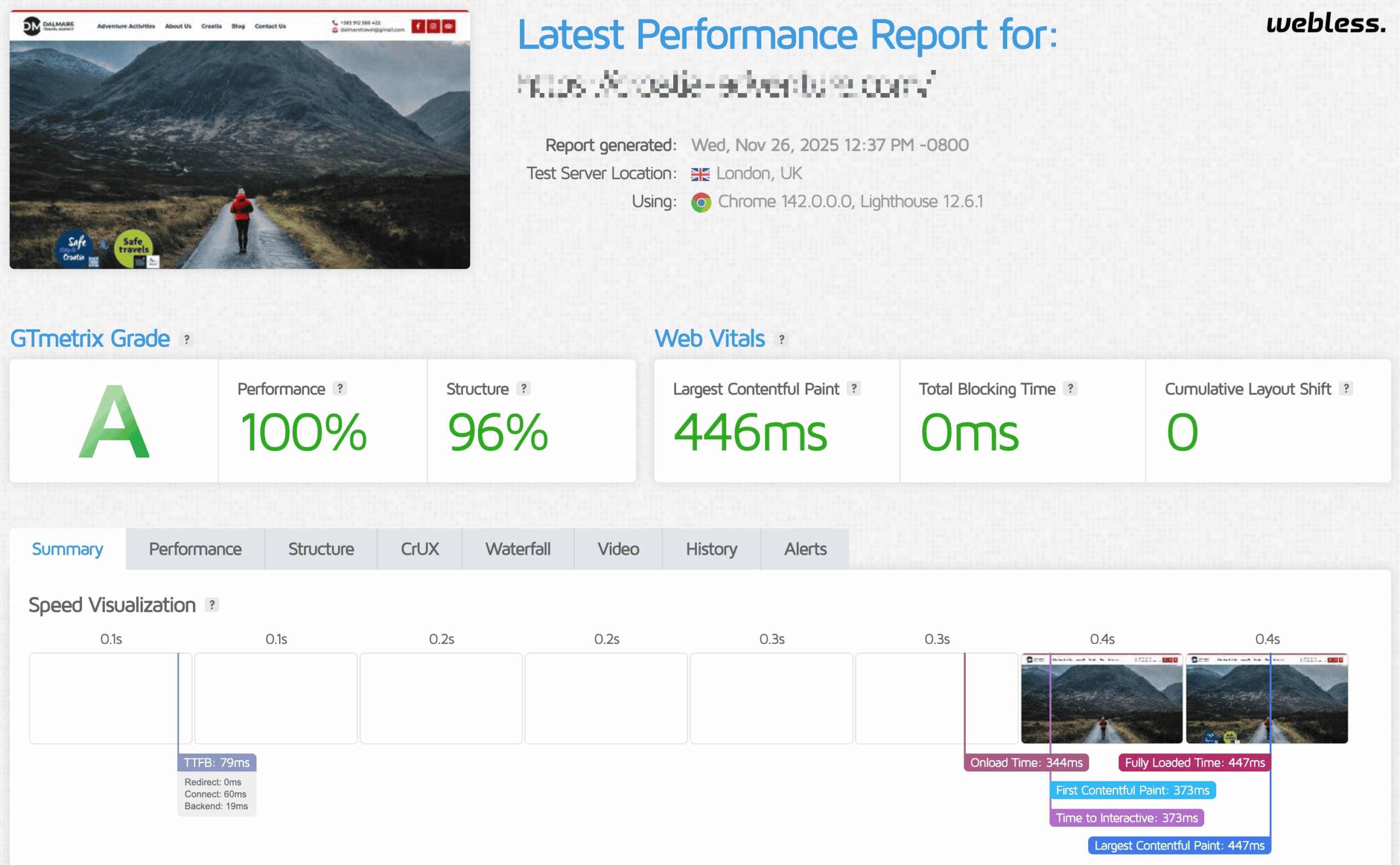
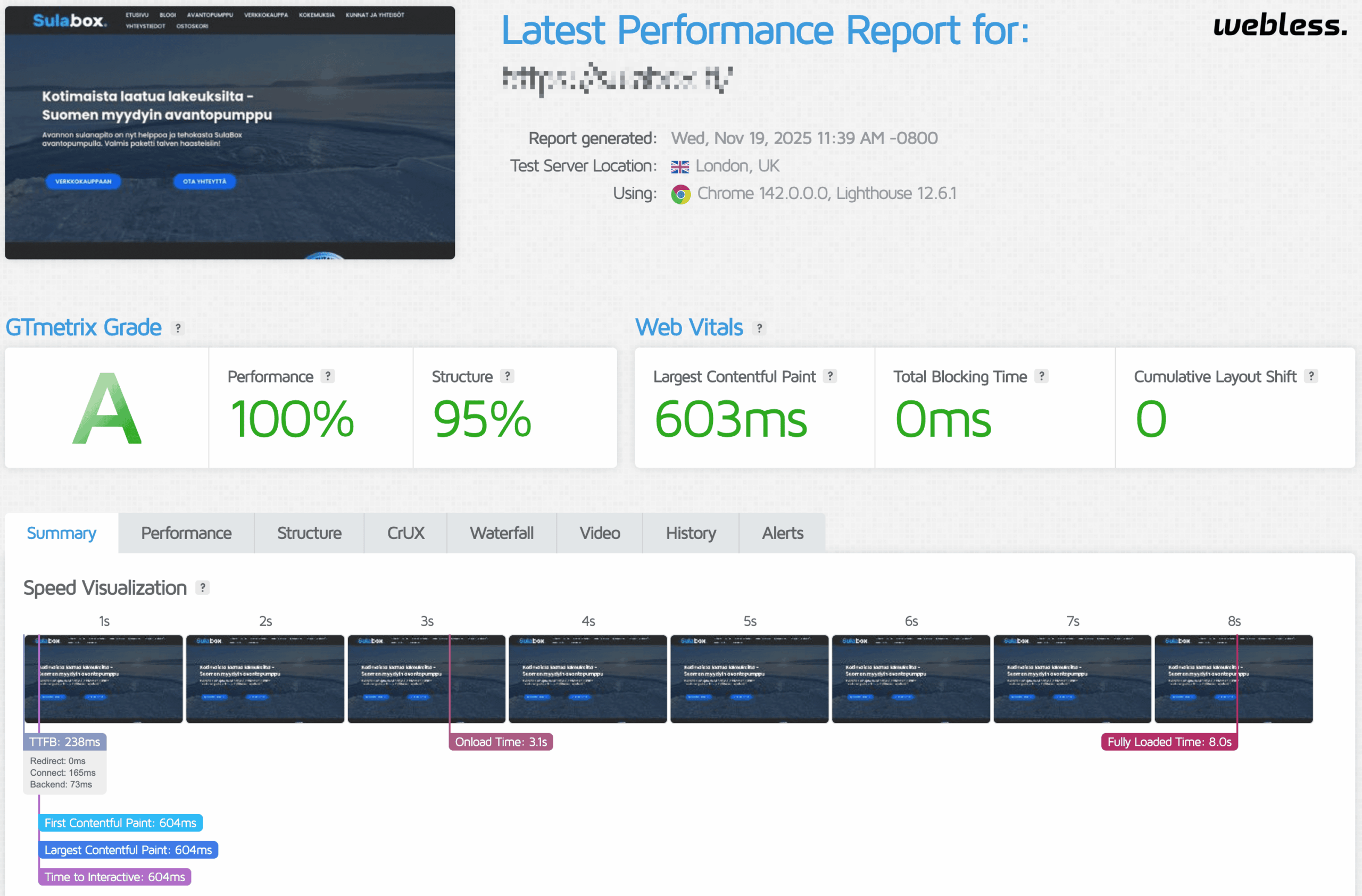
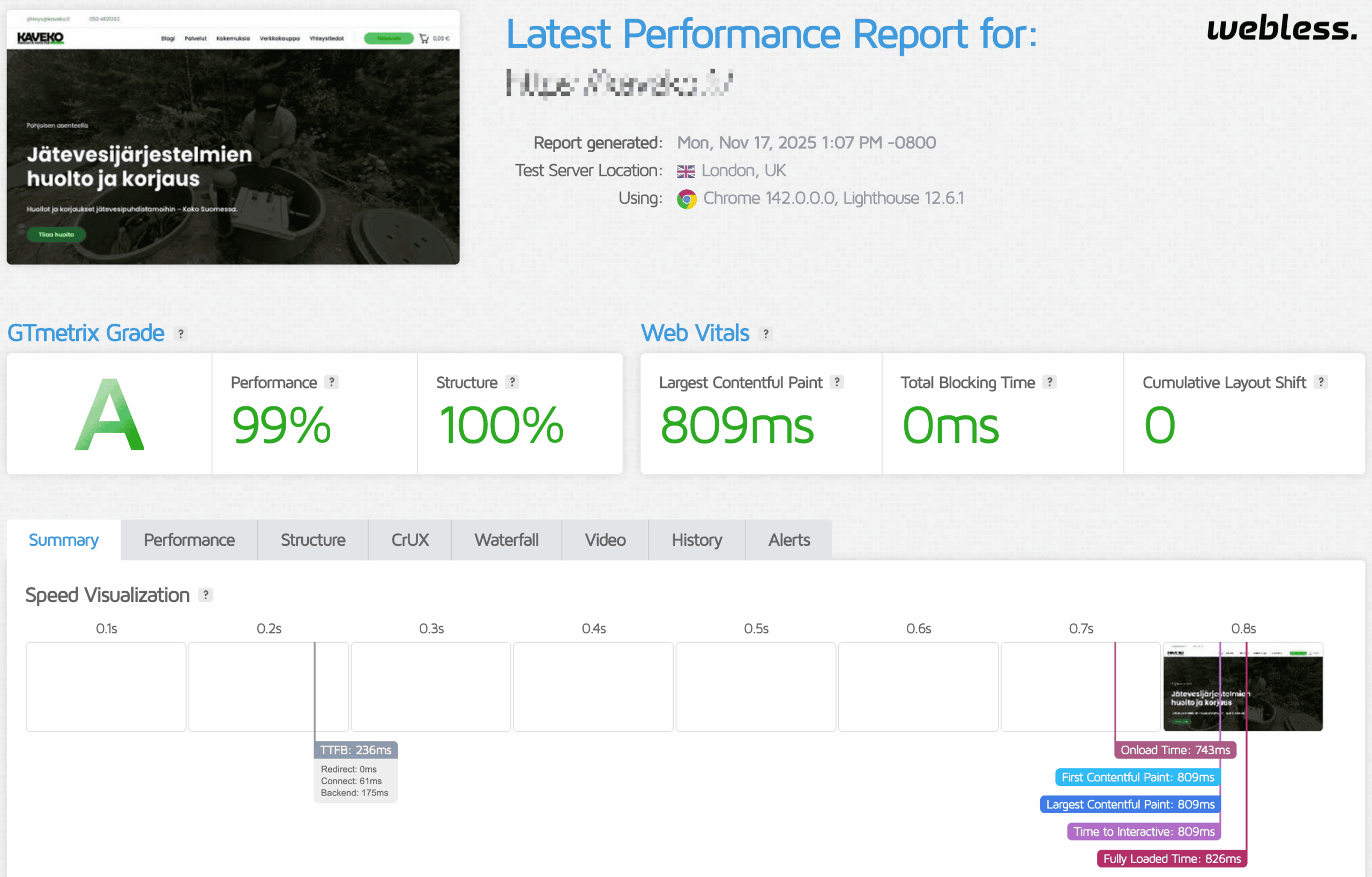
Slow pages, unstable layouts, and delayed interactions make WordPress harder to use. We diagnose the real bottlenecks, implement targeted fixes, and verify the result with Core Web Vitals and performance testing.
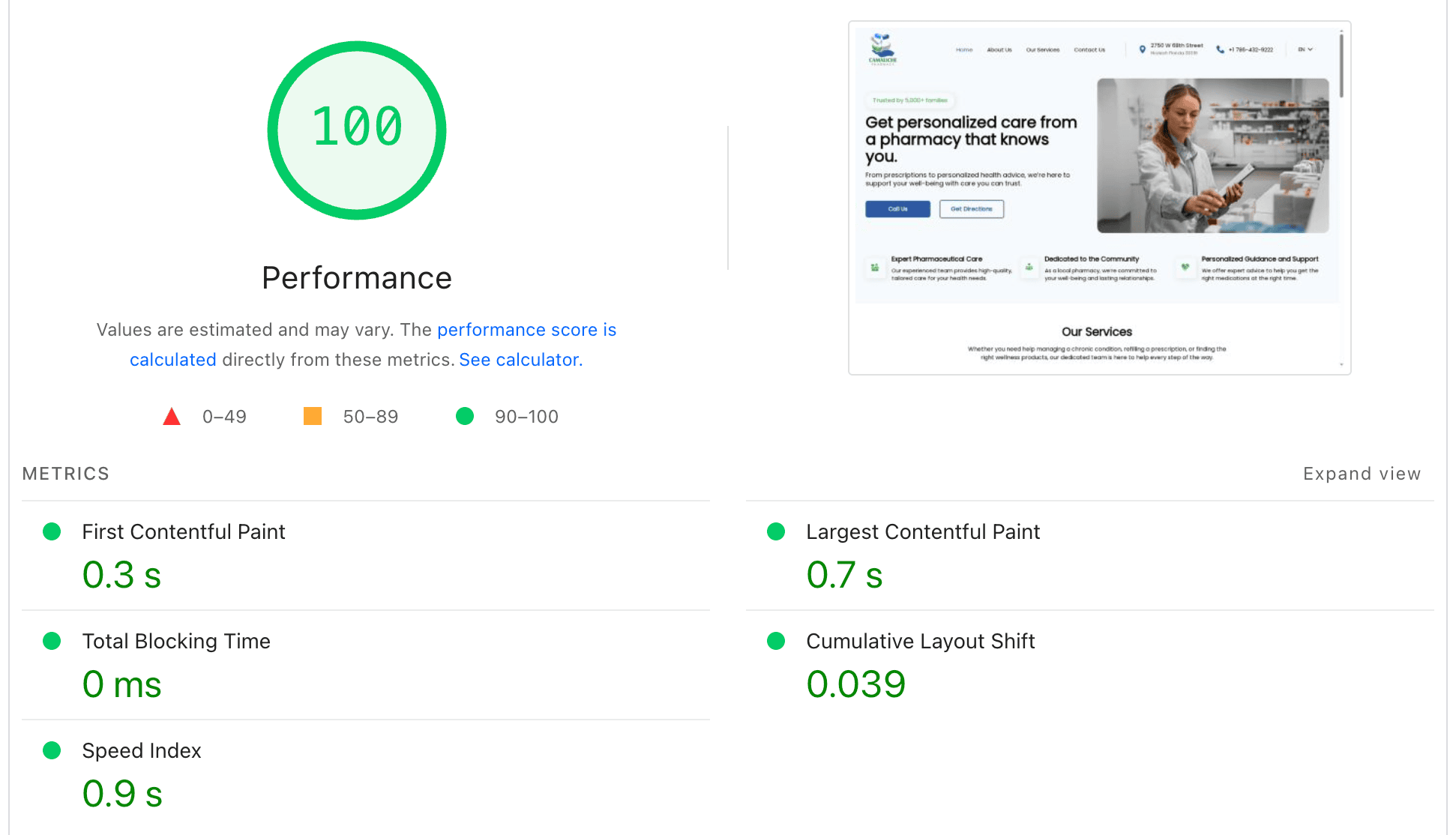
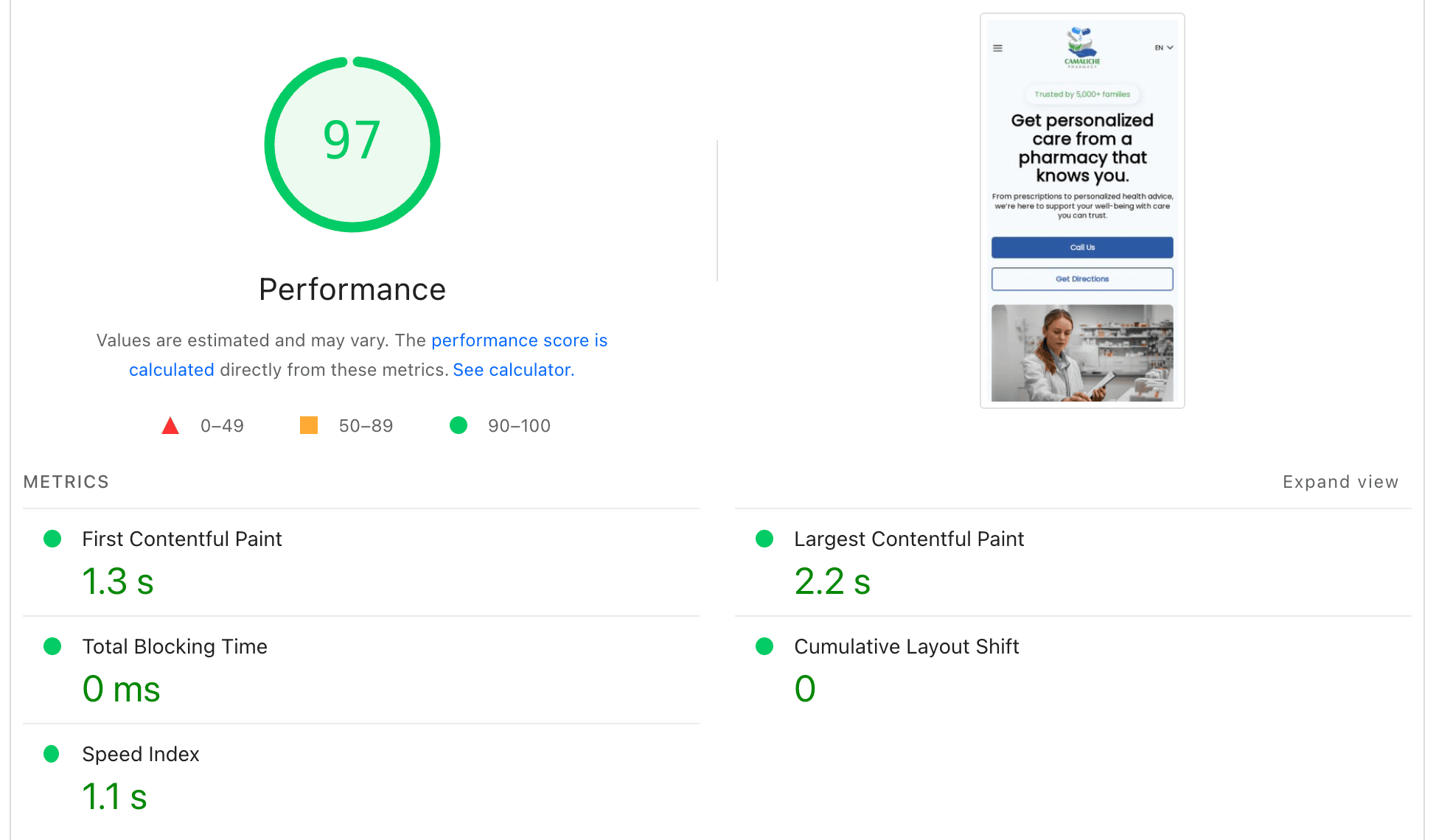
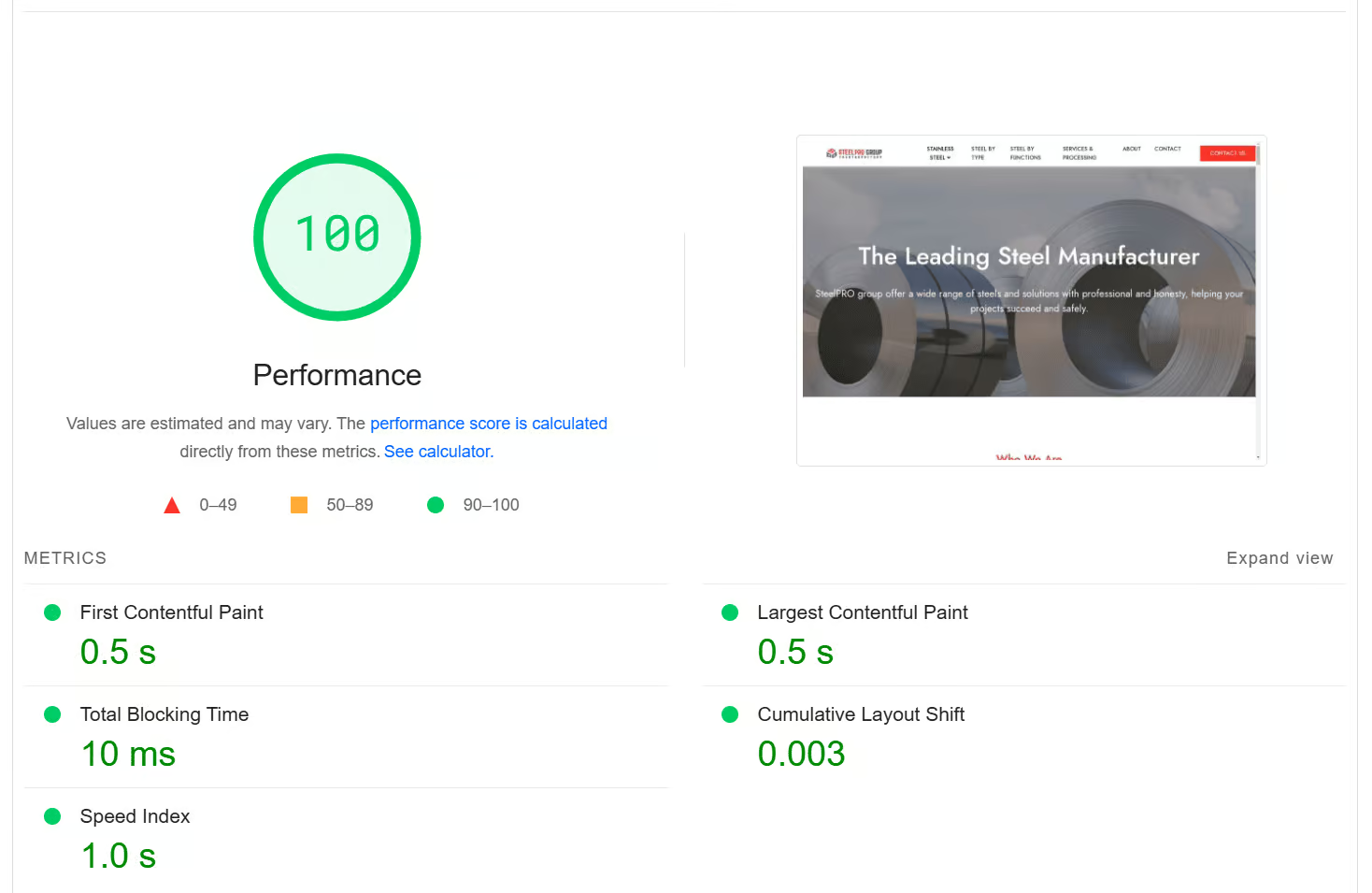
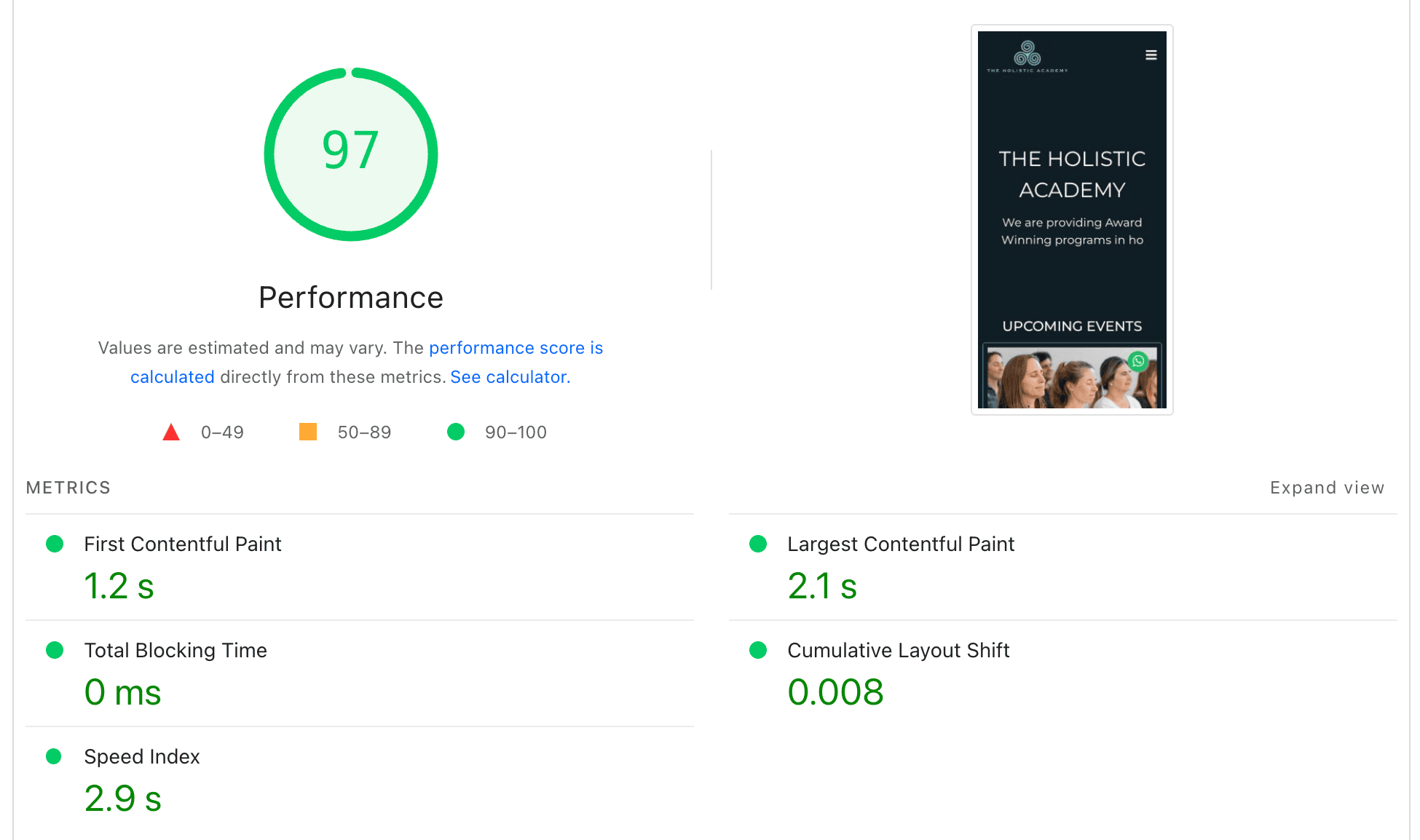
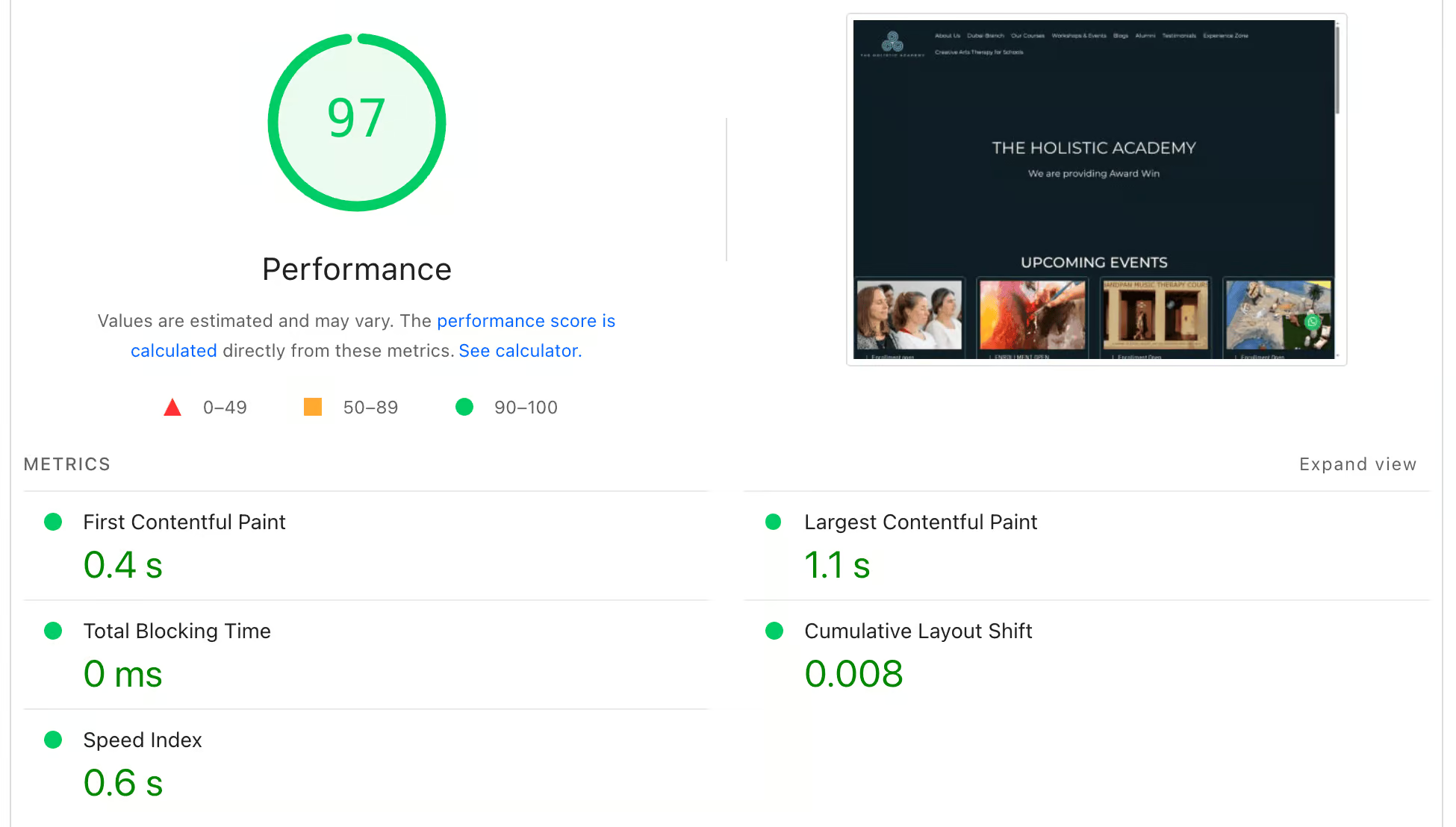
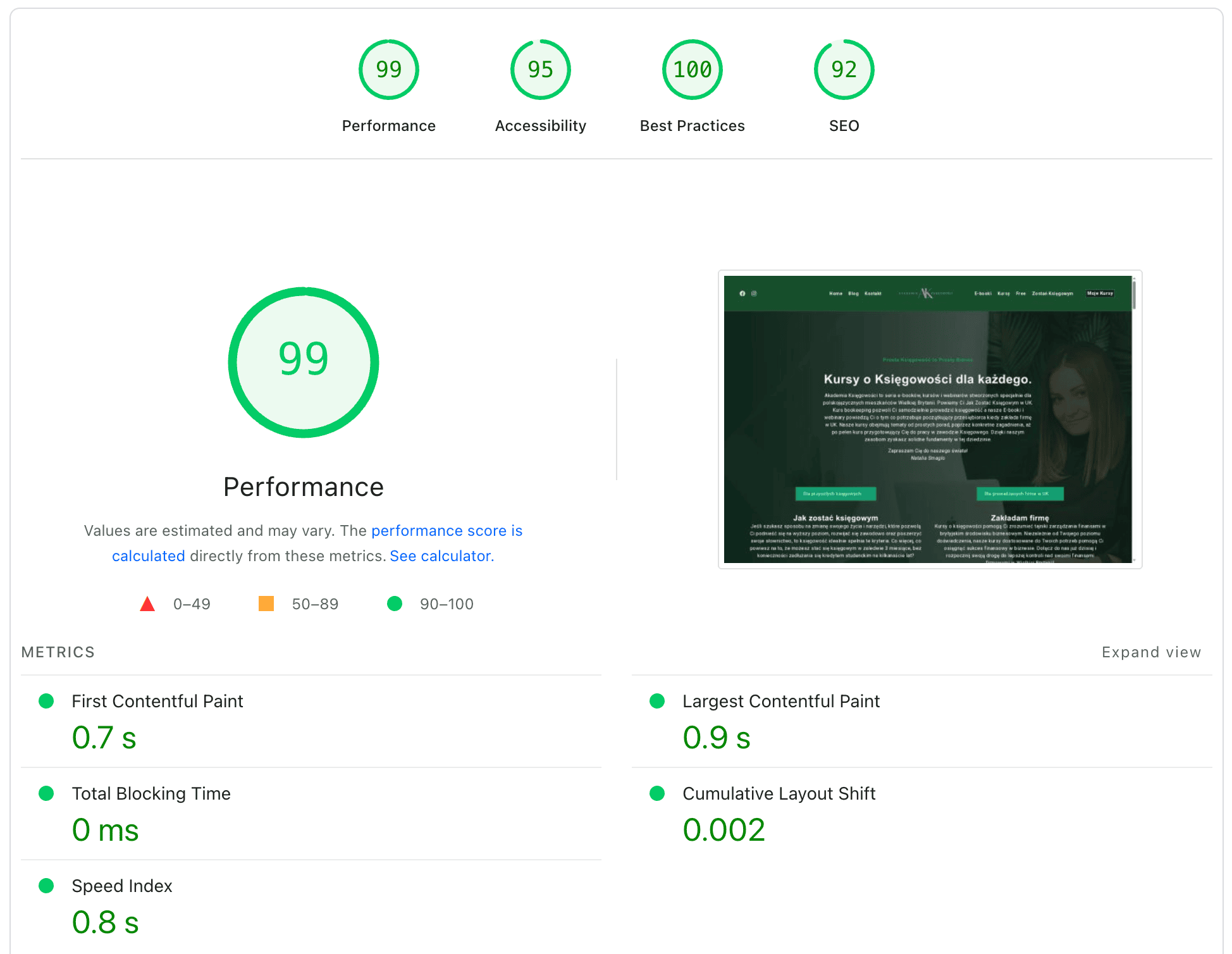
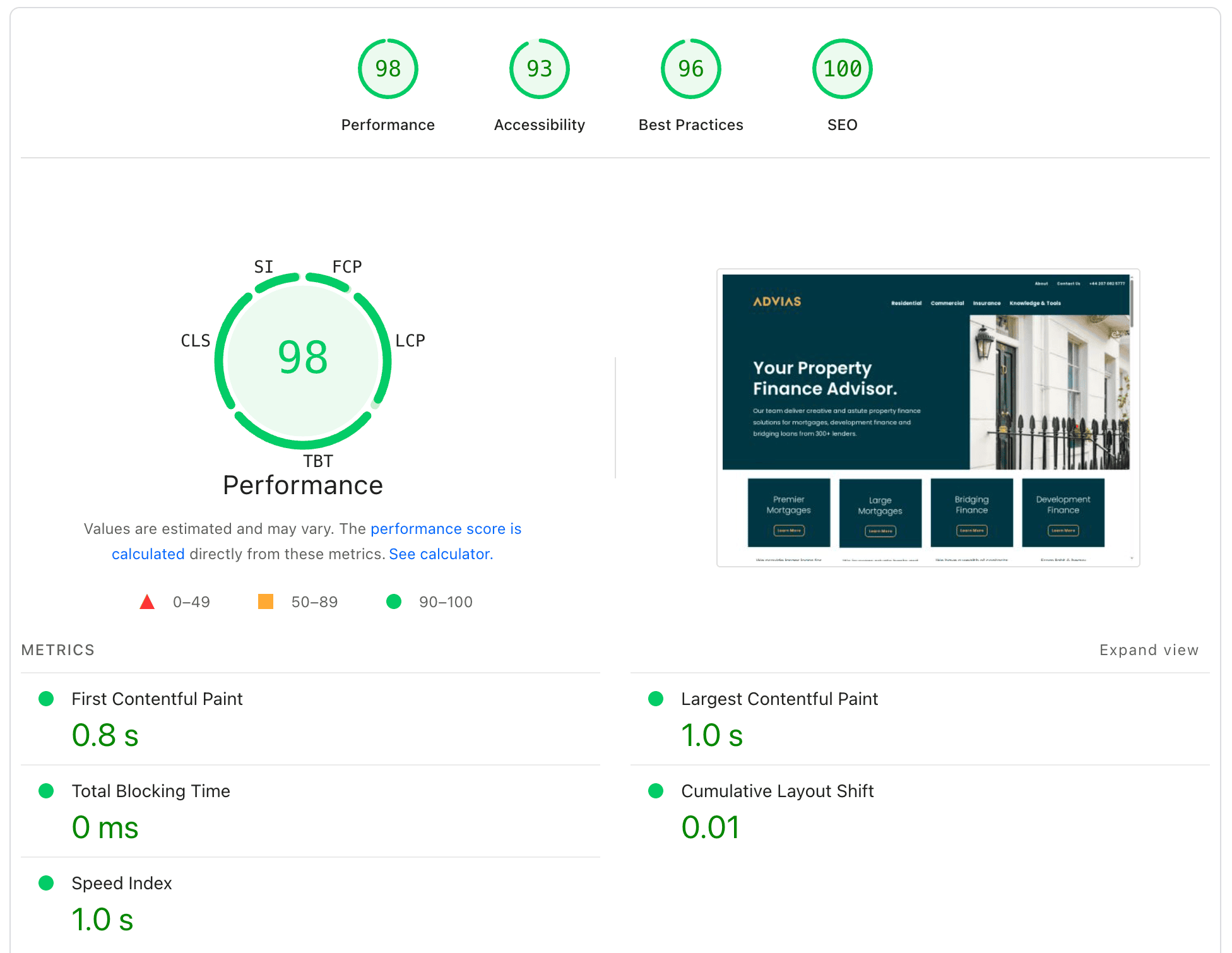
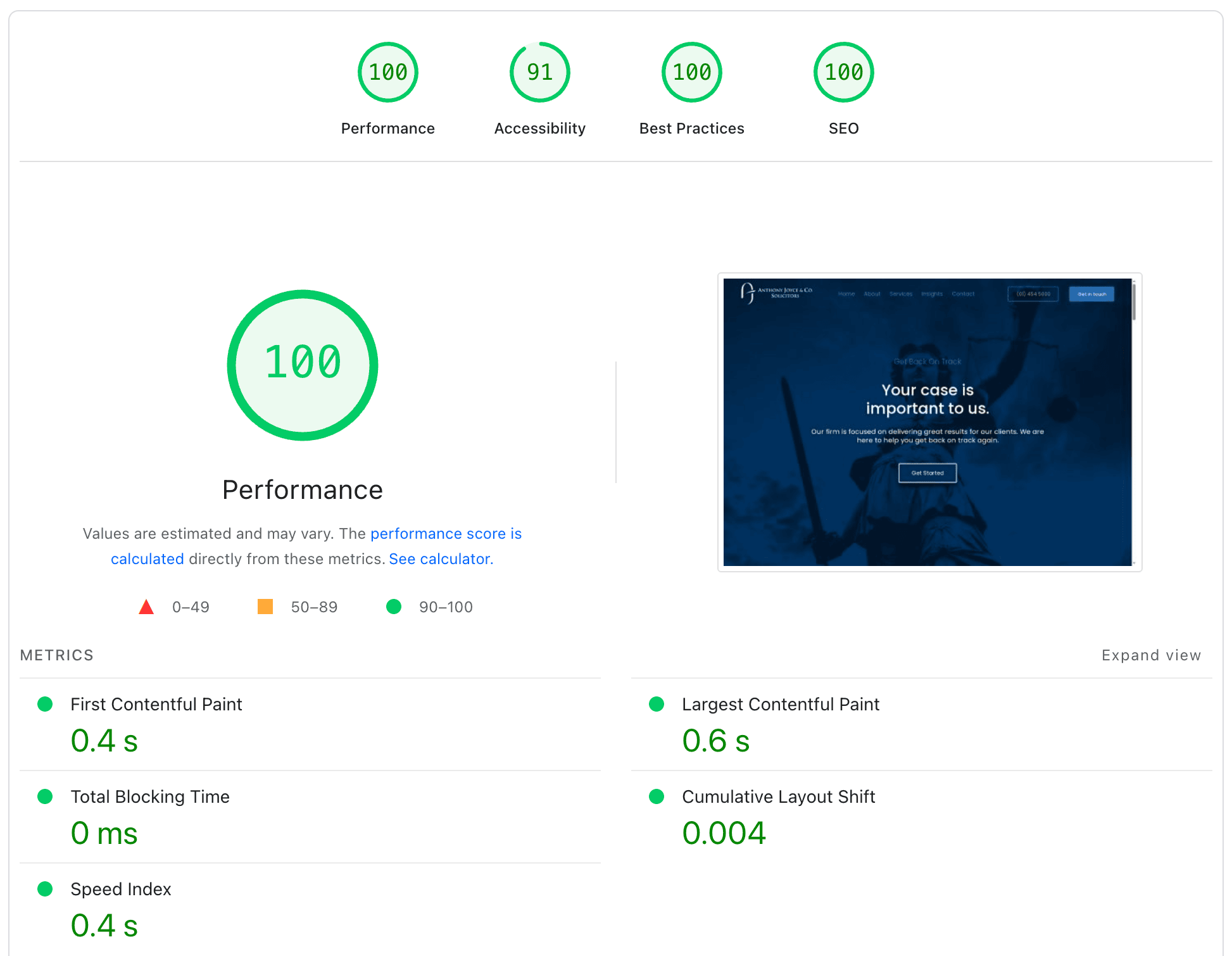
Fast-loading website with performance score of 100, showcasing a website optimization dashboard.
Wordpress speed optimization with Core Web Vitals focus and WooCommerce support.

WHY WORDPRESS GETS SLOW

WordPress slows down when themes, plugins, scripts, images, fonts, database work, and hosting compete for resources. We identify which parts are delaying rendering, blocking interaction, or shifting the page so the right fixes can be prioritized.

Fast WordPress speed optimization, Core Web Vitals support including LCP, INP, CLS, ongoing site maintenance, and custom development services such as WooCommerce integrations.

SLOW WORDPRESS PROBLEMS

CORE WEB VITALS PROBLEMS

Core Web Vitals show whether the main content loads promptly, interactions respond quickly, and the layout remains stable. Poor results usually point to deeper problems with assets, scripts, page structure, or server response.

PAGESPEED DIAGNOSTICS

PageSpeed Insights helps expose these bottlenecks, but the score is only a starting point. We use the diagnostics to trace the cause, then test targeted frontend, backend, and server-level improvements.

Fast load times optimized for WordPress performance and Core Web Vitals.
Performance score showing 100 with metrics for web speed and optimization.

WITHOUT SPEED OPTIMIZATION

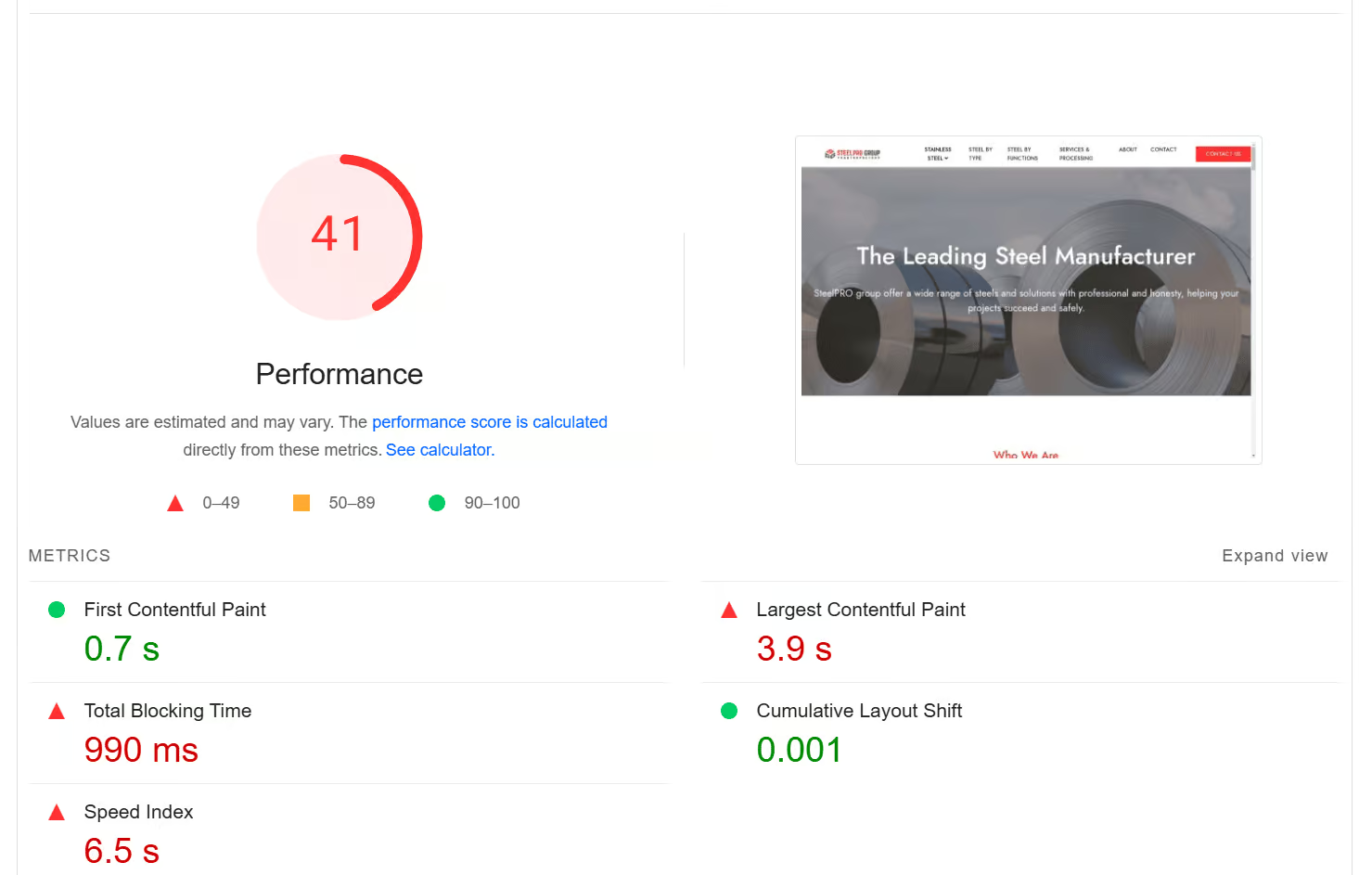
A slow site can delay key content, frustrate visitors, and make Core Web Vitals harder to pass. The exact impact depends on the page, device, hosting, and scripts involved.

NOT OPTIMIZED
LOADING SPEED
0 s+
NOT OPTIMIZED
CORE WEB VITALS
< 0 ~
slow-website.com
Hero Image
Still loading...
🐌 SLOW

WITH SPEED OPTIMIZATION

Focused optimization can improve loading, responsiveness, and visual stability. Final results depend on the site’s design, hosting, plugins, and third-party functionality.

OPTIMIZED
LOADING SPEED
< 0 s~
OPTIMIZED
CORE WEB VITALS
~ 0 +
optimized-website.com
Hero Image
Fully loaded!
⚡ FAST
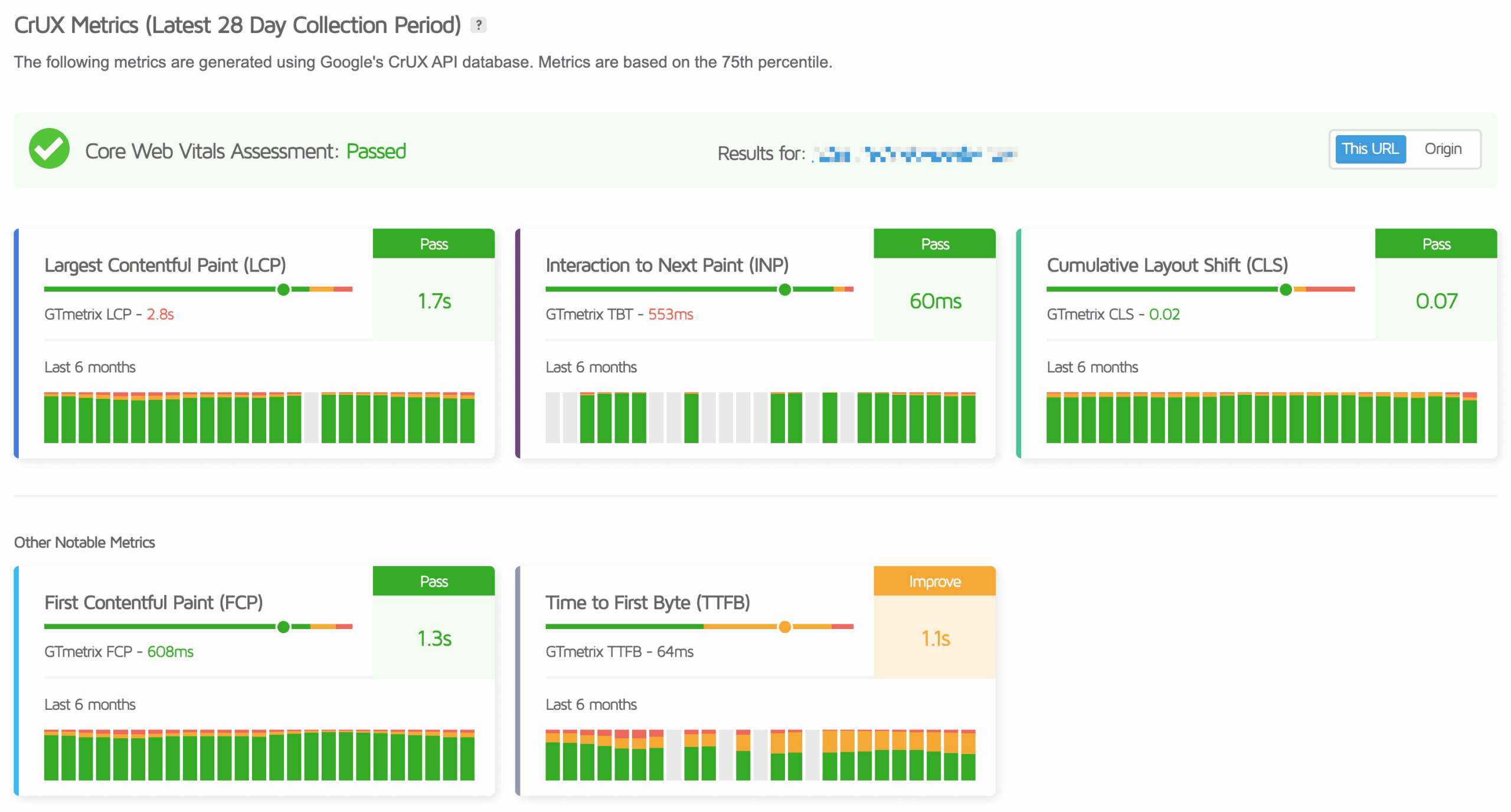
CLIENT RESULTS / CrUX Metrics

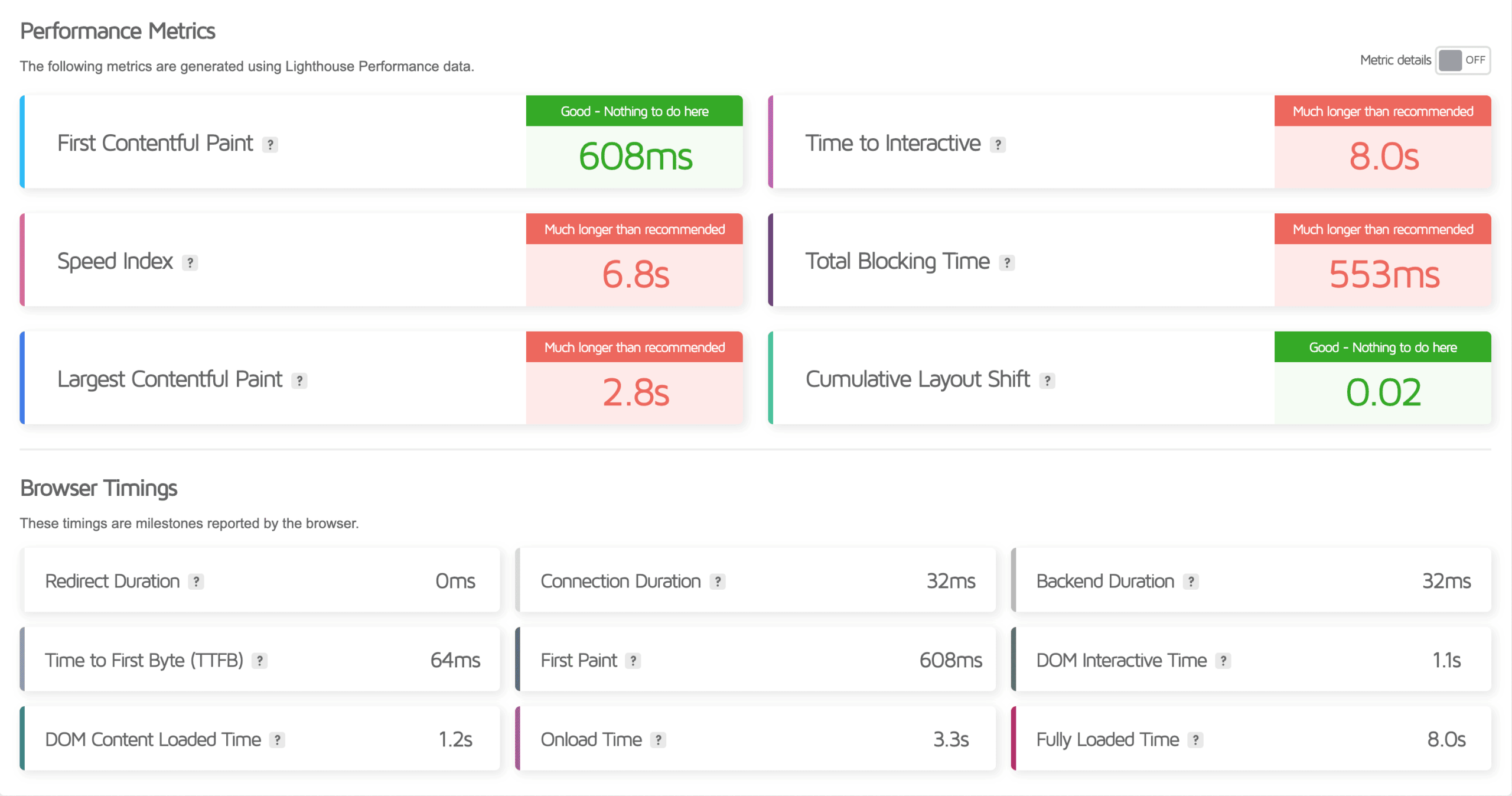
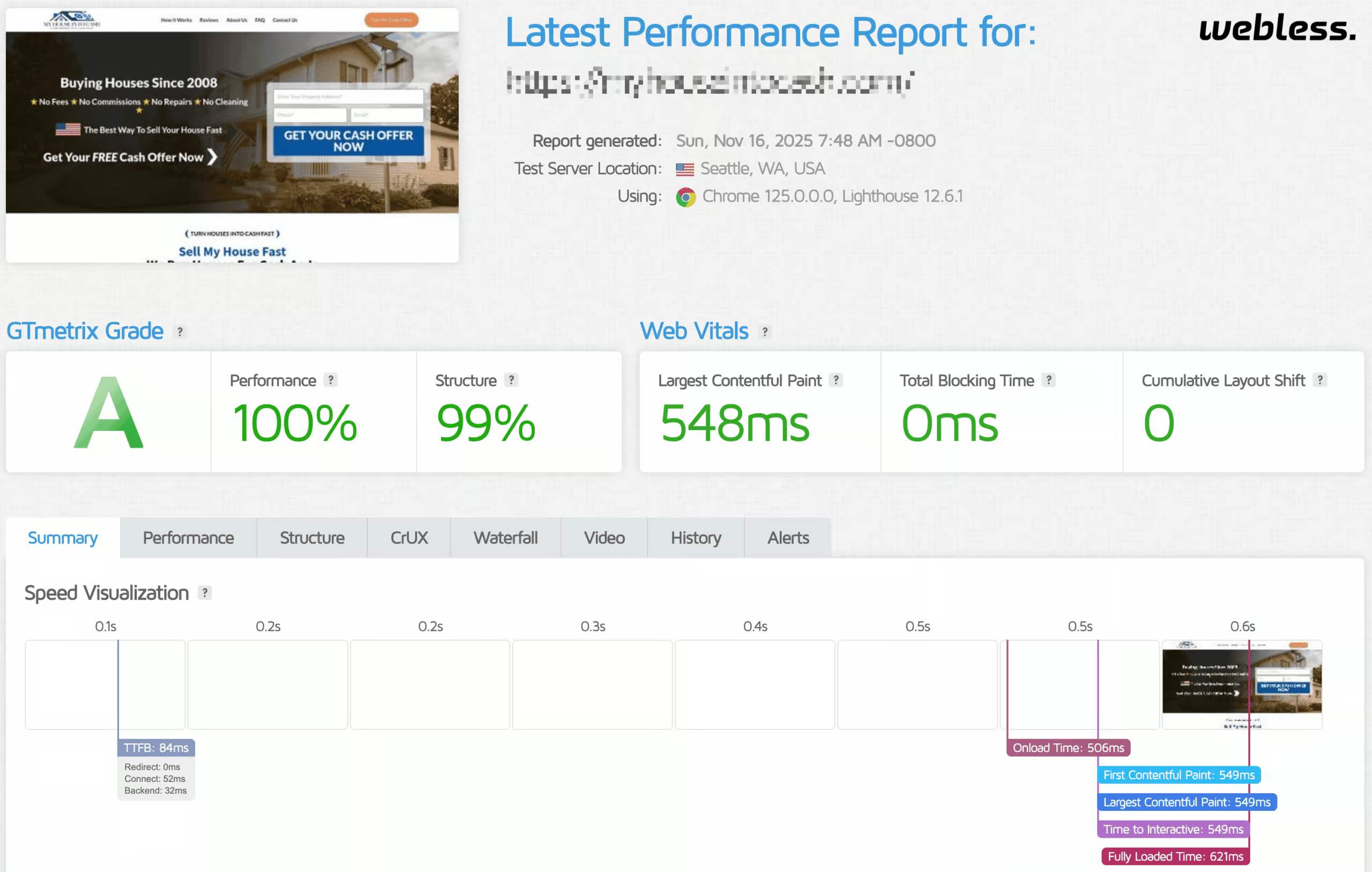
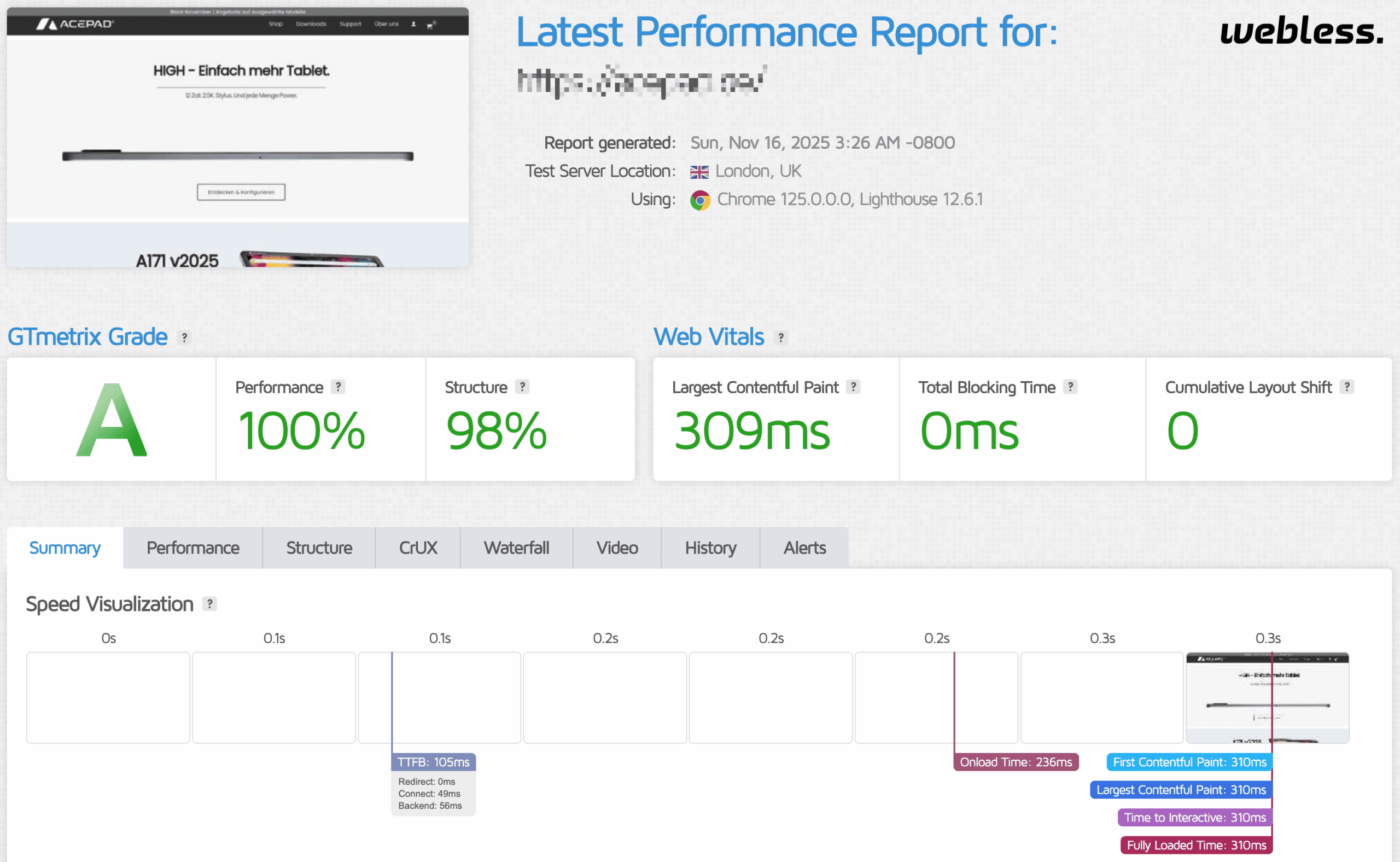
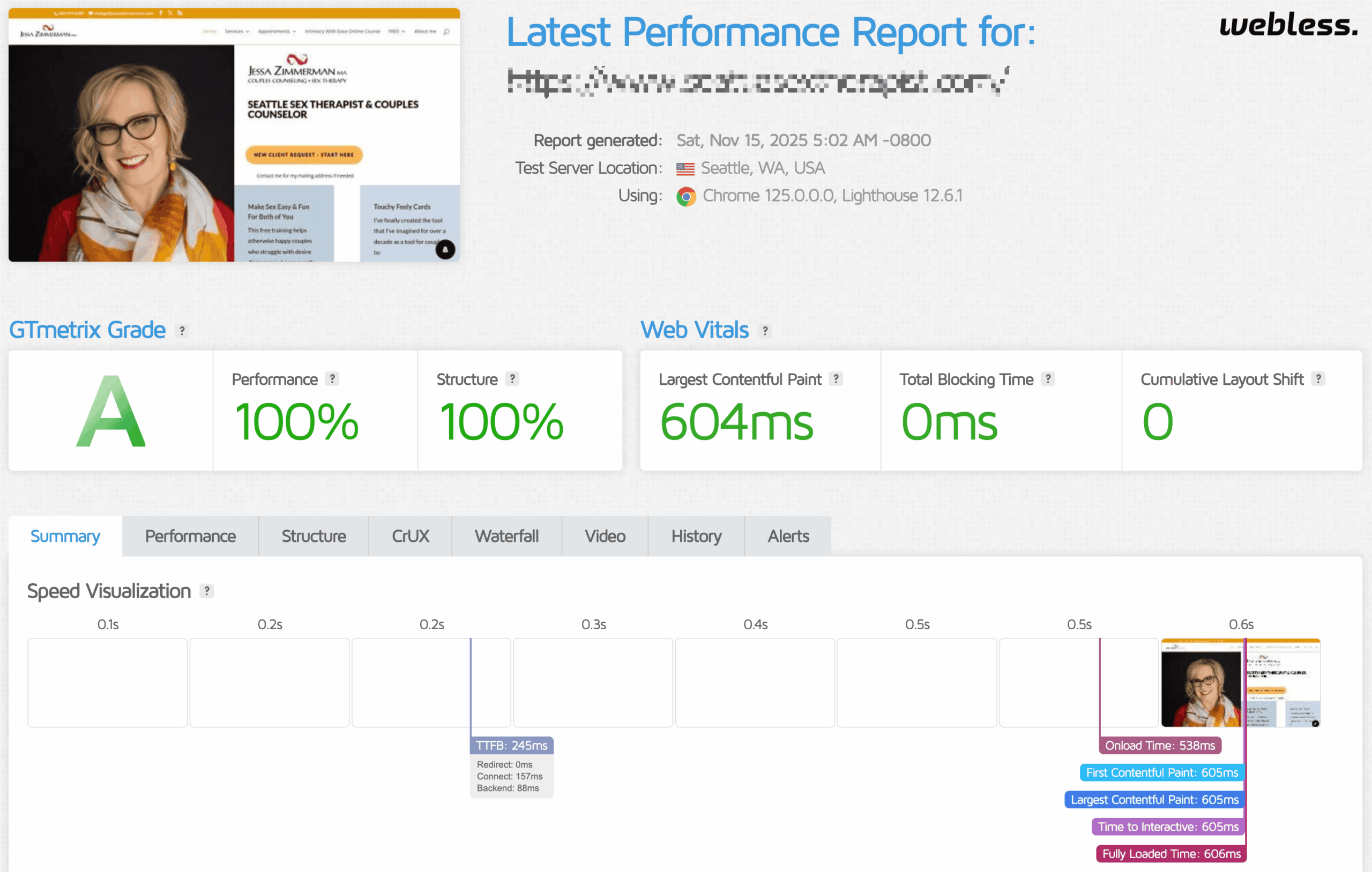
WORDPRESS PERFORMANCE RESULTS

Every site is audited before changes are made. We trace the bottlenecks affecting LCP, INP, CLS, loading, and responsiveness, then apply fixes suited to the site’s frontend, backend, and hosting setup.

Results are checked with tools such as PageSpeed Insights and GTmetrix, alongside practical testing for stability and usability.

CORE WEB VITALS FIXES

Core Web Vitals measure loading speed, responsiveness, and visual stability through LCP, INP, and CLS. We use them to identify where users experience delay and which technical changes deserve priority.

First Contentful Paint (FCP)

Show the first visible content sooner by reducing render delays.

Largest Contentful Paint (LCP)

Load the main image or content block faster.

Image Optimization

Compress and resize images without sacrificing visible quality.

Database Optimization

Remove database clutter and address slow WordPress queries.

Speed Index (SI)

Improve how quickly visible page content appears.

Total Blocking Time (TBT)

Reduce script work that delays browser responsiveness.

Server & Hosting

Tune PHP, caching, compression, and hosting settings.

Manual Optimization

Apply targeted fixes where standard tools fall short.

Time to First Byte (TTFB)

Reduce server, cache, database, and application delays.

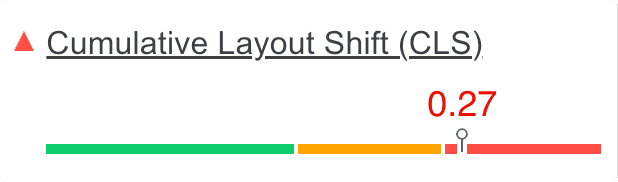
Cumulative Layout Shift (CLS)

Prevent unexpected movement while the page loads.

Cloudflare & CDN

Configure CDN delivery to reduce latency for global visitors.

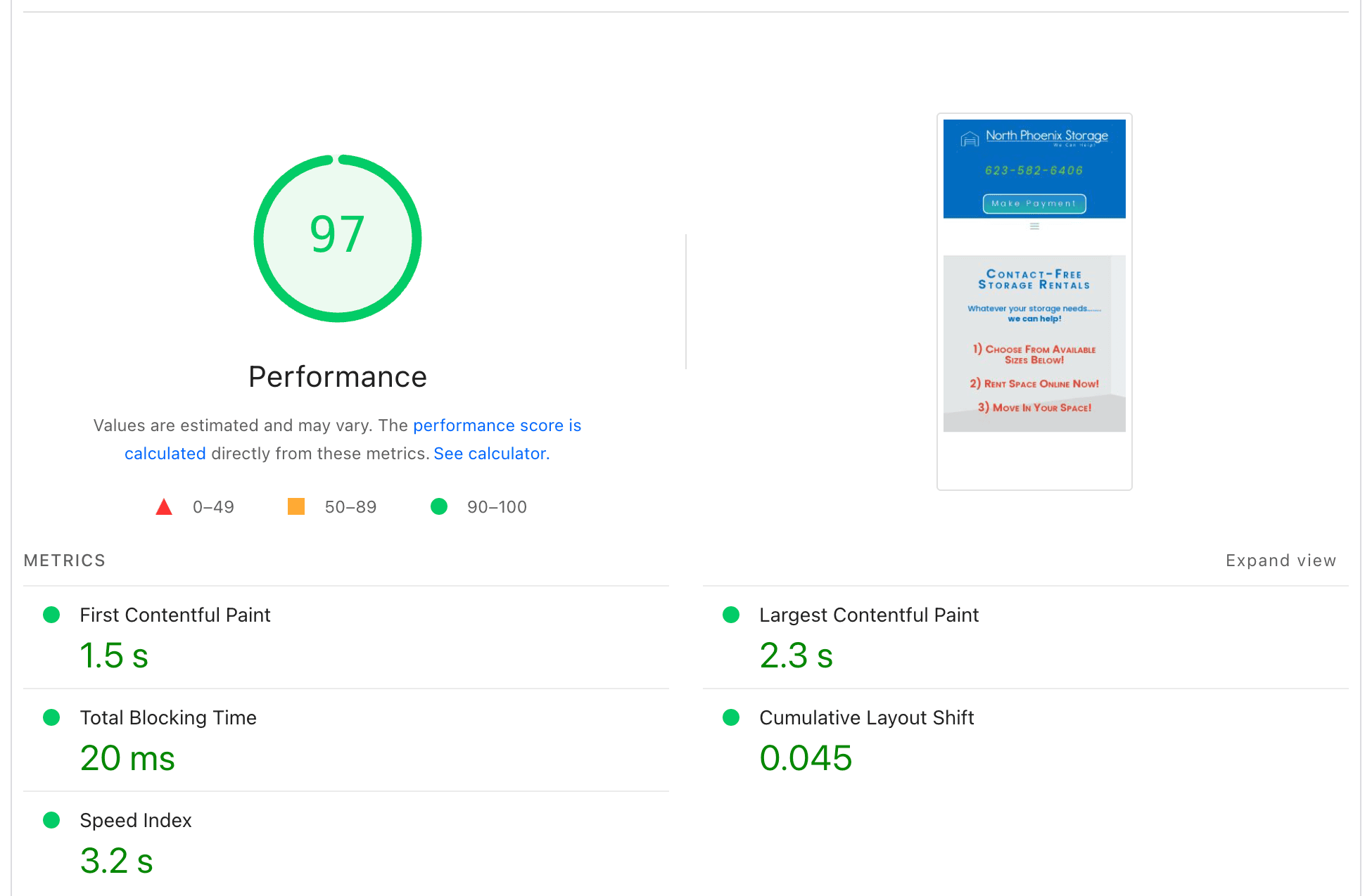
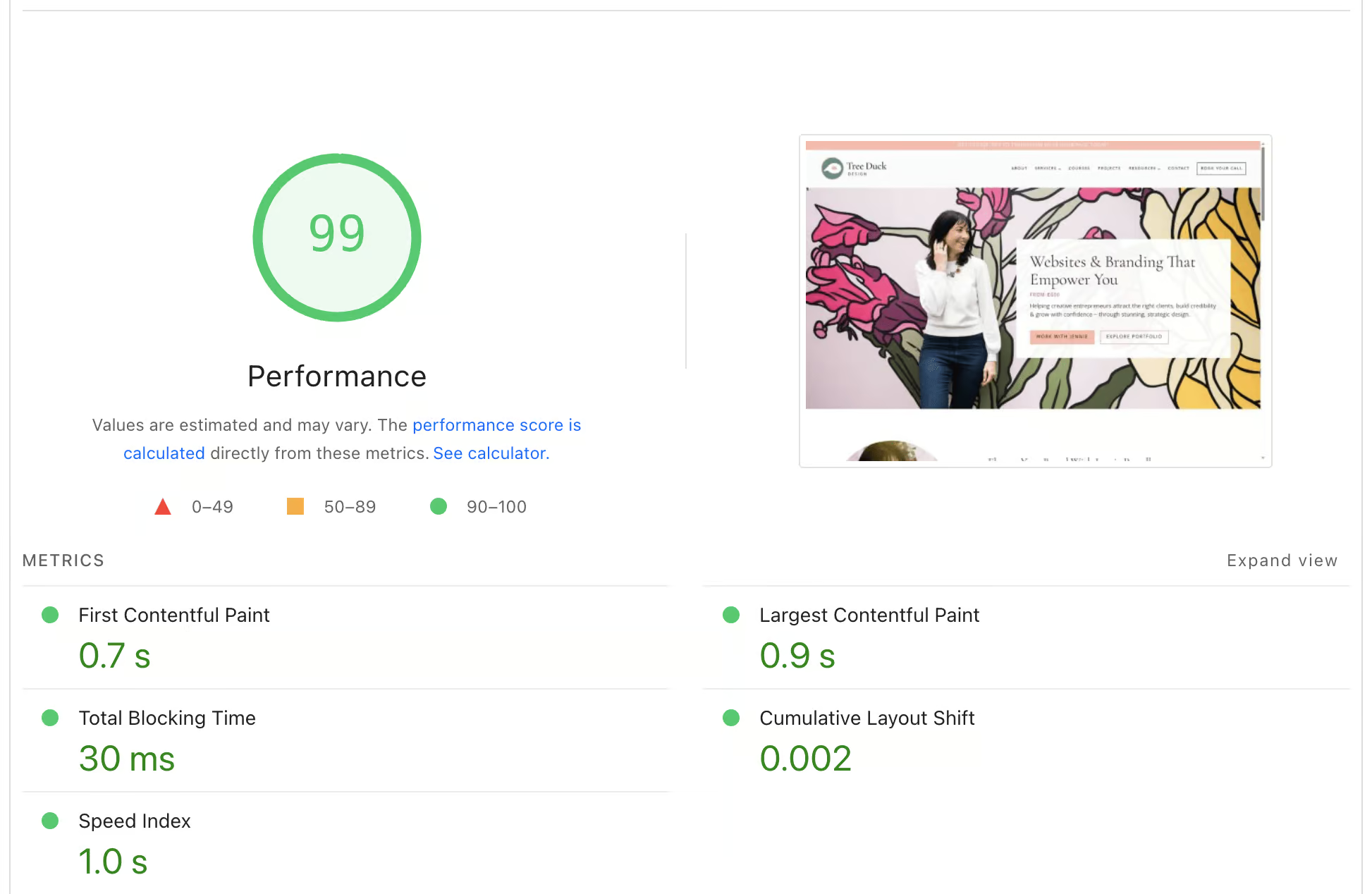
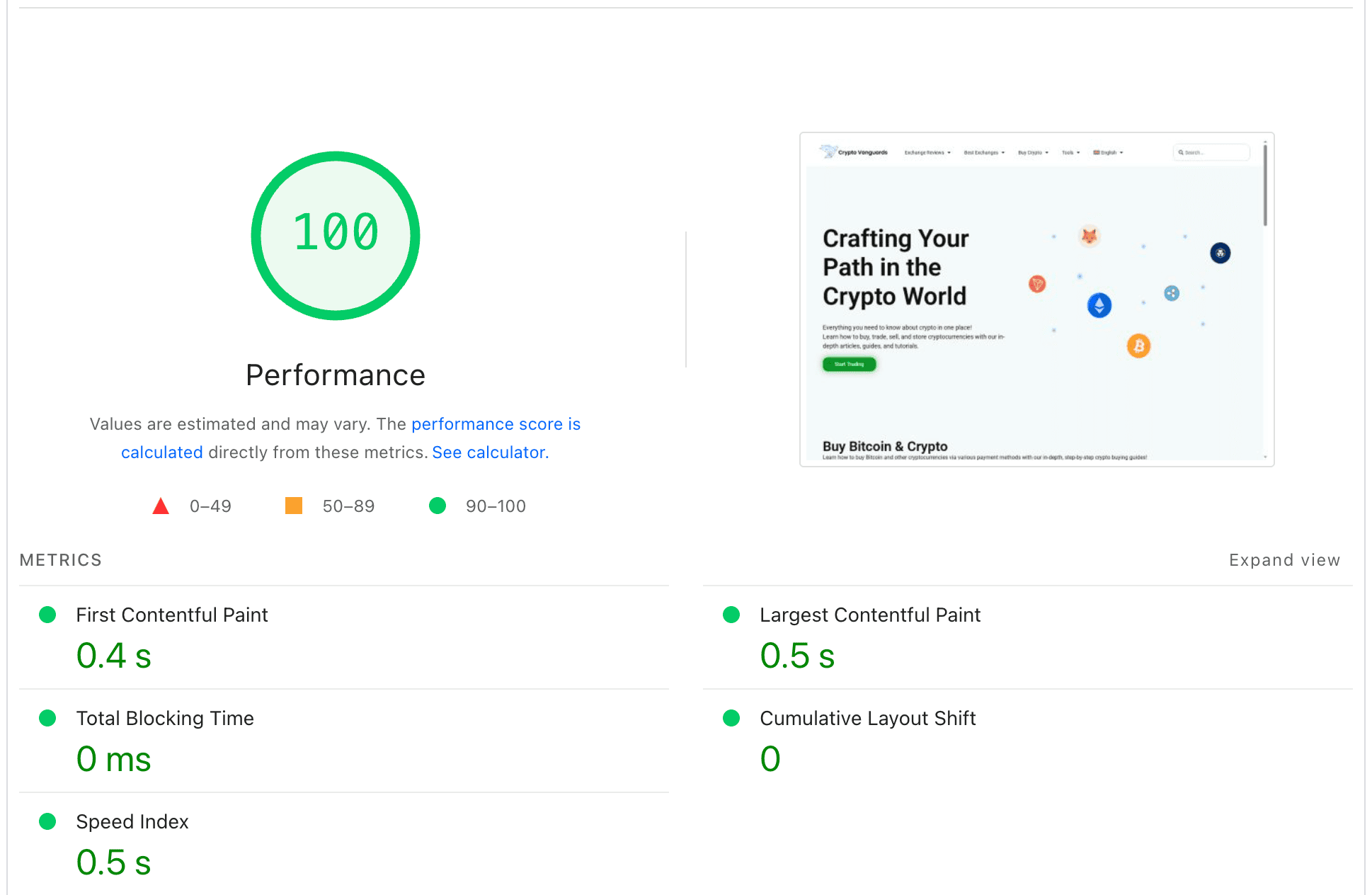
Speed Optimization Results

WORDPRESS PERFORMANCE CASE STUDIES

These examples show how targeted WordPress optimization changed measured performance for different hosting, theme, plugin, and page-builder setups. Each result reflects the specific project and test conditions shown.

HOW WE IMPROVE WORDPRESS SITES

WHY WORDPRESS SITES FAIL CORE WEB VITALS

Core Web Vitals problems usually come from several systems working together: themes, builders, plugins, scripts, hosting, and content. We isolate the failing metric and trace the specific bottlenecks behind it.

Slow loading and poor LCP

Problem: Pages load slowly and fail LCP
Fast WordPress website optimization, Core Web Vitals, ongoing maintenance, and custom WooCommerce development to boost performance and user experience.

Usually caused by heavy hero sections, unoptimized images, render-blocking CSS and JavaScript, and inefficient caching. We optimize above-the-fold content, prioritize critical assets, and eliminate bottlenecks that delay the first meaningful paint.

yoursite.com
0.0s
★ LCP Element
Loading page elements...

Laggy interactions and bad INP

Problem: Clicks and interactions feel delayed
Optimized WordPress website with fast load speeds, Core Web Vitals, ongoing maintenance, and custom development including WooCommerce solutions for improved site performance and user experience.
High INP is typically caused by excessive JavaScript, third-party scripts, large DOM size, and overloaded main thread work. We reduce script execution, remove unnecessary features, and ensure interactions remain responsive on real devices, especially mobile.
yoursite.com
Submit
⚡ INP
Page loaded, waiting for interaction...

Layout shifts and unstable pages

Problem: Content jumps while loading (CLS)
Fast WordPress website speed optimization, Core Web Vitals support, ongoing maintenance, and custom development services including WooCommerce solutions at Webless.co.
Layout instability comes from missing image dimensions, late-loading fonts, injected banners, sliders, and embeds. We stabilize layouts by reserving space correctly and controlling how dynamic elements load.
yoursite.com/article
⚠ Layout Shift
+60px
Page content loaded...
Website Caching

Configure page caching, cache warm-up, and suitable preloading to improve WordPress delivery.

Unused JS/CSS Removal

Remove or unload unused styles and scripts where they are not required.

JS/CSS Optimization

Minify, defer, or reorganize scripts and styles to reduce render and execution delays.

Bloat Reduction & Cleanup

Disable unnecessary features and refine settings that add avoidable frontend or backend overhead.

Font Optimization

Host, preload, and render fonts more efficiently to improve loading and visual stability.

Image Optimization

Compress, resize, and convert images into efficient formats suited to their display size.

Lazy Loading & File Compression

Delay suitable images, videos, iframes, and third-party resources until they are needed.

Preloading & Prefetching

Prioritize the logo, main image, fonts, and other assets needed for the first view.

WooCommerce Optimization

Tune WooCommerce scripts, queries, product templates, and dynamic caching rules carefully.

Plugins/Theme Reconfiguration

Review theme and plugin settings and recommend lighter alternatives when they solve a real bottleneck.

Elementor/Builder Optimization

Reduce unnecessary builder widgets, styles, scripts, and excessive layout complexity.

Bug Fixes and Custom Changes

Apply focused fixes or custom adjustments when standard settings cannot resolve the performance issue.

Server Optimization

Review PHP and server settings that influence WordPress response time and resource use.

GZIP & Brotli Compression

Configure GZIP or Brotli compression where the hosting stack supports it.

HTTP/2 & HTTP/3

Review and configure HTTP/2 or HTTP/3 where the server and CDN support it.

Database Optimization

Clean unnecessary data and review tables, indexes, and autoloaded options that affect performance.

Cloudflare (CDN) Integration

Configure suitable Cloudflare caching, delivery, and performance settings for the site.

PHP Version Upgrade

Move to a supported PHP version that is compatible with the website and hosting stack.

Redis/Memcached Integration

Configure Redis or Memcached when object caching is appropriate and supported.

MariaDB/MySQL Tuning

Tune MySQL or MariaDB settings when server access and workload justify it.

Cron Optimization

Move suitable scheduled work to a real cron job and reduce avoidable background load.

Ticket Support

Ticket-based help for speed questions and performance issues within the selected service scope.

Live Chat Support

Live chat assistance for eligible speed questions and troubleshooting within the service scope.

One-to-One WhatsApp Support

Direct WhatsApp guidance when that support channel is included with the selected service.

HOW IT WORKS

THREE STEPS TO GET STARTED

Choose the relevant service, share the website and requirements, and Webless will confirm the next steps before work begins.

Start with speed optimization, maintenance, development, or contact us when the request does not fit a standard option.

Share the website, goals, access requirements, and important constraints so the scope and next step are clear.

Webless carries out the agreed work, checks the relevant result, and provides the applicable report, review, or handover.

Why Choose Webless.co for WordPress Speed Services

BASIC PACKAGE

Ideal for small websites

3 days DELIVERY

PREMIUM PACKAGE

The ultimate solution for large websites & WooCommerce Stores

5 days DELIVERY

STANDARD PACKAGE

Perfect for medium-sized businesses

4 days DELIVERY

OUR CLIENTS

CLIENT Reviews

Curated from our exceptional clients, these top reviews have been meticulously selected.

FAQ SECTION

Common Questions

Direct answers about WordPress speed optimization, Core Web Vitals, testing, access, and common performance problems.

No, because scores depend on your design choices and third party scripts. Chat widgets, tracking stacks, heavy sliders, and builder output can limit how high a score can go without sacrificing features. The goal is measurable improvement in user experience and Core Web Vitals where realistic, not chasing a perfect number that can harm conversions or design.
Most slow WordPress sites are slowed by the same few causes: heavy themes or page builders, too much JavaScript, unoptimized images and fonts, and third party scripts like chat widgets, analytics, heatmaps, and embeds. Hosting can contribute, but for many sites the biggest wins come from reducing front end weight, fixing render blocking resources, optimizing the LCP element, and removing unnecessary scripts that run on every page.
Mobile devices have slower CPUs and networks, so JavaScript execution and large layouts hurt far more. A site that feels fine on a powerful laptop can still fail Core Web Vitals for mobile users. Mobile speed usually improves most by reducing JavaScript, delaying non essential scripts, simplifying heavy above the fold sections, optimizing fonts and images, and cutting third party scripts.
LCP is usually your hero section: a large image, slider, video, or heavy above the fold layout. The most effective fixes are optimizing the LCP image, serving it in modern formats, preloading or prioritizing it correctly, reducing render blocking CSS and JS, and ensuring caching and CDN delivery are correct. If the theme or builder outputs heavy markup and styles, simplifying the above the fold section can have a bigger effect than micro optimizations.
High INP means interactions feel delayed, usually because the browser main thread is busy. Common causes are too much JavaScript, too many third party scripts, complex page builder layouts, large DOM size, and scripts that run during user input. Fixes include removing unused scripts, delaying non essential JS, reducing heavy UI widgets, limiting third party tags, and keeping the main thread free during interaction moments.
CLS is caused by layout shifts while the page loads. The most common causes are images without explicit dimensions, late loading fonts, cookie banners or popups injected after render, sliders, and embeds that resize. Fixes include reserving space for images and dynamic blocks, using stable font loading, and ensuring banners and dynamic elements do not push content down after initial paint.
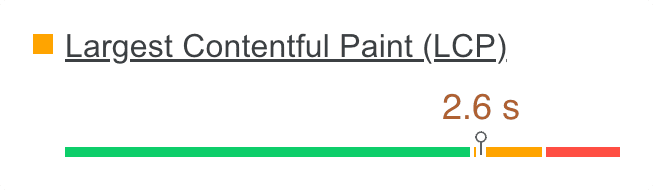
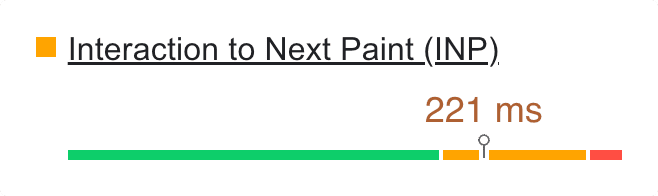
Core Web Vitals measure loading, responsiveness, and visual stability using LCP, INP, and CLS. Practical targets are LCP under 2.5 seconds, INP under 200 milliseconds, and CLS under 0.1. If one metric is poor, the page can be marked as failing, so optimization should focus first on the worst metric, not chasing a perfect overall PageSpeed score.
Search Console uses aggregated real user data and groups similar URLs, so it reflects what real visitors experienced over time. PageSpeed Insights shows a mix of lab simulation and field data when available, often at a single URL level. It is normal for them to disagree. The right approach is to use PageSpeed to diagnose issues, then use Search Console to confirm that real user experience improves over time.
PageSpeed includes a lab test that can vary because it is a simulation and can be affected by network and test environment differences. Field data, when available, is based on real users over a longer period and updates slowly. Treat a single run as a clue, not a verdict. Look for consistent patterns across multiple tests and focus on the repeated bottlenecks.
Render blocking resources are CSS and JavaScript files that must load before the page can visually render. In WordPress, these often come from themes, page builders, and plugins that load globally. The correct fix is not “defer everything.” It is to keep critical above the fold CSS available immediately, delay non critical assets, and unload scripts and styles that are not needed on specific pages.
Caching helps, but it rarely fixes Core Web Vitals by itself. Many failures are caused by heavy frontend assets, third party scripts, fonts, and large images, which caching does not remove. WooCommerce and membership sites also need careful caching rules. The best results typically come from combining caching with asset level optimization and controlled script loading.
Sometimes, but you should confirm hosting is the bottleneck before migrating. If server response time is inconsistent, resources are constrained, PHP is outdated, or caching is misconfigured, hosting and server setup matter. However, many sites remain slow due to frontend weight even on good hosting. A proper diagnosis should separate server response issues from frontend rendering issues so you do not pay for a migration that does not move the needle.
A slow wp-admin is often caused by plugin bloat, heavy admin scripts, too many autoloaded options, database overhead, scheduled tasks that pile up, and slow external requests (like update checks or API calls). Fixes typically include cleaning database bloat safely, reducing unnecessary plugins, optimizing the database, ensuring object caching is correct, and addressing cron and background tasks.
Many plugins load CSS and JavaScript on every page even when the feature is used on only one page. Others add third party scripts, database queries, or background tasks. The fix is to audit what loads globally, unload assets where they are not needed, keep only essential plugins, and avoid overlap between multiple optimization or analytics tools.
Updates can change how assets load, introduce new scripts, increase CSS size, or add background tasks. Caching plugins can also need cache regeneration after updates, and minification can break or change loading order. The right approach is to test performance before and after updates, identify what changed, and apply targeted fixes rather than disabling updates completely.
Yes, but Elementor speed depends heavily on how the pages are built. Overuse of widgets, nested sections, animations, sliders, and heavy templates increase DOM size and JavaScript work, which hurts LCP and INP. The best improvements usually come from simplifying layouts, optimizing above the fold sections, controlling global assets, and reducing third party scripts.
Yes, but WooCommerce performance depends on theme quality, plugin load, and how dynamic features are handled. Cart fragments, mini cart scripts, analytics, and third party widgets often add overhead. Passing Core Web Vitals typically requires controlling scripts and styles, optimizing product templates, setting safe caching rules for dynamic pages, and avoiding unnecessary plugins.
A good lab score does not guarantee good real user experience. Real users may have slower devices, different networks, and different interaction patterns. INP and responsiveness issues can feel bad even if overall score looks fine. The correct validation is to combine lab tests with real user data (when available) and confirm improvements in actual browsing conditions.
A proper optimization includes diagnosing the bottleneck, optimizing the LCP element, reducing render blocking resources, improving JavaScript execution and interaction responsiveness, optimizing images and fonts, configuring caching and CDN correctly, and removing unnecessary overhead from plugins and themes. The focus is on changes that improve real user experience, not cosmetic tweaks.
Most projects can be completed within a few days depending on site complexity, access, and how many moving parts exist (WooCommerce, multiple languages, heavy builders, large tracking stacks, custom code, or hosting issues). The biggest factor is whether the site needs only frontend optimization or also server level and infrastructure changes.
WordPress admin access is often enough for many improvements, but hosting or server access may be needed for PHP, caching, CDN rules, database tuning, and performance related server configuration. Safe work means backups, controlled changes, and testing so changes can be rolled back quickly if needed. Temporary accounts can be used and removed after delivery.

READY TO FIX A SLOW SITE?