WordPress
CORE WEB VITALS Report
Send us your website URL. We’ll manually review its Core Web Vitals and accessibility, then email you a clear report within 24 hours showing what needs attention.
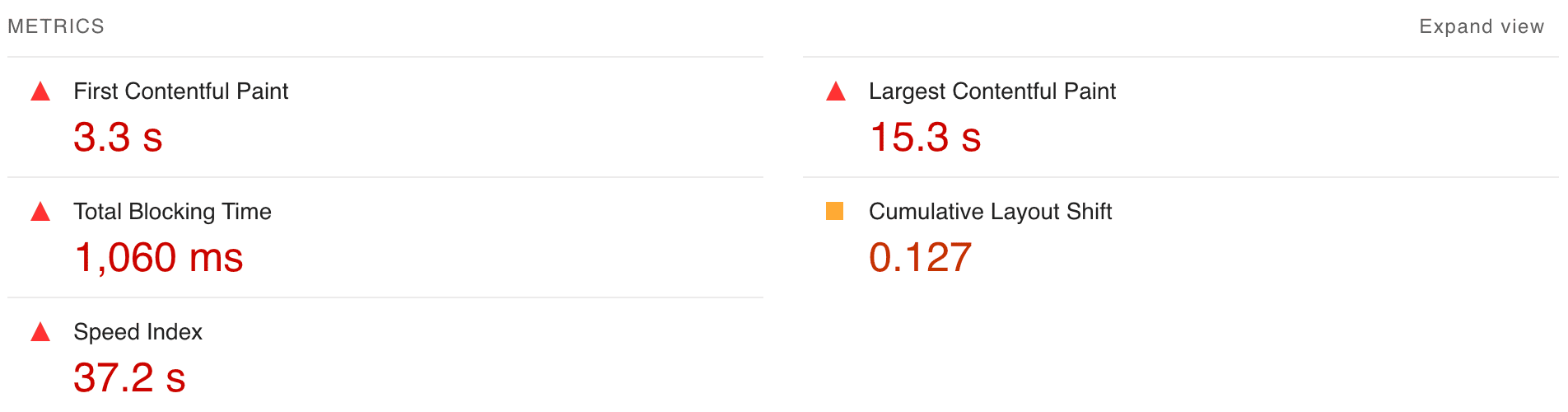
A Practical Performance Starting Point
The report turns performance data into a practical list of issues. It shows where the site struggles, why those problems matter, and which areas should be investigated first.

See how the site performs against LCP, INP, and CLS, the metrics Google uses to assess loading speed, responsiveness, and visual stability.
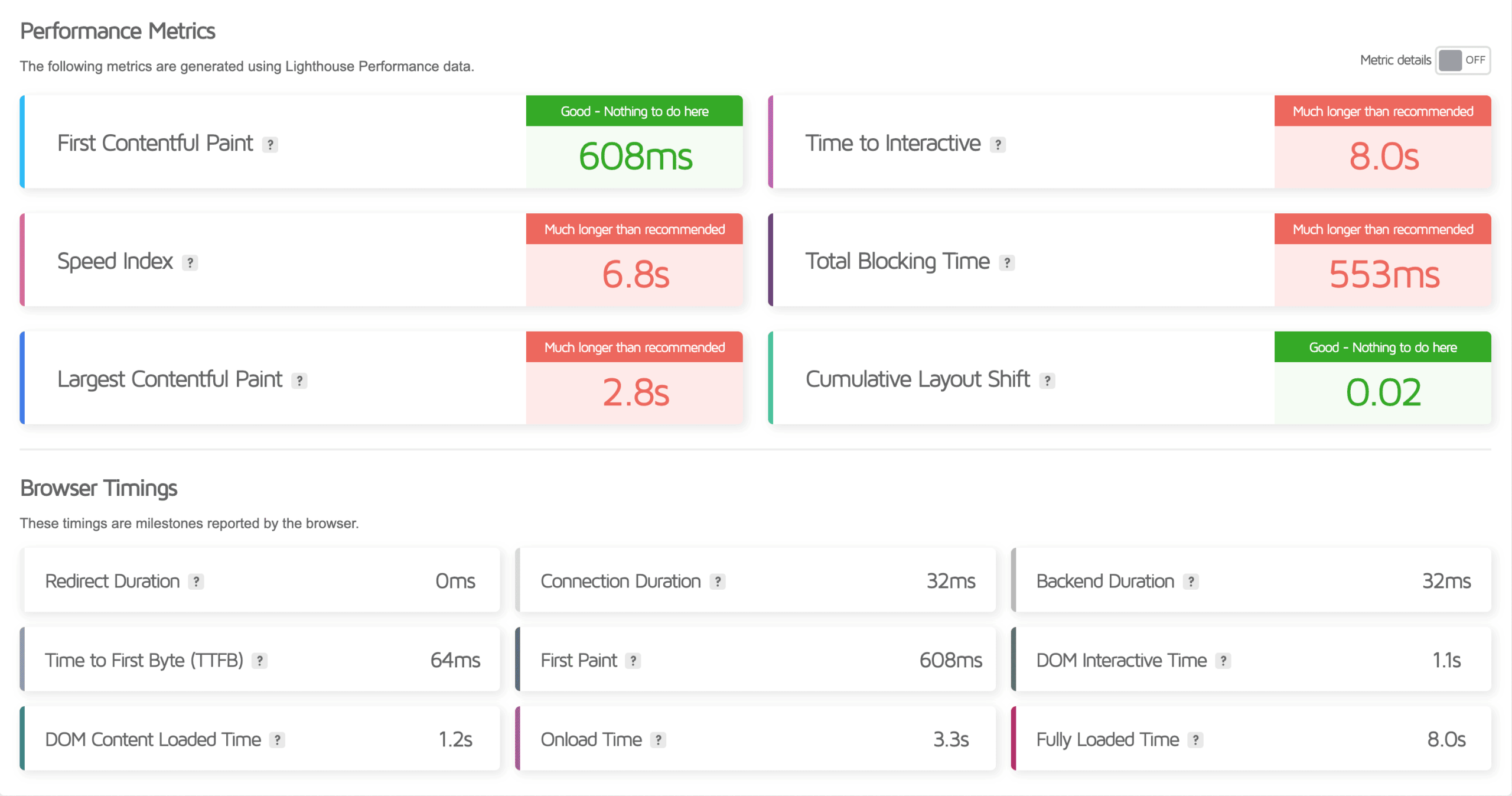
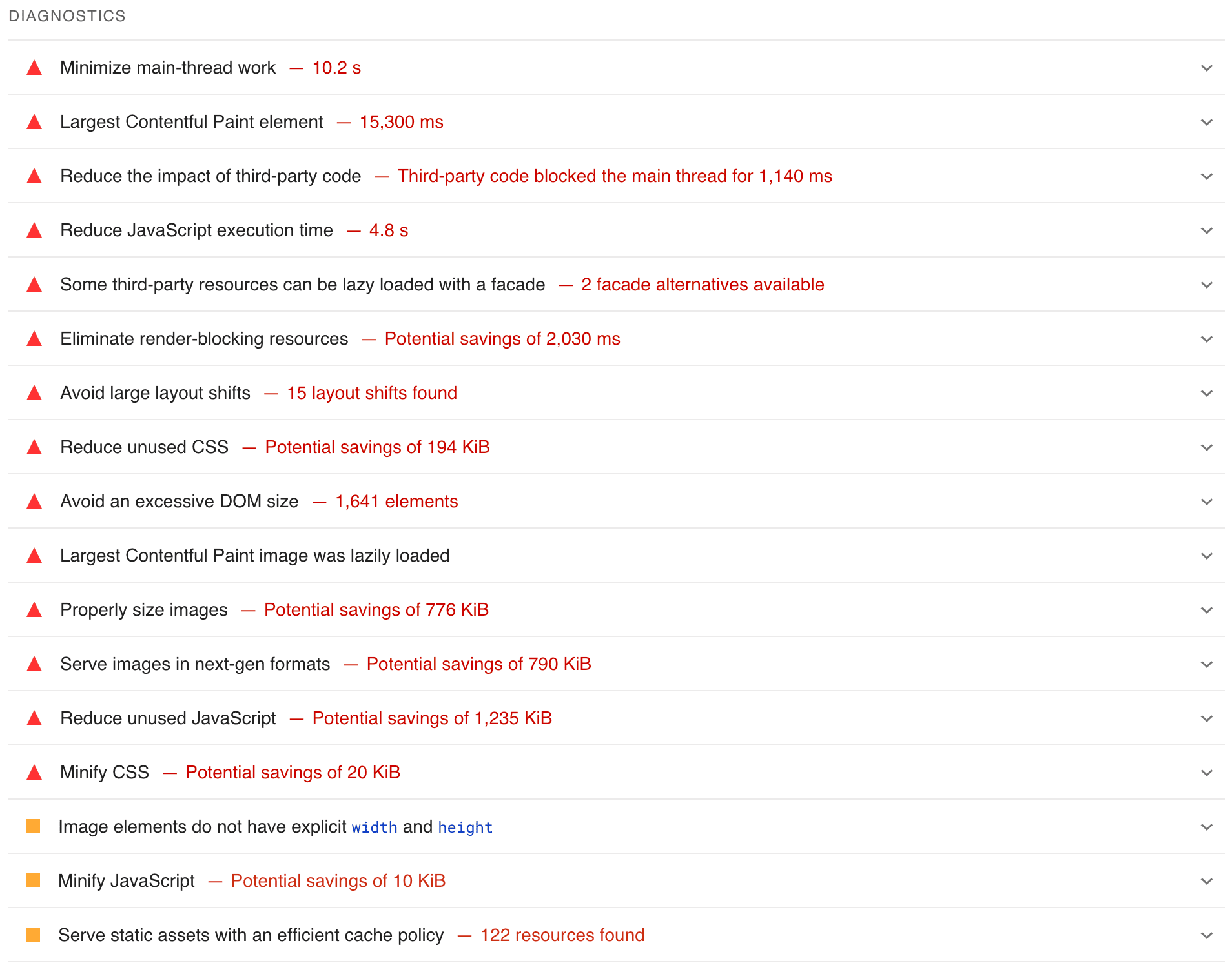
Review supporting signals such as FCP, TBT, Speed Index, and TTFB to uncover:
• Rendering and visual-load delays
• Heavy scripts and main-thread blocking
• Server, cache, image, and font bottlenecks
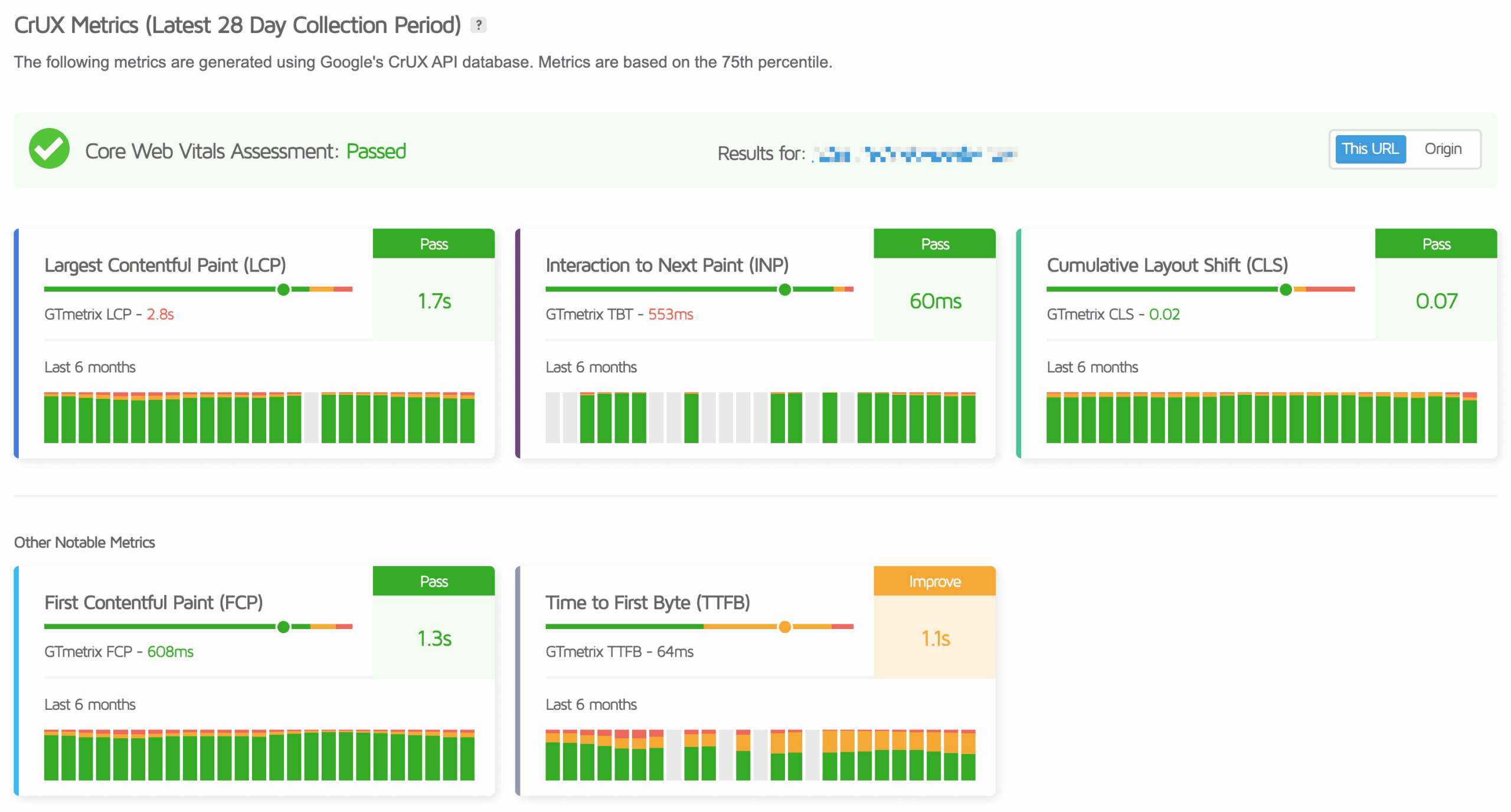
Core Web Vitals focus on three parts of the experience: how quickly the main content loads, how responsive the page feels, and whether the layout stays stable. Supporting diagnostics help explain the cause.
Shows when the first visible content appears and helps expose slow server responses, render-blocking files, or delayed font and style loading.
Shows how quickly the main visible content loads and highlights image, server, caching, or rendering delays that may be holding it back.
Measures how quickly the page responds to clicks, taps, and keyboard input, helping reveal JavaScript or main-thread work that makes the site feel slow.
Identifies unexpected movement caused by images, fonts, embeds, banners, or dynamic content that loads without reserved space.
Shows how quickly visible content fills the screen during a lab test, helping explain whether the page looks usable early in the load.
Measures how quickly the server begins responding and can point to hosting, cache, database, network, or application delays.
Brings the Core Web Vitals and supporting laboratory results together to show which performance areas need attention.
Flags common accessibility issues that may make the site harder to navigate, understand, or use for some visitors.
Reviews oversized images, inefficient formats, fonts, styles, and other assets that can delay rendering or make the page unnecessarily heavy.
Uses diagnostics such as TBT to identify heavy scripts, unused resources, and long browser tasks that can delay loading or make interactions feel unresponsive.