Performance
Accessibility
Best Practices
SEO

WORDPRESS SPEED OPTIMIZATION SERVICE

A fast WordPress site improves SEO, conversions, user experience, and revenue. Slow websites lose visitors, rank poorly, and fail Core Web Vitals. Our WordPress speed optimization service identifies performance bottlenecks, fixes load time issues, and delivers measurable improvements using the latest Google PageSpeed and Core Web Vitals requirements.
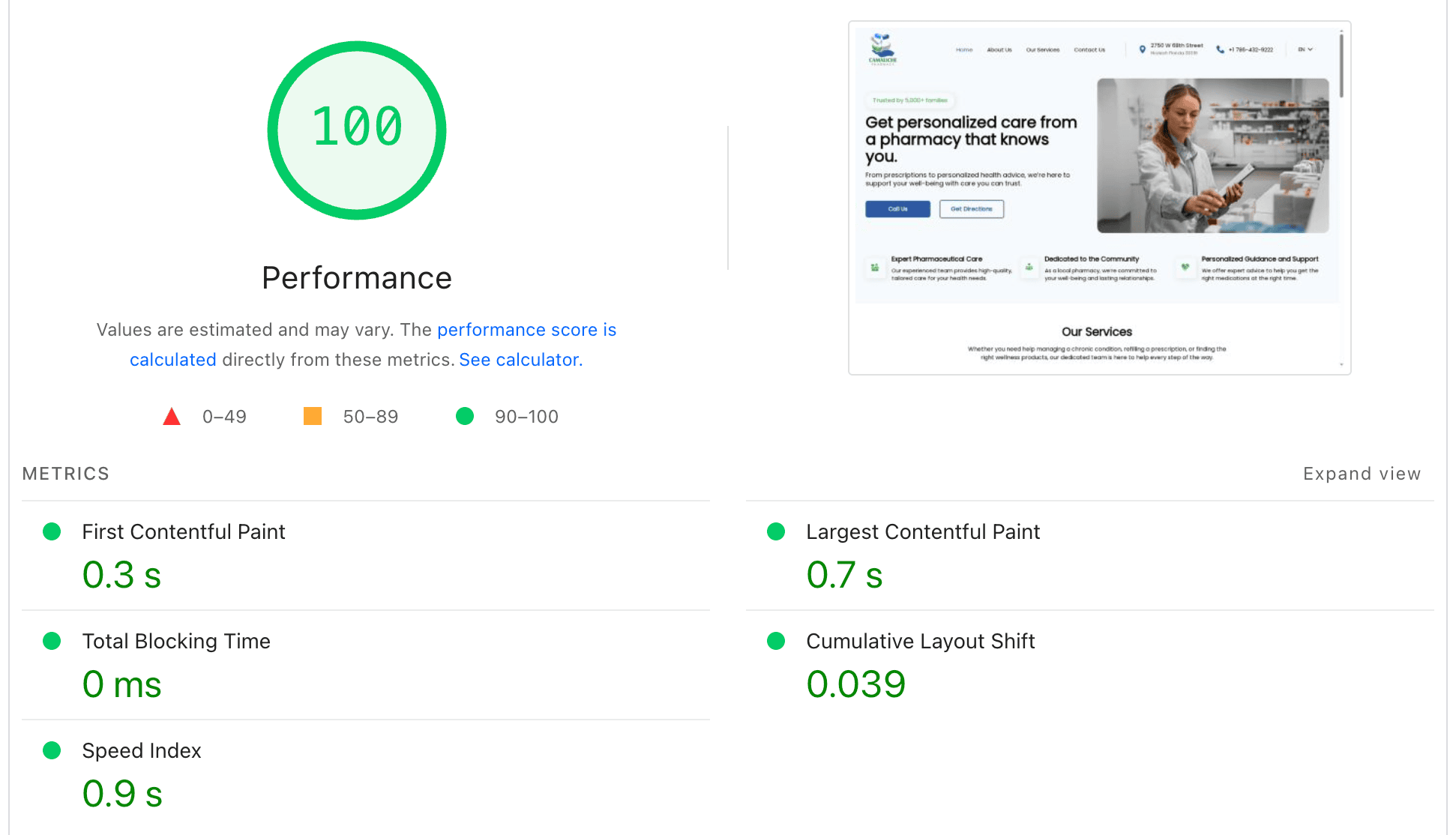
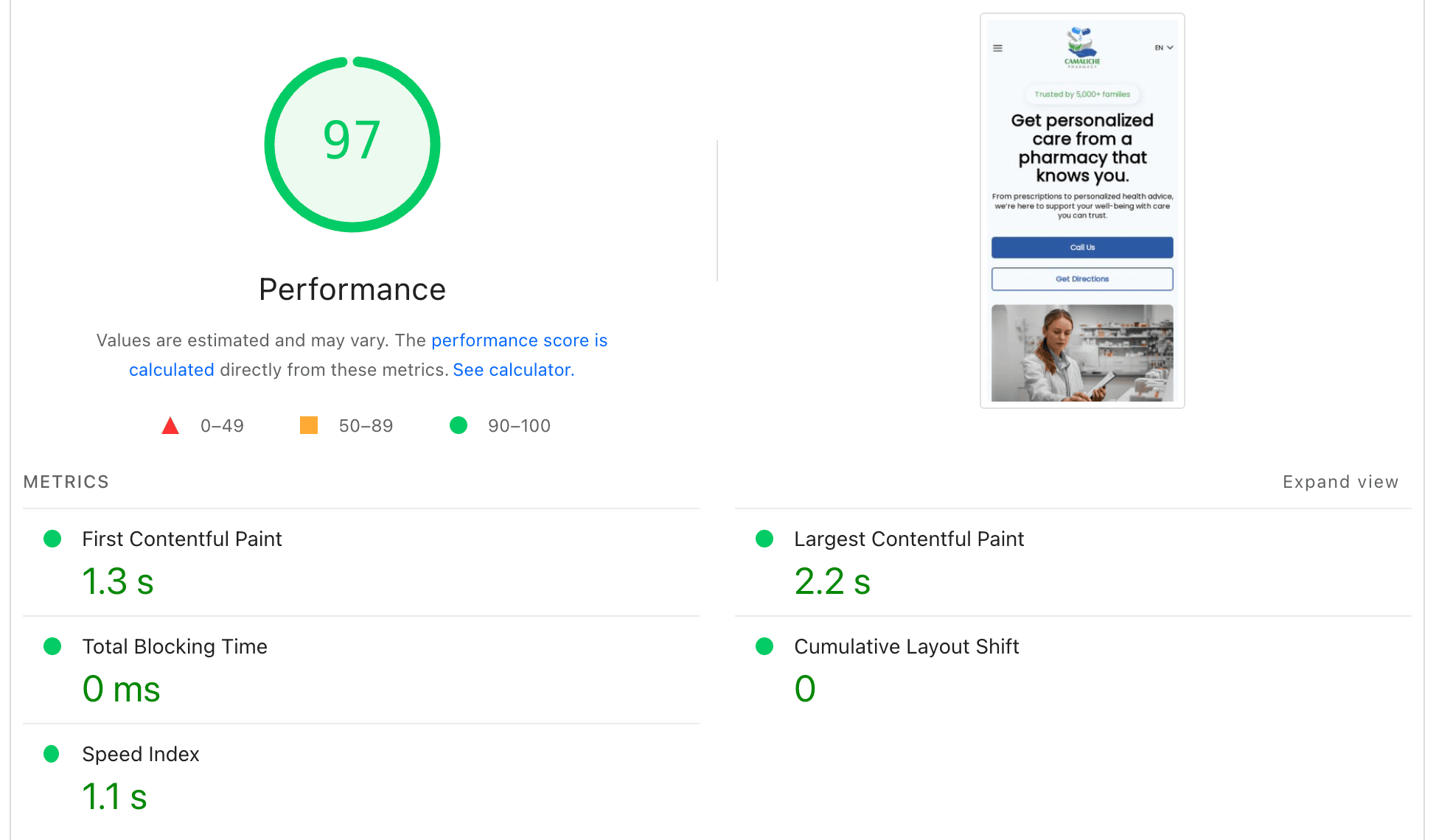
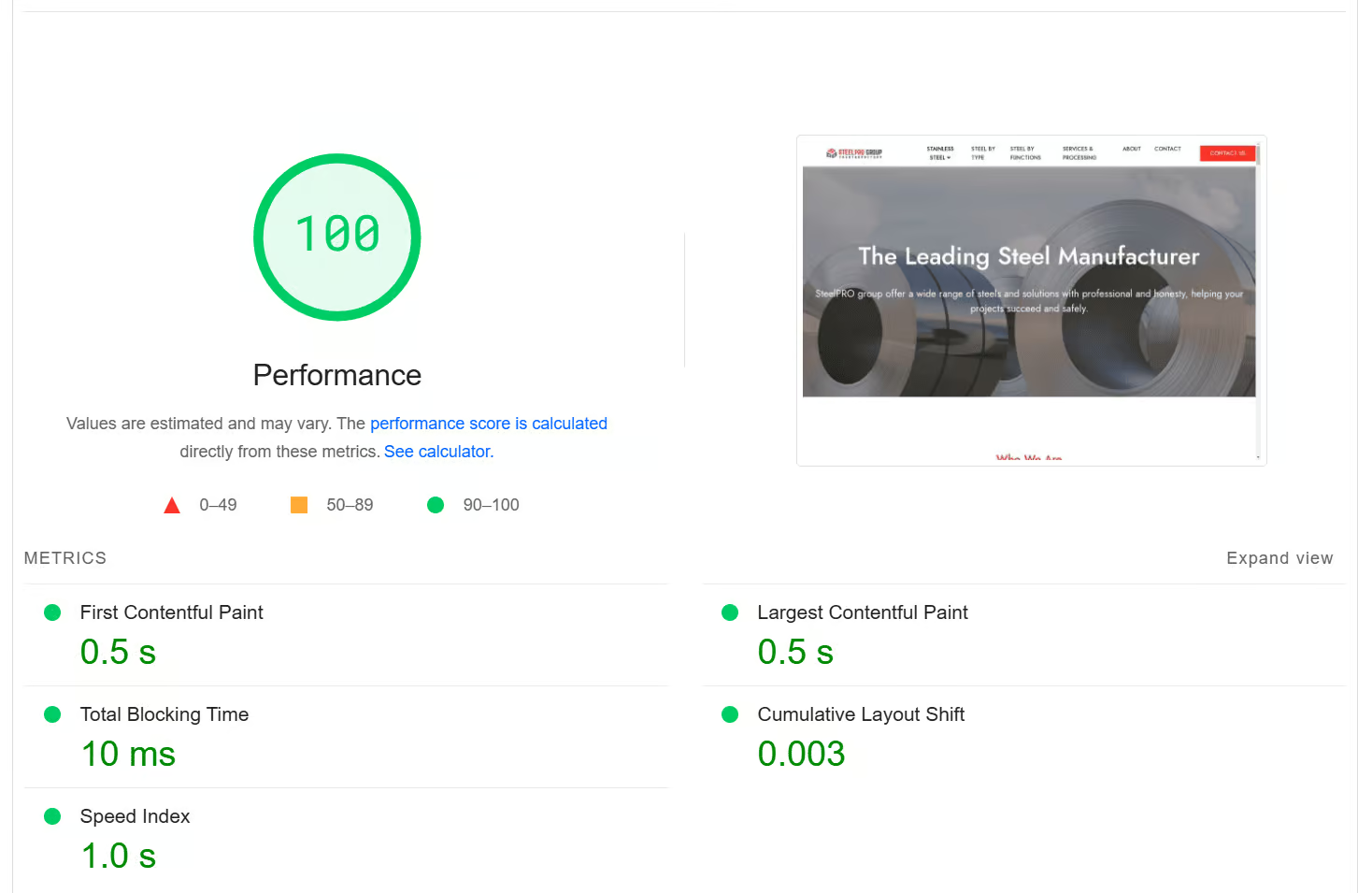
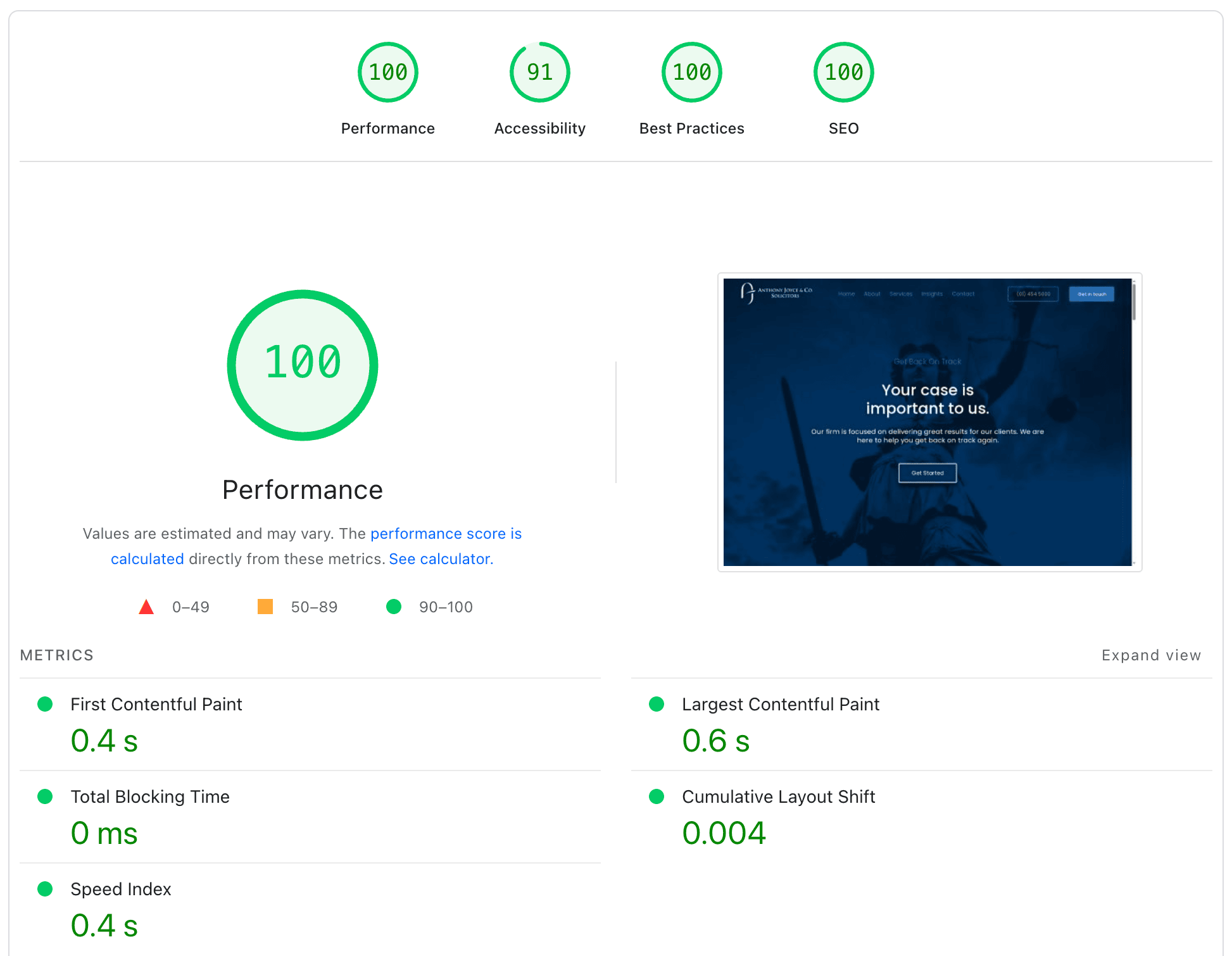
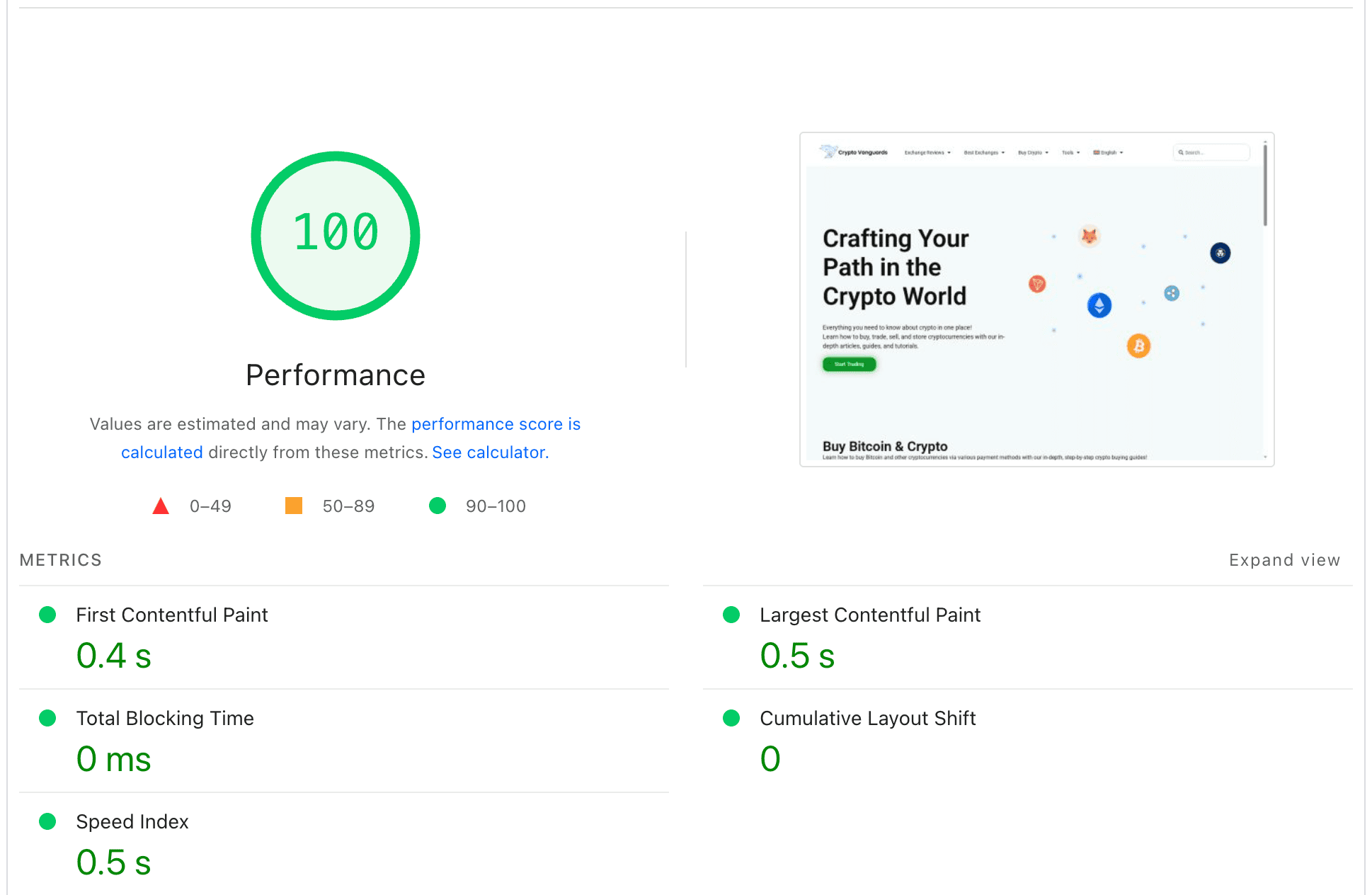
Fast-loading website with performance score of 100, showcasing a website optimization dashboard.
Wordpress speed optimization with Core Web Vitals focus and WooCommerce support.

Why Your WordPress Site Is Slow

Most WordPress sites become slow because the platform loads many moving parts at the same time. Themes, plugins, scripts, images, external requests, and database queries all compete for resources. When any of these elements are unoptimized, your site begins to struggle. Pages take longer to render, the browser processes heavy scripts, and visitors start seeing long load times, layout shifting, or delayed interactions.

Fast WordPress speed optimization, Core Web Vitals support including LCP, INP, CLS, ongoing site maintenance, and custom development services such as WooCommerce integrations.

SLOW WORDPRESS PROBLEMS

Core Web Vitals
OPTIMIZATION

Website performance today is about much more than speed. It is about user experience, mobile stability, visual consistency, and how well your site meets Google’s quality standards. When a WordPress site loads slowly, fails Core Web Vitals, or shifts while the page is loading, visitors leave faster, rankings drop, and conversions decline.

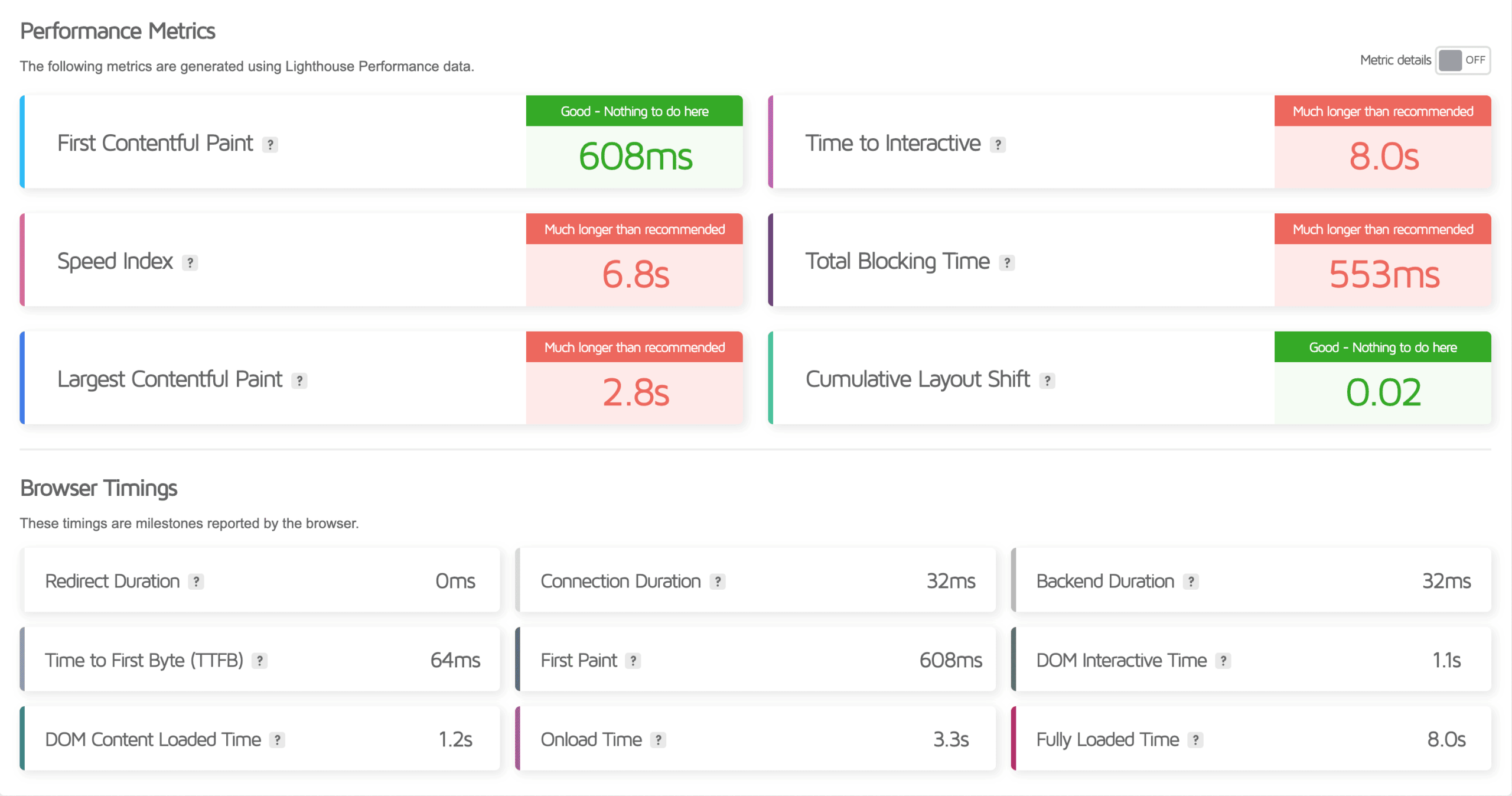
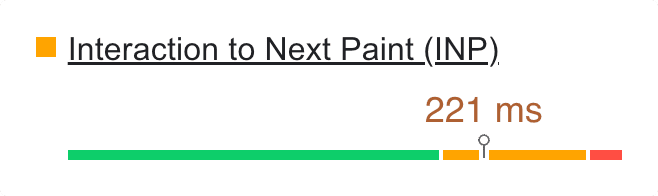
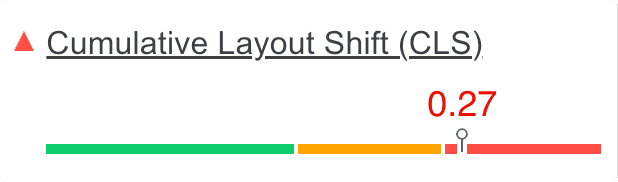
Core Web Vitals reveal the real performance issues. These metrics measure how quickly content becomes visible, how stable the layout is during loading, and how long the browser is blocked from responding. If these values are poor, it means the site needs deeper technical optimization rather than simple caching or plugin changes.

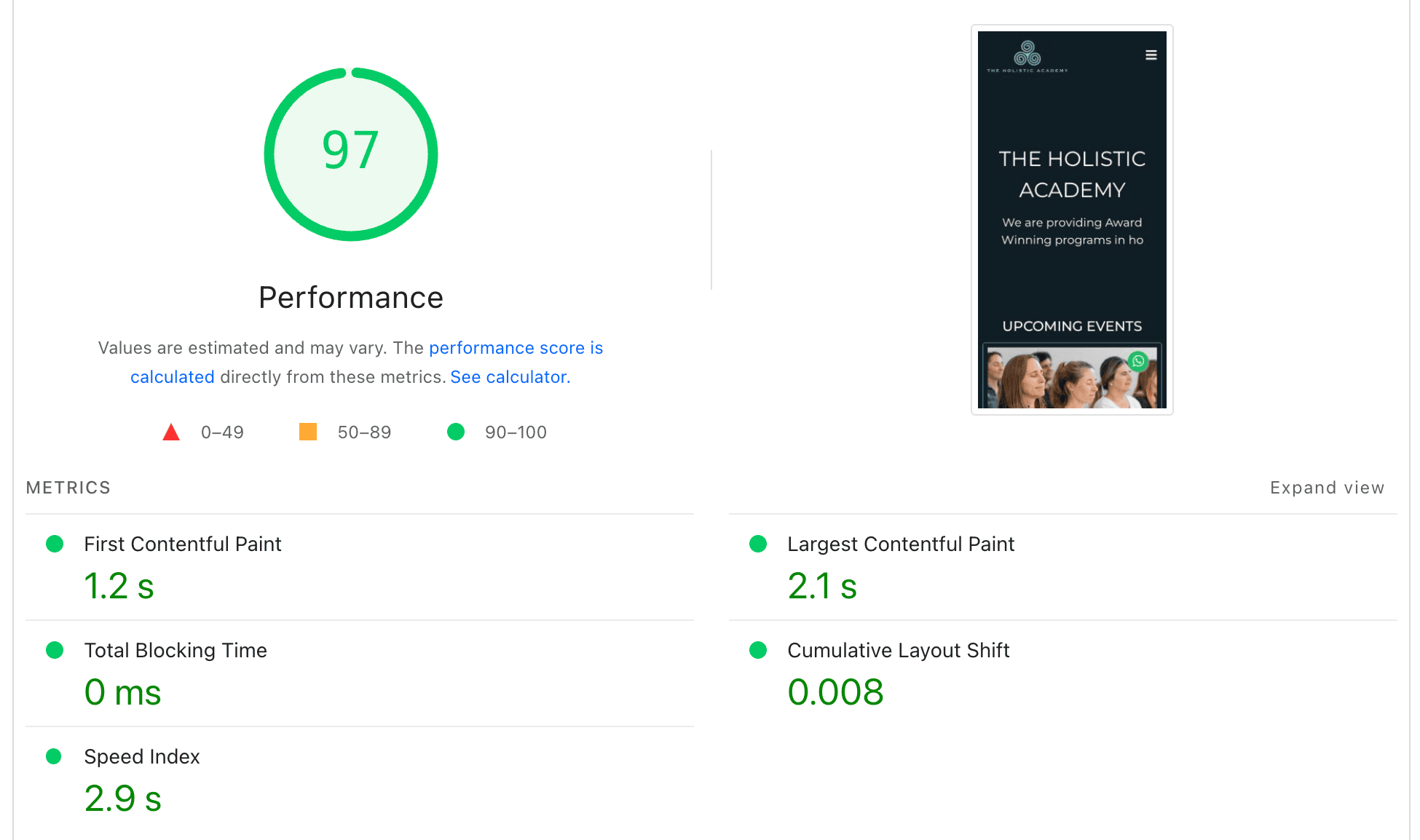
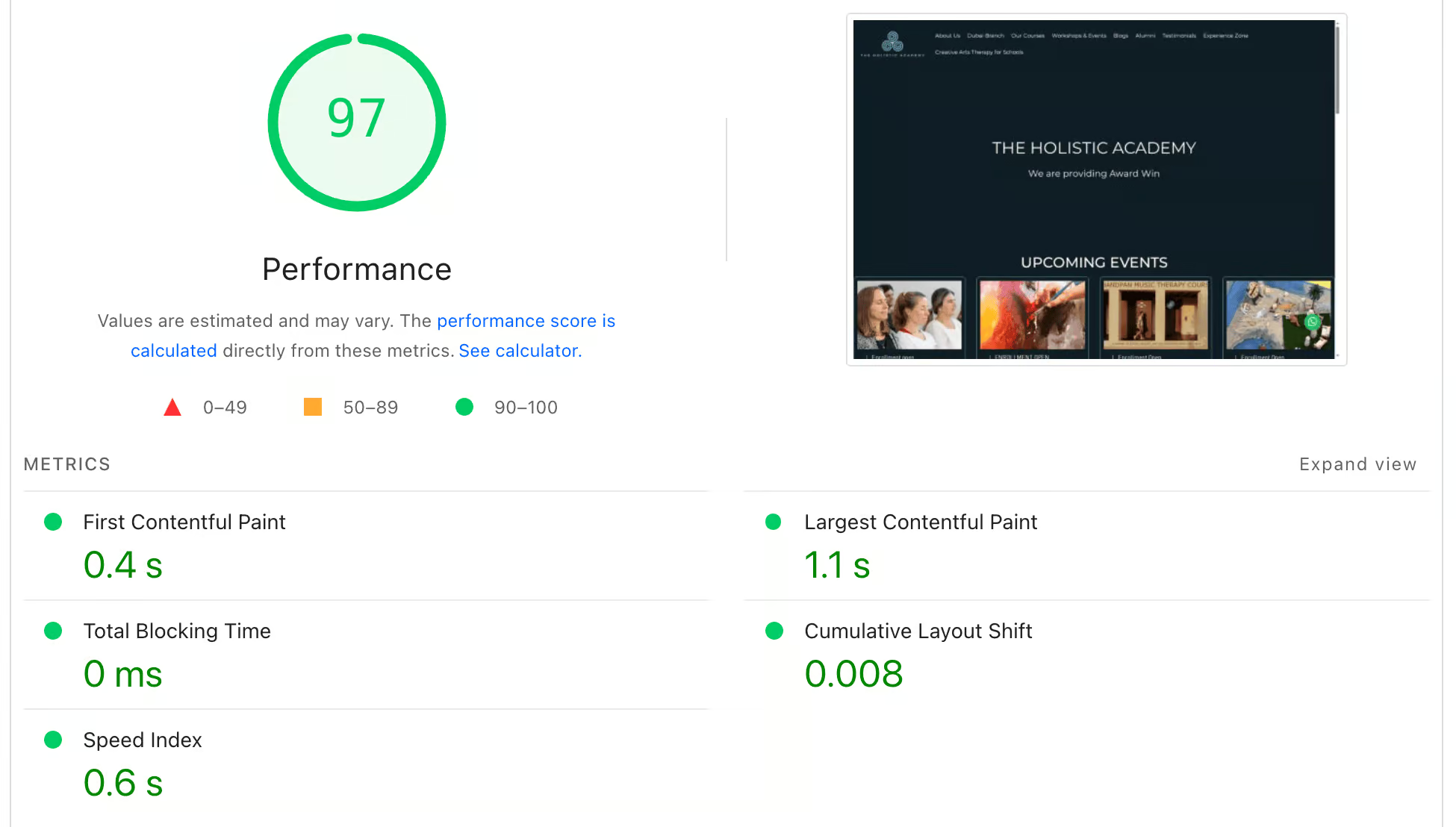
PAGESPEED insights Tool

Our Core Web Vitals service focuses on identifying and fixing the root causes of performance problems. We examine your WordPress setup, find out what slows down your pages, and apply reliable improvements that make the site load smoothly. This includes reducing Largest Contentful Paint, eliminating layout movement, removing render blocking scripts, and improving both server side and front end efficiency.
Fast load times optimized for WordPress performance and Core Web Vitals.
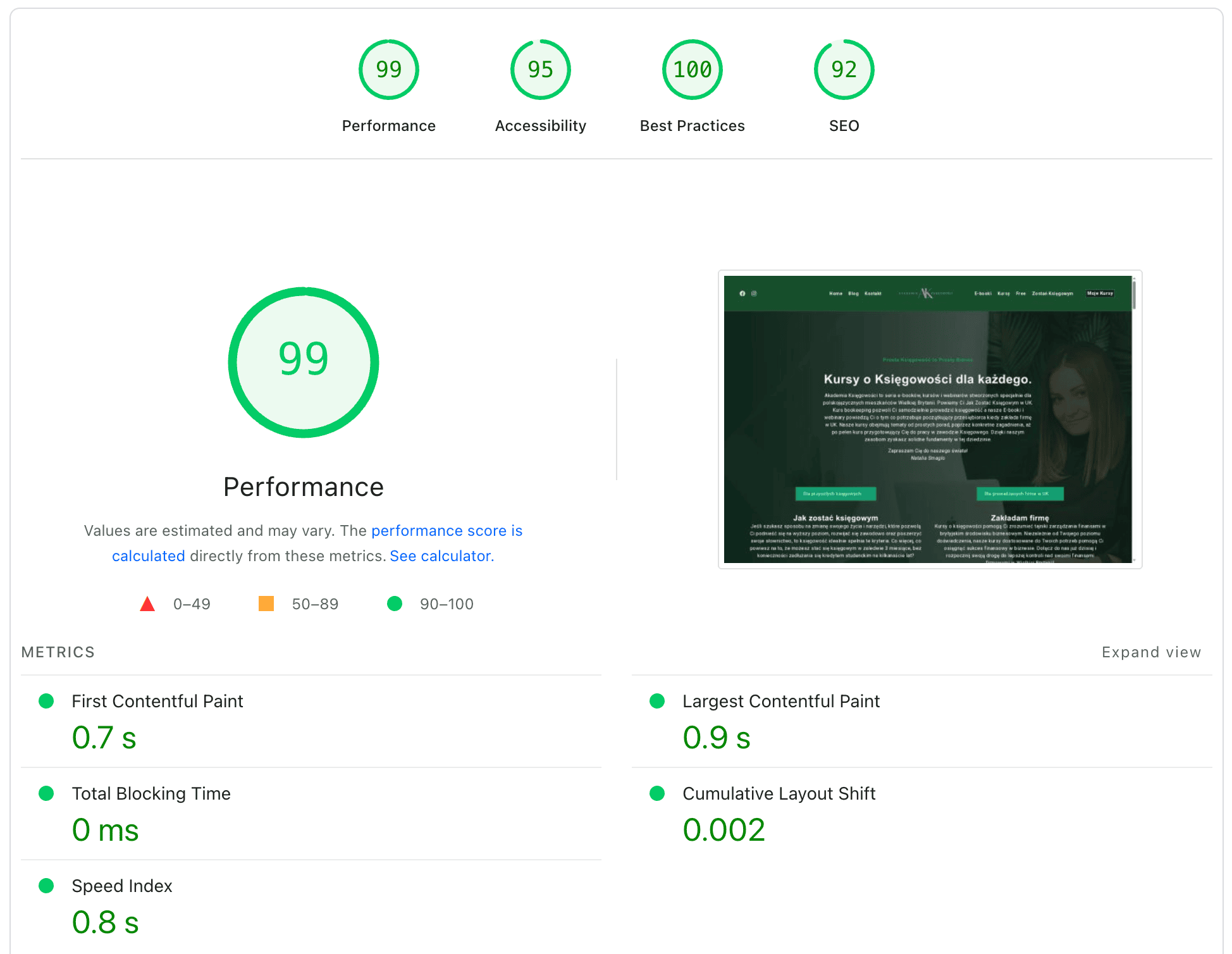
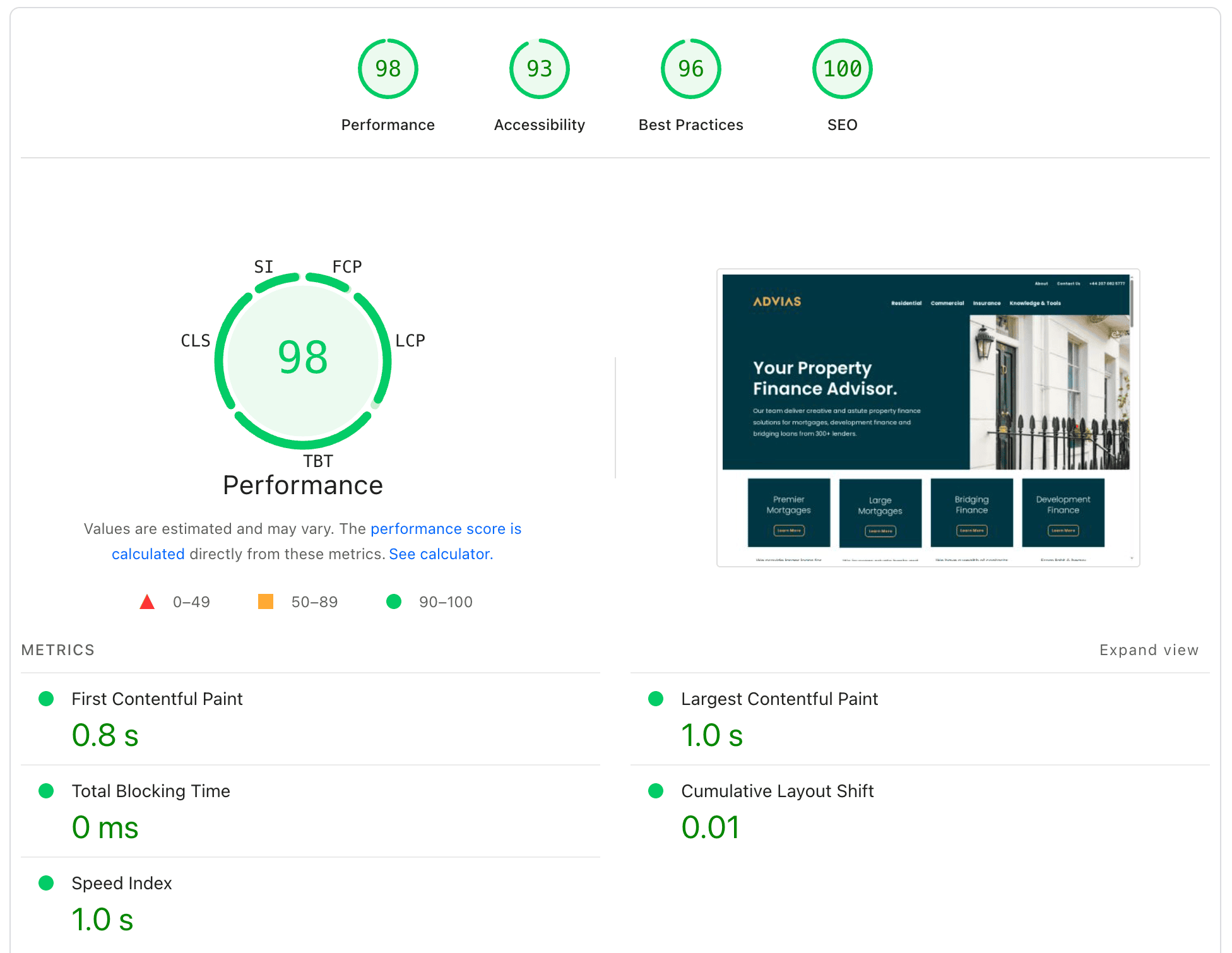
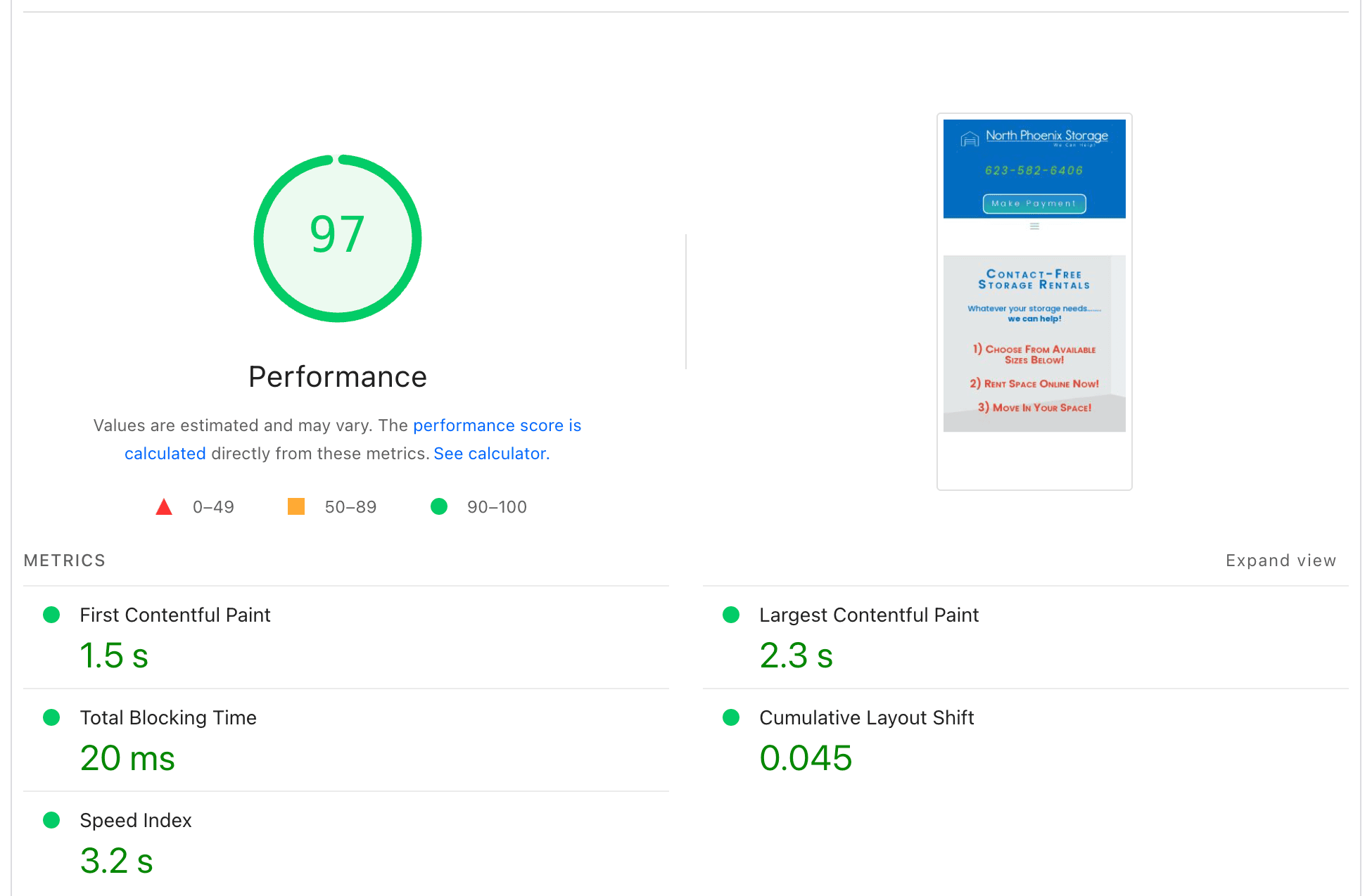
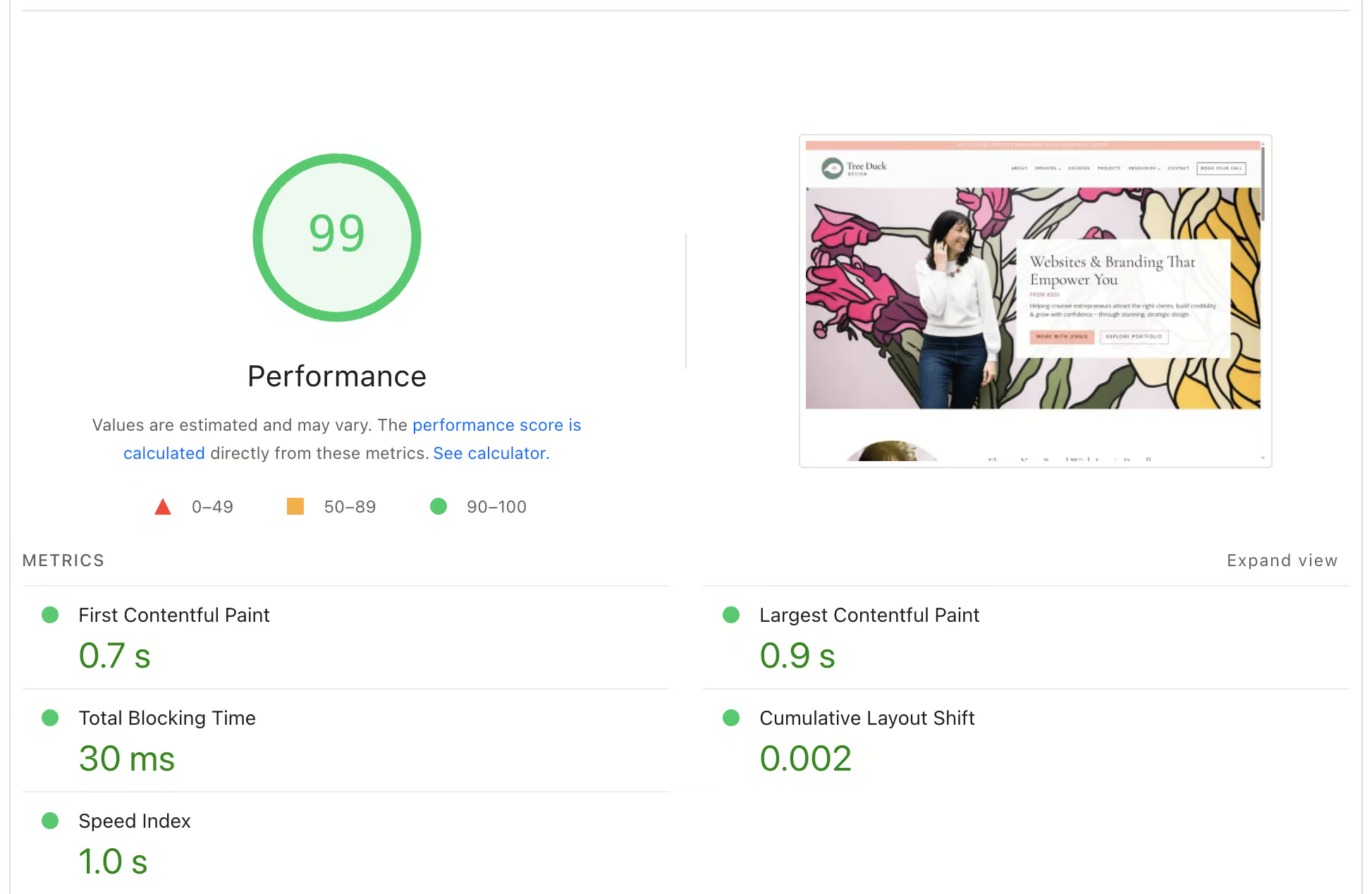
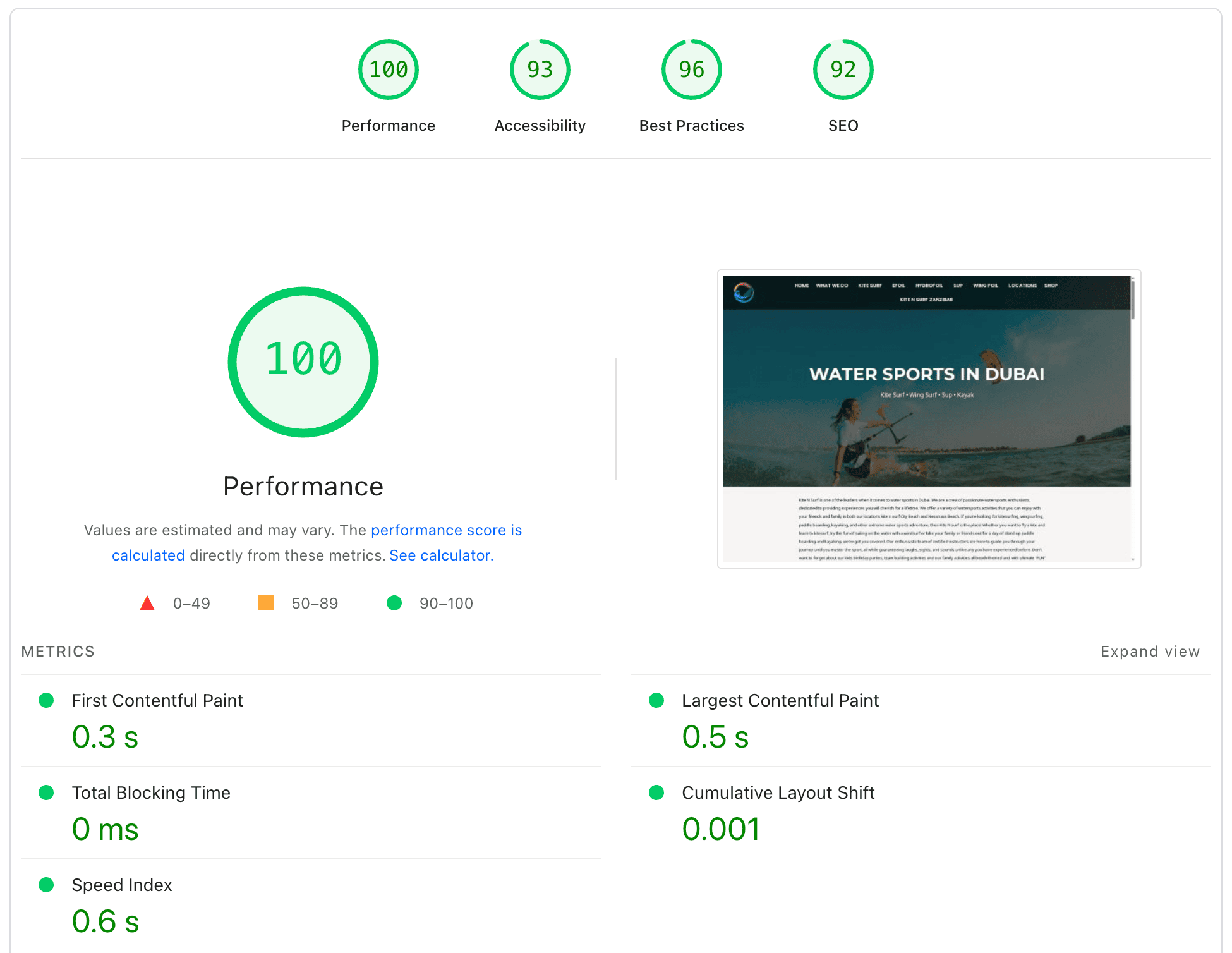
Performance score showing 100 with metrics for web speed and optimization.

WITHOUT SPEED OPTIMIZATION

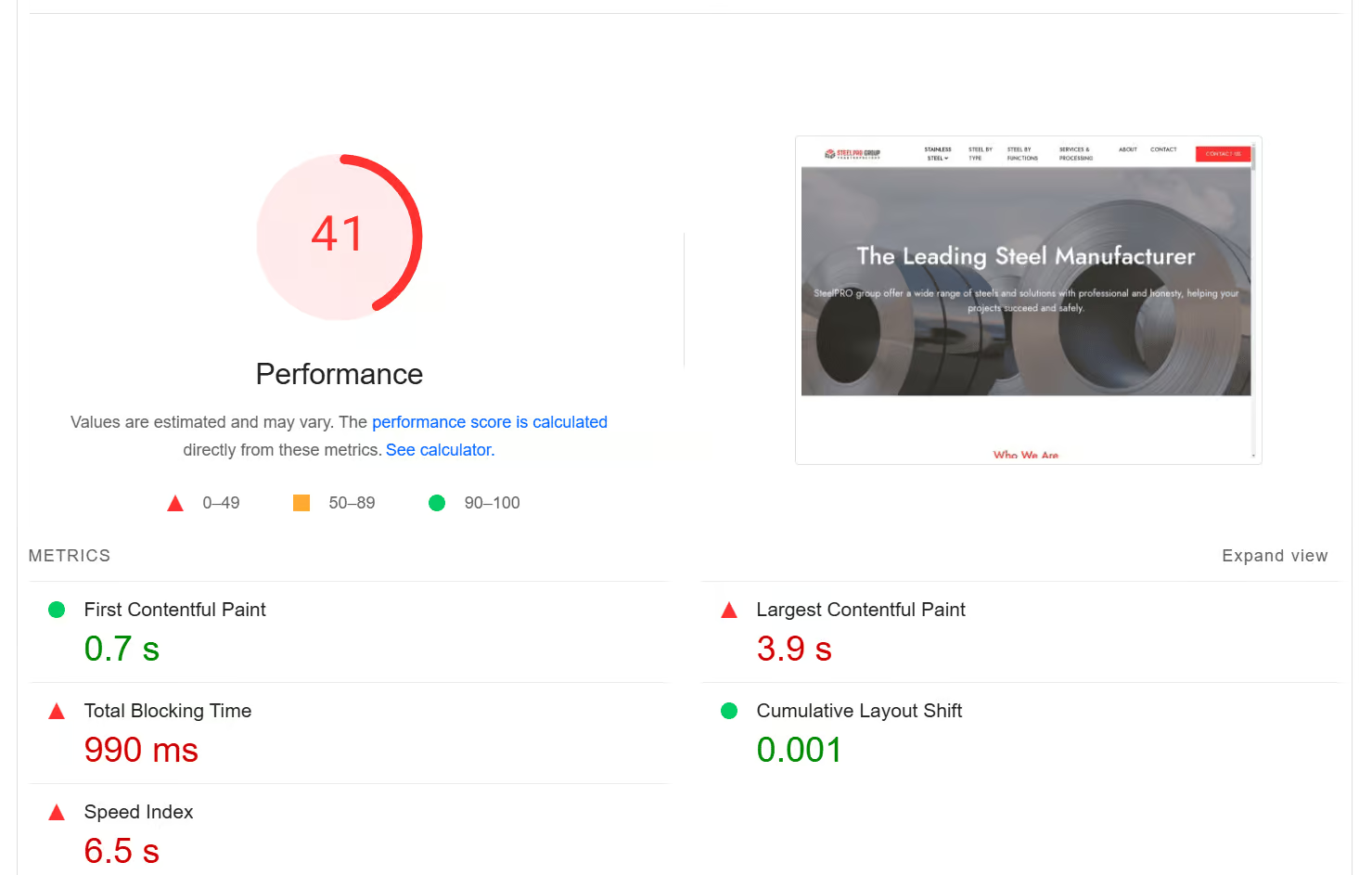
A slow WordPress site leads to poor user experience, low Core Web Vitals scores, and missed SEO opportunities. Unoptimized websites often struggle with long load times and high bounce rates.

NOT OPTIMIZED
LOADING SPEED
0 s+
NOT OPTIMIZED
CORE WEB VITALS
< 0 ~
slow-website.com
Hero Image
Still loading...
🐌 SLOW

WITH SPEED OPTIMIZATION

Optimized WordPress sites load in under two seconds, pass Core Web Vitals, and perform better in search rankings. Faster speed means better UX, higher conversions, and stronger SEO results.

OPTIMIZED
LOADING SPEED
< 0 s~
OPTIMIZED
CORE WEB VITALS
~ 0 +
optimized-website.com
Hero Image
Fully loaded!
⚡ FAST
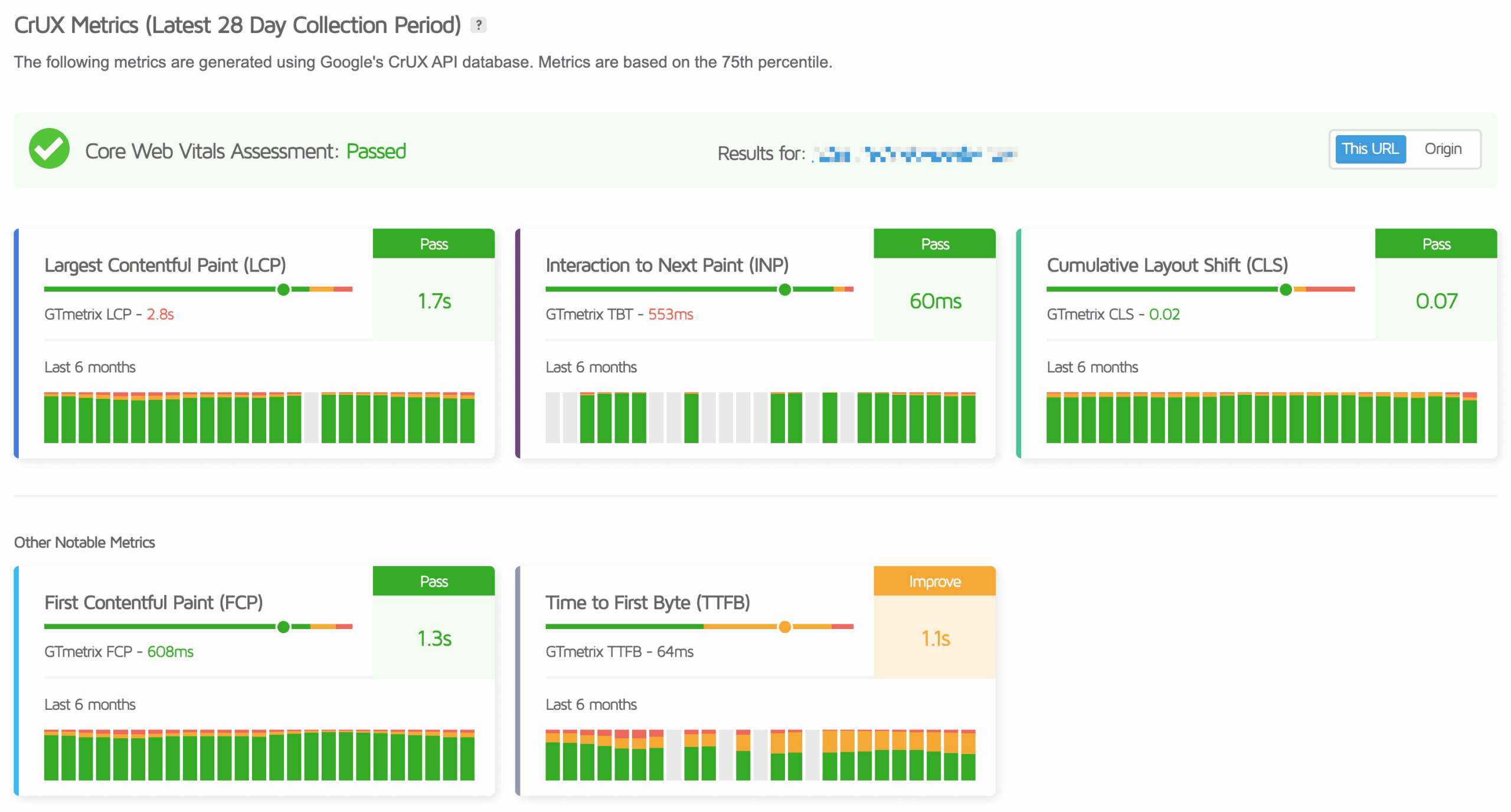
CLIENT RESULTS / CrUX Metrics

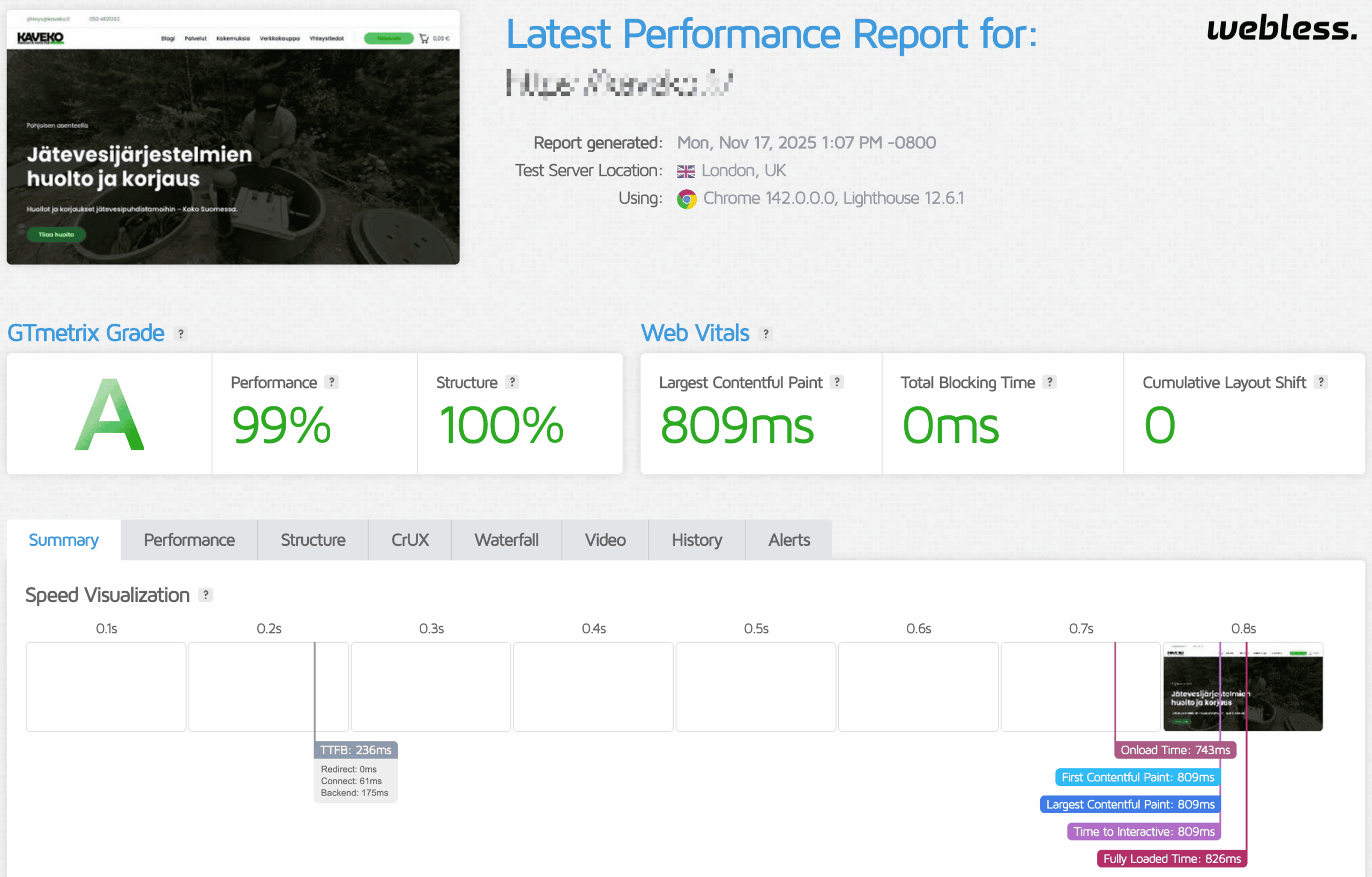
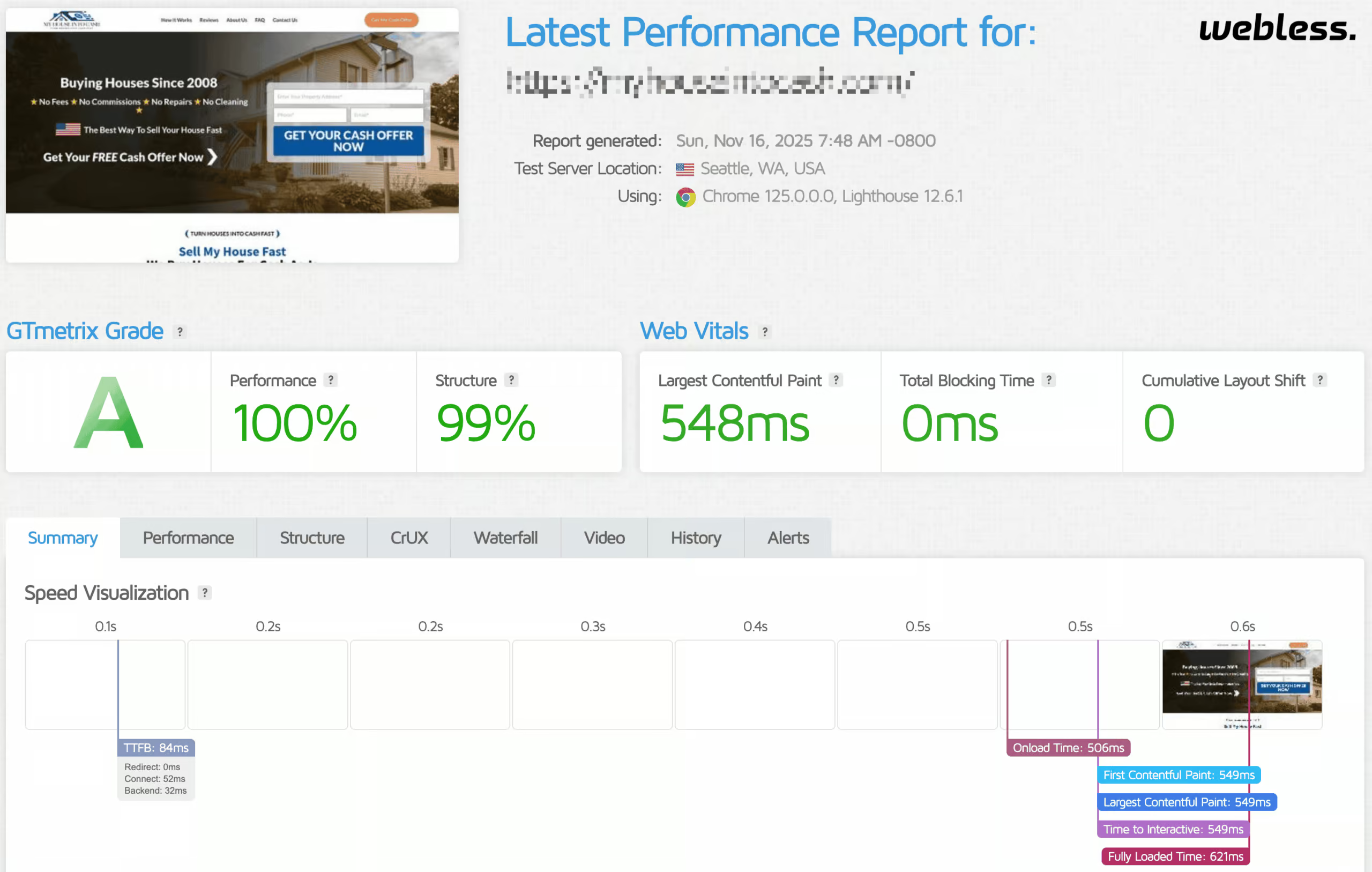
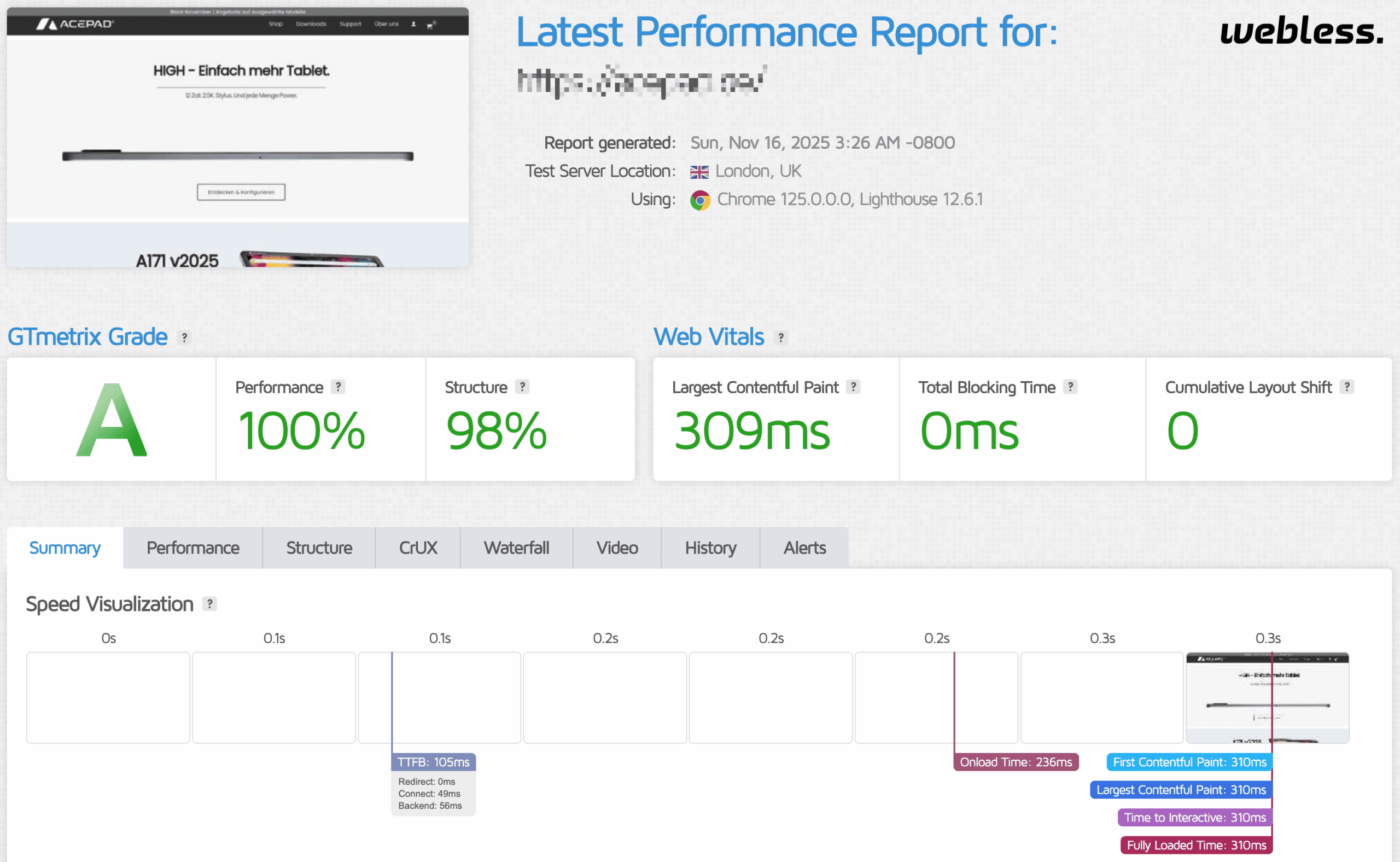
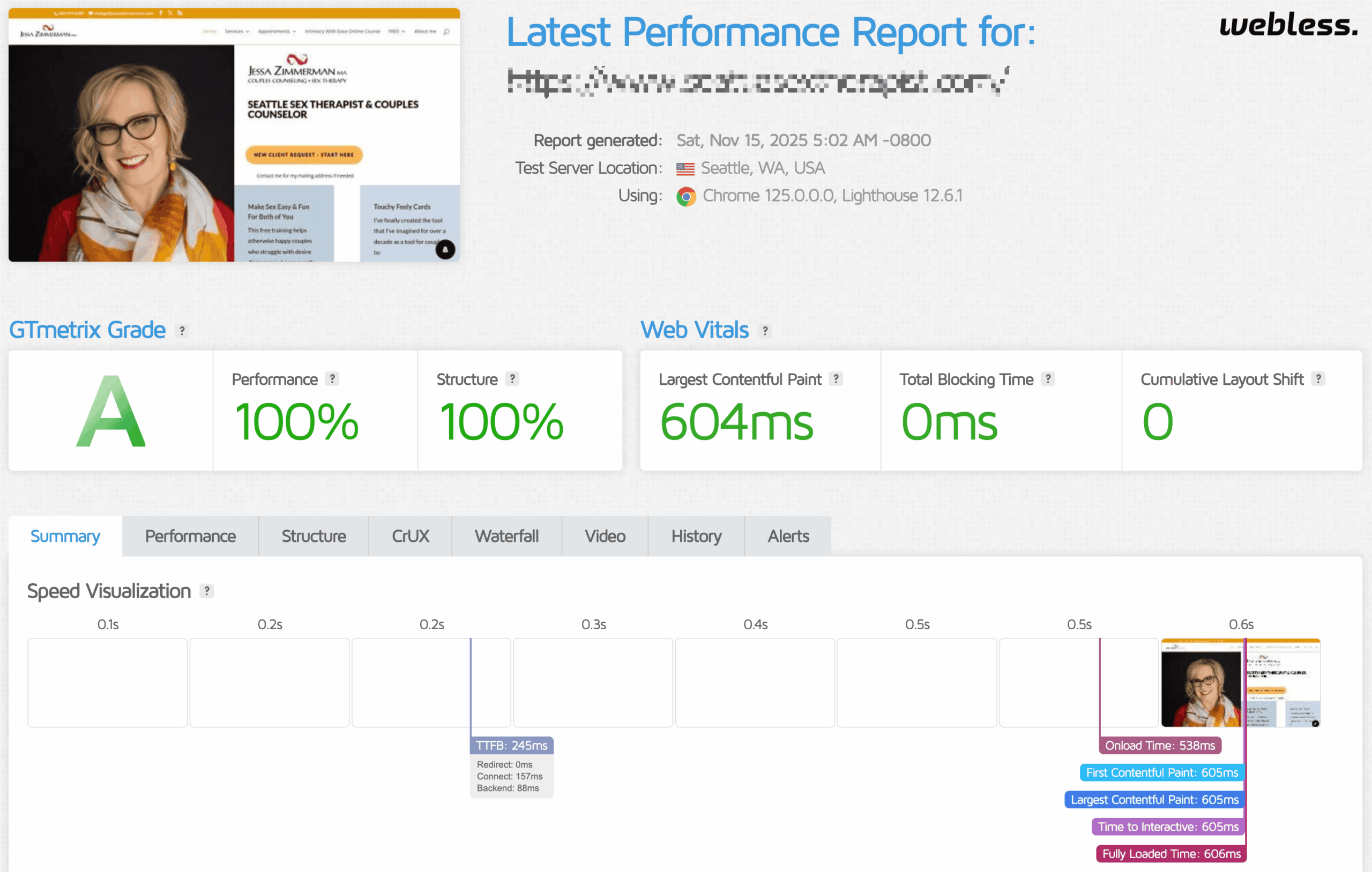
WordPress SPEED Performance Results

We don’t optimize WordPress sites by guessing or applying generic presets. Every site is first audited to identify the real bottlenecks affecting Core Web Vitals, including LCP, INP, and CLS. From there, we apply targeted frontend, backend, and server-level optimizations based on how the site is built, not assumptions.

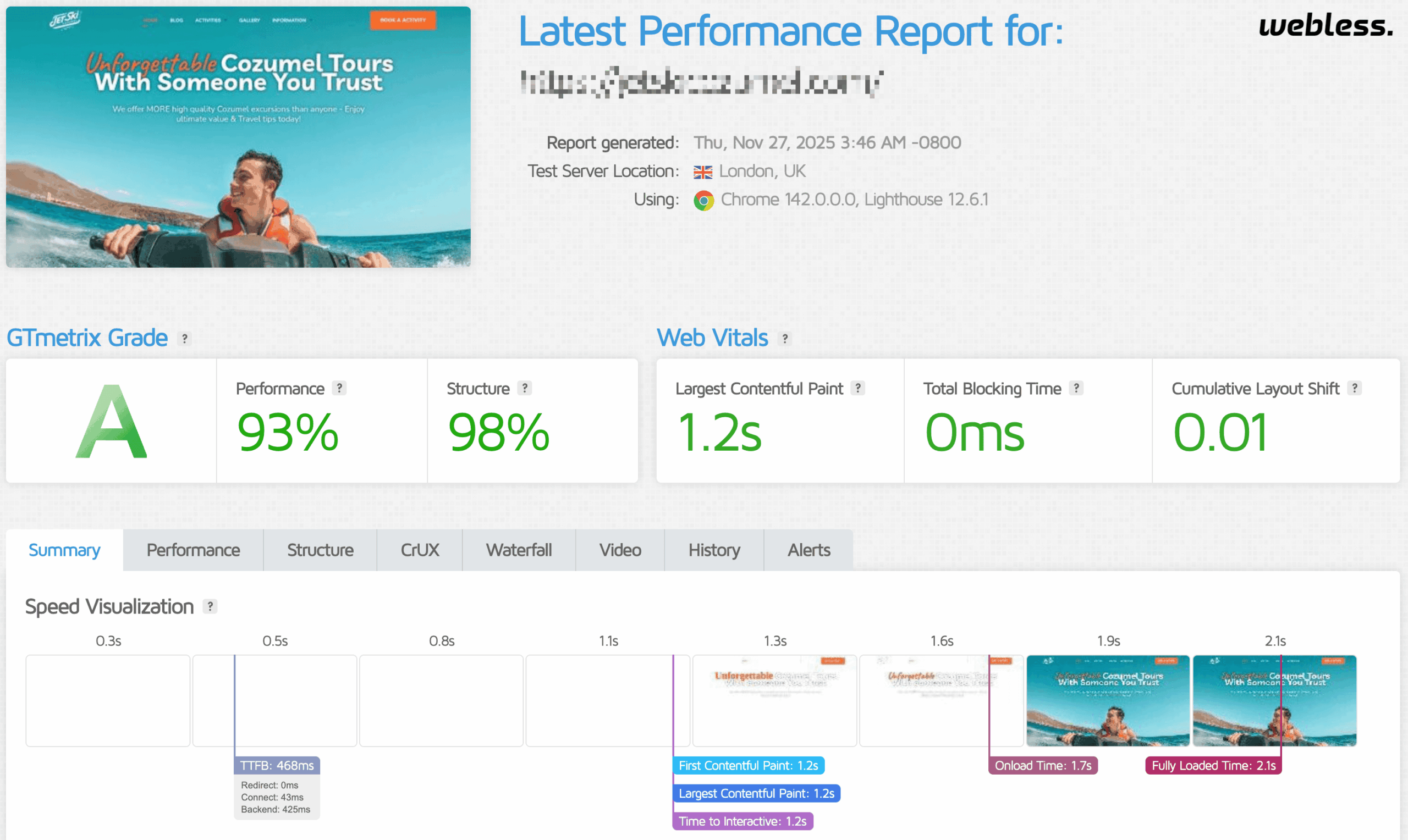
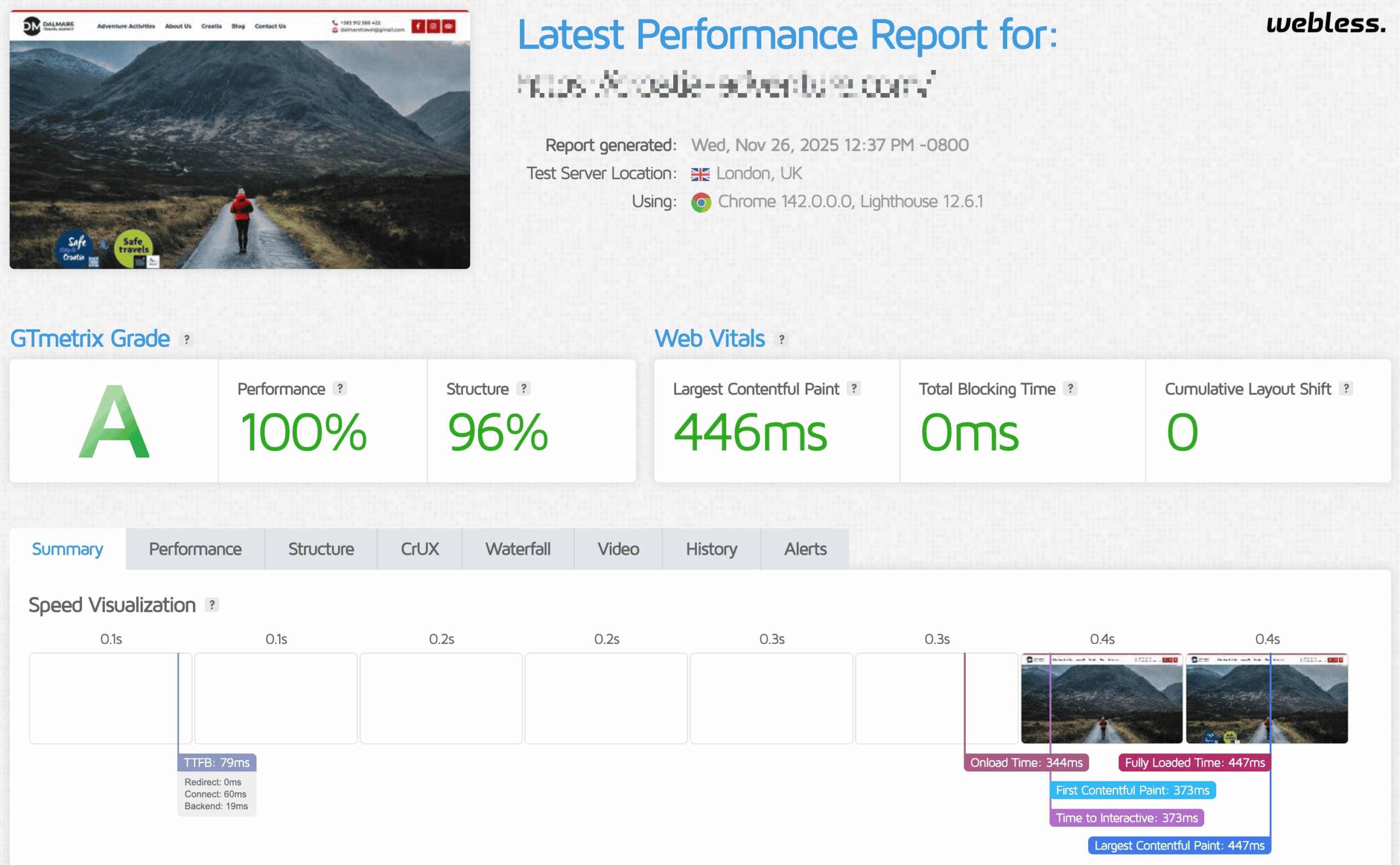
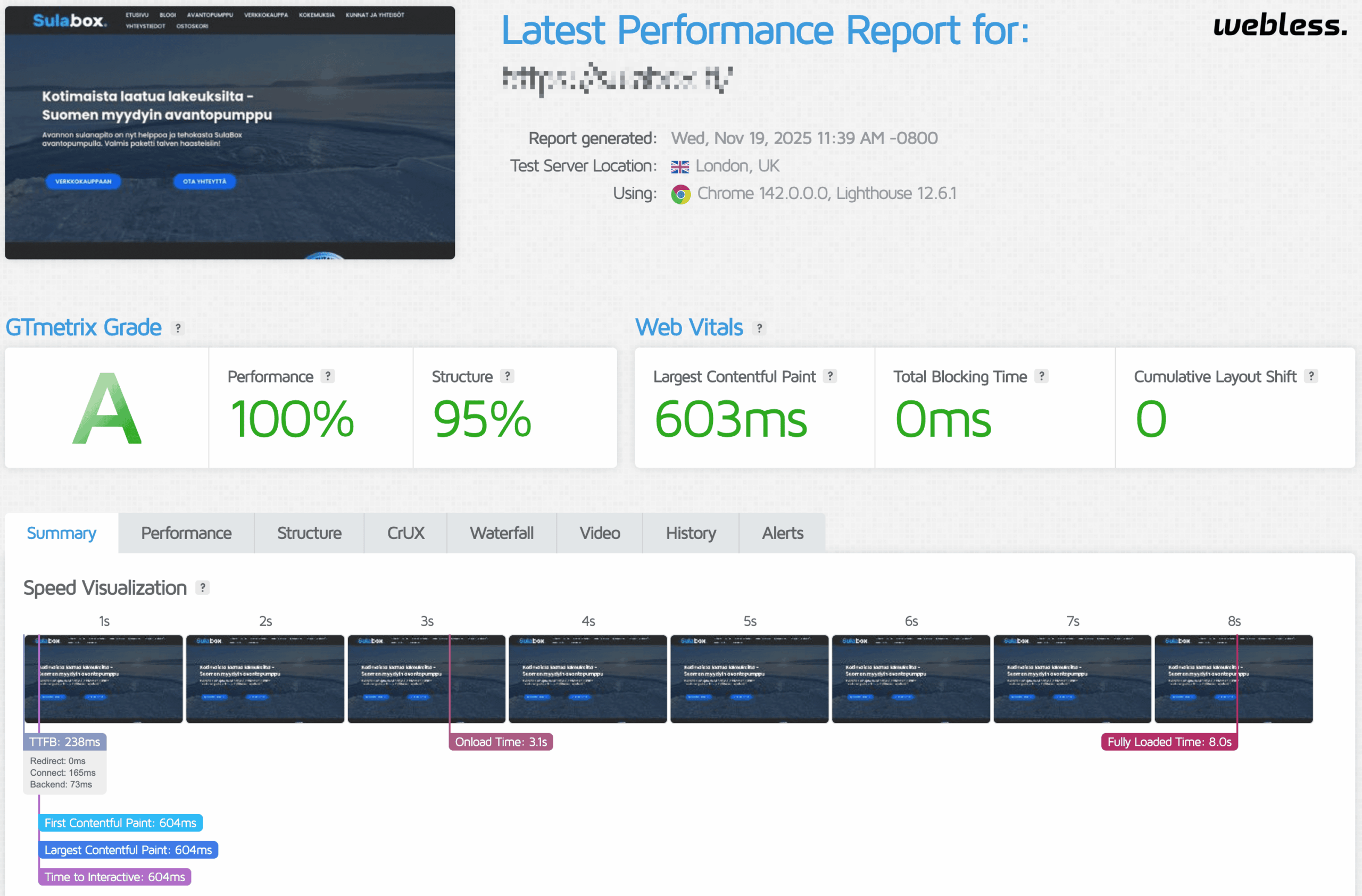
All results are validated using tools like Google PageSpeed Insights and GTmetrix, with changes tested for stability and real-world usability. Loading times drop, interaction responsiveness improves, and layouts become stable across devices.

These are not temporary or cosmetic gains — they reflect consistent, repeatable improvements delivered across a wide range of WordPress sites, including WooCommerce and builder-based setups.

WE SPECIALIZE IN FULL CORE WEB VITALS FIX AND IMPROVEMENT

Google Core Web Vitals are key metrics assessing your website’s user experience. They include loading speed, interactivity, and visual stability—critical factors influencing search rankings. Meeting these standards not only boosts visibility but also guarantees a smoother, more satisfying user experience, contributing to overall online success.

First Contentful Paint (FCP) Optimization

We reduce the time it takes for the first visible element of your WordPress site to render, allowing users to see content almost instantly. This improvement boosts user engagement and supports better Core Web Vitals scores for enhanced search visibility.

Largest Contentful Paint (LCP) Optimization

We focus on loading the most significant visual elements of your page faster, improving perceived speed and overall page usability. Enhancing LCP is essential for passing Google’s Core Web Vitals and achieving higher search engine rankings.

Image Optimization

We compress and convert images into efficient formats like WebP without sacrificing quality, reducing file sizes and improving load times. Optimized images are essential for improving LCP scores and delivering faster, more SEO-friendly WordPress websites.

Database Optimization

We clean and streamline your WordPress database by removing clutter like revisions and transients, improving query execution and backend speed. This significantly enhances website performance and helps reduce server load during peak traffic times.

Speed Index (SI) Optimization

Our WordPress performance optimization process focuses on enhancing the visual loading sequence of your pages. By optimizing render flow, we create a smoother user experience and improve your Speed Index score—an important metric for perceived site speed.

Total Blocking Time (TBT) Optimization

We optimize scripts and browser processing to ensure minimal delays in user interactions. Reducing Total Blocking Time leads to faster responsiveness and an overall smoother browsing experience, improving your site’s usability and SEO.

Server & Hosting Optimization

We fine-tune your hosting setup to maximize server performance and reduce load times. From PHP upgrades to server-level caching, our server and hosting optimization ensures your WordPress site runs faster and ranks better.

Custom & Manual Work

Not all performance issues can be solved with plugins alone. We provide tailored, hands-on optimization for your specific WordPress setup, delivering custom solutions that ensure every aspect of your website performs at peak speed.

Time to First Byte (TTFB) Optimization

We minimize server response time by optimizing hosting configurations and backend performance. A lower TTFB reduces latency and dramatically boosts both page speed and Core Web Vitals performance for your WordPress site.

Cumulative Layout Shift (CLS) Optimization

By stabilizing layout elements and reserving space for dynamic content, we reduce unexpected shifts during page load. This leads to a visually consistent user experience and helps your site meet Google's CLS benchmark for Core Web Vitals.

Cloudflare Integration (CDN)

We configure and integrate Cloudflare CDN to distribute your website content through global servers, reducing latency and enhancing load speeds. CDN integration boosts both performance and security while supporting consistent Core Web Vitals improvement.

Speed Optimization Results

WordPress Performance CASE STUDIES

We excel in providing top-notch WordPress website speed optimization, bug fixes, and maintenance services. Our team consists of leading experts in the WordPress community, guaranteeing you access to a wealth of knowledge and experience. Experience impressive Core Web Vitals scores and remarkable website speeds through our cutting-edge website services.

HOW WE IMPROVE WORDPRESS SITES

Why WordPress Sites Fail Core Web Vitals

Core Web Vitals issues are rarely caused by a single setting or plugin. They are usually the result of how themes, builders, plugins, scripts, hosting, and content interact under real user conditions.

Instead of applying generic optimizations, we identify which Core Web Vital is failing and fix the specific bottlenecks responsible for it. Below are the most common problem categories we address when optimizing WordPress sites for real performance improvements.

Slow loading and poor LCP

Problem: Pages load slowly and fail LCP
Fast WordPress website optimization, Core Web Vitals, ongoing maintenance, and custom WooCommerce development to boost performance and user experience.

Usually caused by heavy hero sections, unoptimized images, render-blocking CSS and JavaScript, and inefficient caching. We optimize above-the-fold content, prioritize critical assets, and eliminate bottlenecks that delay the first meaningful paint.

yoursite.com
0.0s
★ LCP Element
Loading page elements...

Laggy interactions and bad INP

Problem: Clicks and interactions feel delayed
Optimized WordPress website with fast load speeds, Core Web Vitals, ongoing maintenance, and custom development including WooCommerce solutions for improved site performance and user experience.
High INP is typically caused by excessive JavaScript, third-party scripts, large DOM size, and overloaded main thread work. We reduce script execution, remove unnecessary features, and ensure interactions remain responsive on real devices, especially mobile.
yoursite.com
Submit
⚡ INP
Page loaded, waiting for interaction...

Layout shifts and unstable pages

Problem: Content jumps while loading (CLS)
Fast WordPress website speed optimization, Core Web Vitals support, ongoing maintenance, and custom development services including WooCommerce solutions at Webless.co.
Layout instability comes from missing image dimensions, late-loading fonts, injected banners, sliders, and embeds. We stabilize layouts by reserving space correctly and controlling how dynamic elements load.
yoursite.com/article
⚠ Layout Shift
+60px
Page content loaded...
Website Caching

Full-scale caching solution with main-thread optimization, automatic cache warm-up, and intelligent preloading.

Unused JS/CSS Removal

Elemination of unused styles and scripts site-wide for improved performance enhancement.

JS/CSS Optimization

Minification, combination, and deferral of scripts and styles for faster load times and improved core web vitals.

Bloat Reduction & Cleanup

Deep bloat reduction by disabling unused features, refining settings, and applying advanced fetching.

Font Optimization

Local font hosting with preloading and advanced rendering for faster loads and improved visual stability.

Image Optimization

Images compression and conversion to next-gen formats with adaptive resizing and edge delivery.

Lazy Loading & File Compression

Lazy loads images, videos, iframes, and third party scripts to reduce page weight and boost WordPress speed.

Preloading & Prefetching

Preload of the first visible image, logo, and key assets to accelerate WordPress. Prefetching optimization.

WooCommerce Optimization

WooCommerce optimization with HPOS support, refined cart, and checkout caching, and streamlined dynamic queries.

Plugins/Theme Reconfiguration

Plugin and theme optimization with performance tuning and recommendations for lighter alternatives.

Elementor/Builder Optimization

Optimization of page builder output by disabling unused widgets, scripts, and global styles for lighter, faster pages.

Bug Fixing & Custom Changes

Bug fixing, custom tweaks, and expert input to resolve performance and optimization issues.

Server Optimization

Optimization of PHP settings and server configuration to improve WordPress server speed. Backend enhancements.

GZIP & Brotli Compression

Integration and configuration of GZIP and Brotli compression for advanced file size reduction.

HTTP/2 & HTTP/3

Integration of HTTP/2 or HTTP/3 with the QUIC protocol for ultra-low latency and rapid delivery.

Database Optimization

Database cleanup with table optimization, index restructuring, and removal of unused entries and auto-loaded data.

Cloudflare (CDN) Integration

Cloudflare Free or Pro setup with APO, custom page rules, and full page caching configuration.

PHP Version Upgrade

Upgrade to the latest supported PHP version for better performance and security 8.4+.

Redis/Memcached Integration

Integration and configuration of Redis or Memcached for enhanced WordPress backend caching and faster response.

MariaDB/MySQL Tuning

Custom tuning of MySQL or MariaDB server for better query handling, memory use, and concurrency.

Crons Optimization

WP-Cron to a real cron job optimization to prevent performance issues on high-traffic sites.

Ticket Support

Ticket support for speed-related issues, advanced queries, and ongoing performance troubleshooting.

Live Chat Support

Live chat support for speed-related questions, real-time troubleshooting, and expert guidance.

WhatsApp 1-on-1 support

One-on-one WhatsApp support for personalized speed optimization guidance and troubleshooting.

HOW IT WORKS

THE ORDER PROCESS

We make optimizing and managing your WordPress website effortless. Our goal is simple: to enhance your site’s speed, security, and functionality while providing expert support every step of the way. Here’s how it works:

Browse our WordPress solutions and select what fits your needs—whether it’s performance optimization, maintenance, or development.

Submit your request or reach out for more details. We’re here to answer your questions and ensure you get the right solution.

Once your order is placed, sit back and relax. Our team takes care of everything—so you can focus on growing your business.

Why Choose Webless.co for WordPress Speed Services

BASIC PACKAGE

Ideal for small websites

3 days DELIVERY

PREMIUM PACKAGE

The ultimate solution for large websites & WooCommerce Stores

5 days DELIVERY

STANDARD PACKAGE

Perfect for medium-sized businesses

4 days DELIVERY

OUR CLIENTS

CLIENT Reviews

Curated from our exceptional clients, these top reviews have been meticulously selected.

FAQ SECTION

Common Questions

Here are some of the most frequently asked questions we receive about our WordPress speed optimization and Core Web Vitals services.

No, because scores depend on your design choices and third party scripts. Chat widgets, tracking stacks, heavy sliders, and builder output can limit how high a score can go without sacrificing features. The goal is measurable improvement in user experience and Core Web Vitals where realistic, not chasing a perfect number that can harm conversions or design.
Most slow WordPress sites are slowed by the same few causes: heavy themes or page builders, too much JavaScript, unoptimized images and fonts, and third party scripts like chat widgets, analytics, heatmaps, and embeds. Hosting can contribute, but for many sites the biggest wins come from reducing front end weight, fixing render blocking resources, optimizing the LCP element, and removing unnecessary scripts that run on every page.
Mobile devices have slower CPUs and networks, so JavaScript execution and large layouts hurt far more. A site that feels fine on a powerful laptop can still fail Core Web Vitals for mobile users. Mobile speed usually improves most by reducing JavaScript, delaying non essential scripts, simplifying heavy above the fold sections, optimizing fonts and images, and cutting third party scripts.
LCP is usually your hero section: a large image, slider, video, or heavy above the fold layout. The most effective fixes are optimizing the LCP image, serving it in modern formats, preloading or prioritizing it correctly, reducing render blocking CSS and JS, and ensuring caching and CDN delivery are correct. If the theme or builder outputs heavy markup and styles, simplifying the above the fold section can have a bigger effect than micro optimizations.
High INP means interactions feel delayed, usually because the browser main thread is busy. Common causes are too much JavaScript, too many third party scripts, complex page builder layouts, large DOM size, and scripts that run during user input. Fixes include removing unused scripts, delaying non essential JS, reducing heavy UI widgets, limiting third party tags, and keeping the main thread free during interaction moments.
CLS is caused by layout shifts while the page loads. The most common causes are images without explicit dimensions, late loading fonts, cookie banners or popups injected after render, sliders, and embeds that resize. Fixes include reserving space for images and dynamic blocks, using stable font loading, and ensuring banners and dynamic elements do not push content down after initial paint.
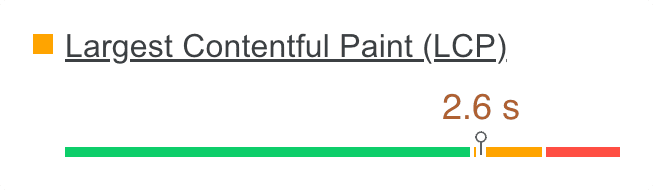
Core Web Vitals measure loading, responsiveness, and visual stability using LCP, INP, and CLS. Practical targets are LCP under 2.5 seconds, INP under 200 milliseconds, and CLS under 0.1. If one metric is poor, the page can be marked as failing, so optimization should focus first on the worst metric, not chasing a perfect overall PageSpeed score.
Search Console uses aggregated real user data and groups similar URLs, so it reflects what real visitors experienced over time. PageSpeed Insights shows a mix of lab simulation and field data when available, often at a single URL level. It is normal for them to disagree. The right approach is to use PageSpeed to diagnose issues, then use Search Console to confirm that real user experience improves over time.
PageSpeed includes a lab test that can vary because it is a simulation and can be affected by network and test environment differences. Field data, when available, is based on real users over a longer period and updates slowly. Treat a single run as a clue, not a verdict. Look for consistent patterns across multiple tests and focus on the repeated bottlenecks.
Render blocking resources are CSS and JavaScript files that must load before the page can visually render. In WordPress, these often come from themes, page builders, and plugins that load globally. The correct fix is not “defer everything.” It is to keep critical above the fold CSS available immediately, delay non critical assets, and unload scripts and styles that are not needed on specific pages.
Caching helps, but it rarely fixes Core Web Vitals by itself. Many failures are caused by heavy frontend assets, third party scripts, fonts, and large images, which caching does not remove. WooCommerce and membership sites also need careful caching rules. The best results typically come from combining caching with asset level optimization and controlled script loading.
Sometimes, but you should confirm hosting is the bottleneck before migrating. If server response time is inconsistent, resources are constrained, PHP is outdated, or caching is misconfigured, hosting and server setup matter. However, many sites remain slow due to frontend weight even on good hosting. A proper diagnosis should separate server response issues from frontend rendering issues so you do not pay for a migration that does not move the needle.
A slow wp-admin is often caused by plugin bloat, heavy admin scripts, too many autoloaded options, database overhead, scheduled tasks that pile up, and slow external requests (like update checks or API calls). Fixes typically include cleaning database bloat safely, reducing unnecessary plugins, optimizing the database, ensuring object caching is correct, and addressing cron and background tasks.
Many plugins load CSS and JavaScript on every page even when the feature is used on only one page. Others add third party scripts, database queries, or background tasks. The fix is to audit what loads globally, unload assets where they are not needed, keep only essential plugins, and avoid overlap between multiple optimization or analytics tools.
Updates can change how assets load, introduce new scripts, increase CSS size, or add background tasks. Caching plugins can also need cache regeneration after updates, and minification can break or change loading order. The right approach is to test performance before and after updates, identify what changed, and apply targeted fixes rather than disabling updates completely.
Yes, but Elementor speed depends heavily on how the pages are built. Overuse of widgets, nested sections, animations, sliders, and heavy templates increase DOM size and JavaScript work, which hurts LCP and INP. The best improvements usually come from simplifying layouts, optimizing above the fold sections, controlling global assets, and reducing third party scripts.
Yes, but WooCommerce performance depends on theme quality, plugin load, and how dynamic features are handled. Cart fragments, mini cart scripts, analytics, and third party widgets often add overhead. Passing Core Web Vitals typically requires controlling scripts and styles, optimizing product templates, setting safe caching rules for dynamic pages, and avoiding unnecessary plugins.
A good lab score does not guarantee good real user experience. Real users may have slower devices, different networks, and different interaction patterns. INP and responsiveness issues can feel bad even if overall score looks fine. The correct validation is to combine lab tests with real user data (when available) and confirm improvements in actual browsing conditions.
A proper optimization includes diagnosing the bottleneck, optimizing the LCP element, reducing render blocking resources, improving JavaScript execution and interaction responsiveness, optimizing images and fonts, configuring caching and CDN correctly, and removing unnecessary overhead from plugins and themes. The focus is on changes that improve real user experience, not cosmetic tweaks.
Most projects can be completed within a few days depending on site complexity, access, and how many moving parts exist (WooCommerce, multiple languages, heavy builders, large tracking stacks, custom code, or hosting issues). The biggest factor is whether the site needs only frontend optimization or also server level and infrastructure changes.
WordPress admin access is often enough for many improvements, but hosting or server access may be needed for PHP, caching, CDN rules, database tuning, and performance related server configuration. Safe work means backups, controlled changes, and testing so changes can be rolled back quickly if needed. Temporary accounts can be used and removed after delivery.

STOP LOSING VISITORS TO A SLOW WEBSITE...